
Best App to Identify Items by Photo for Resellers
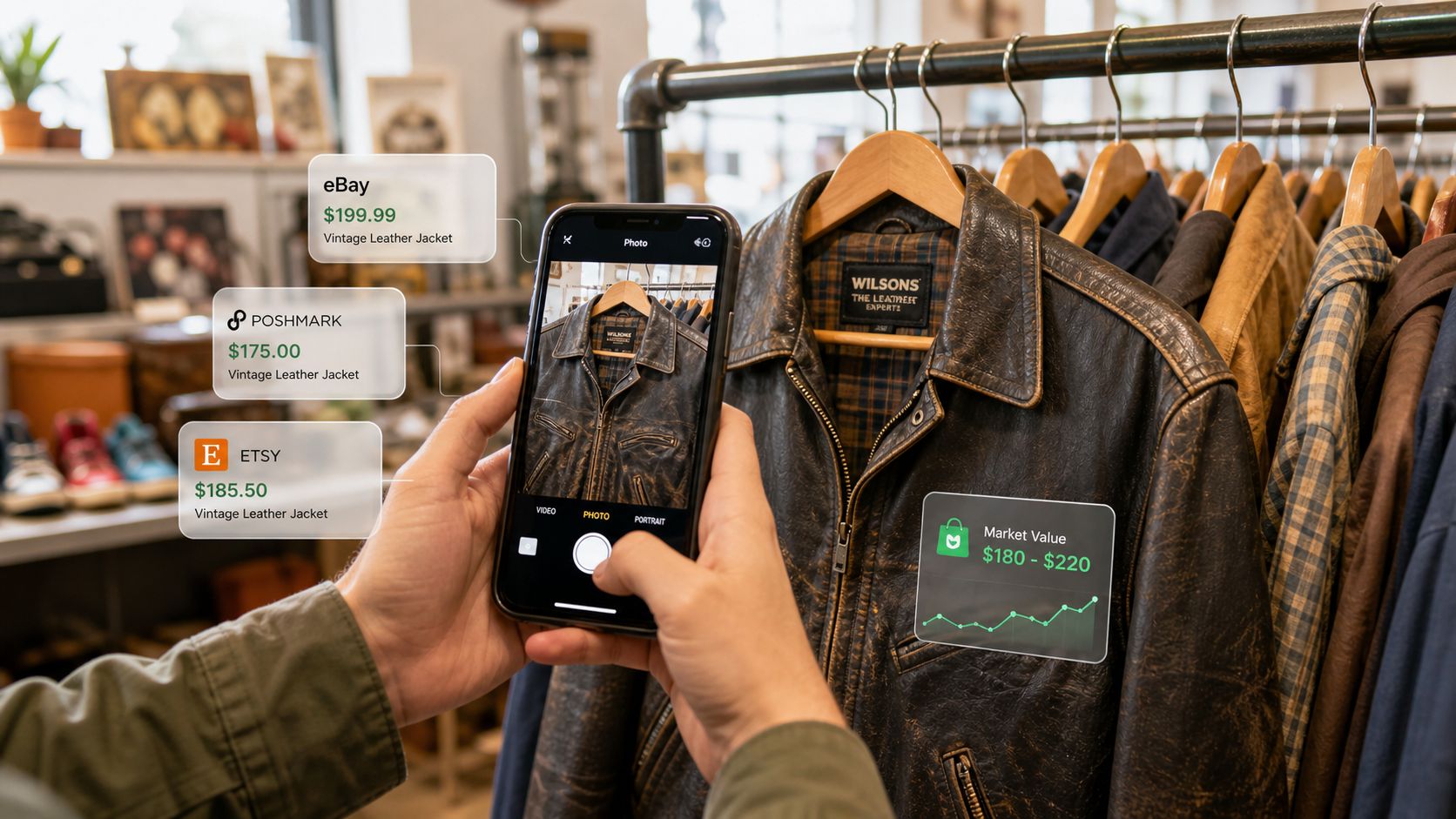
You're in a thrift store with a jacket that has no tag, a pair of shoes with a rubbed-out label, and maybe ten seconds before somebody else grabs them. A barcode scanner gives you nothing. An app to identify items by photo can turn that unknown into a fast buy-or-pass decision, but only if it does more than name the object and helps you judge profit after fees, shipping, and marketplace costs.
Table of Contents
- Why Resellers Need More Than a Barcode Scanner
- How Photo Identification Apps Actually Work
- Key Features Resellers Need in an Identification App
- A Practical Sourcing Workflow Using Photo Identification
- How to Choose the Right Photo Identification App
- Common Pitfalls and How to Verify Results in the Field
- Building a Smarter Sourcing Routine with Visual Search
Why Resellers Need More Than a Barcode Scanner
A barcode scanner only works when the item still has a usable barcode, which is fine for new retail stock and nearly useless for the thrift aisle. The goods that matter most to resellers are often untagged, worn, vintage, or obscure. That is where photo-based search earns its place, because the camera can inspect the item itself instead of waiting for a printed code.
Google Lens and Apple's Visual Look Up pushed that behavior into mainstream mobile use. Google describes Lens as a way to identify plants, animals, products, and other objects from an image, while Apple says Visual Look Up can recognize art, landmarks, plants, and dog breeds directly from photos. Google Photos also integrates Lens to check details or find similar products from an image, which shows how visual search moved from a niche utility into a default mobile habit. Google Photos Lens support, Apple Visual Look Up support
For resellers, that shift matters for one reason, speed at the decision point. A jacket with no tag is not a mystery to solve at home later. It is a live inventory decision in the aisle. The app has to help you identify the item, compare likely matches, and decide whether the spread still works after marketplace costs.
Practical rule: if an app stops at “this is probably X,” it's a research toy. If it gets you from unknown item to probable net profit fast, it's a sourcing tool.
That is also why visual search beats barcode-only workflows in estates, garage sales, and cluttered thrift racks. The camera sees shape, logo placement, texture, stitching, and wear patterns. Those clues are often the only clues left.
See how a scanning workflow fits into retail arbitrage
How Photo Identification Apps Actually Work
The basic pipeline
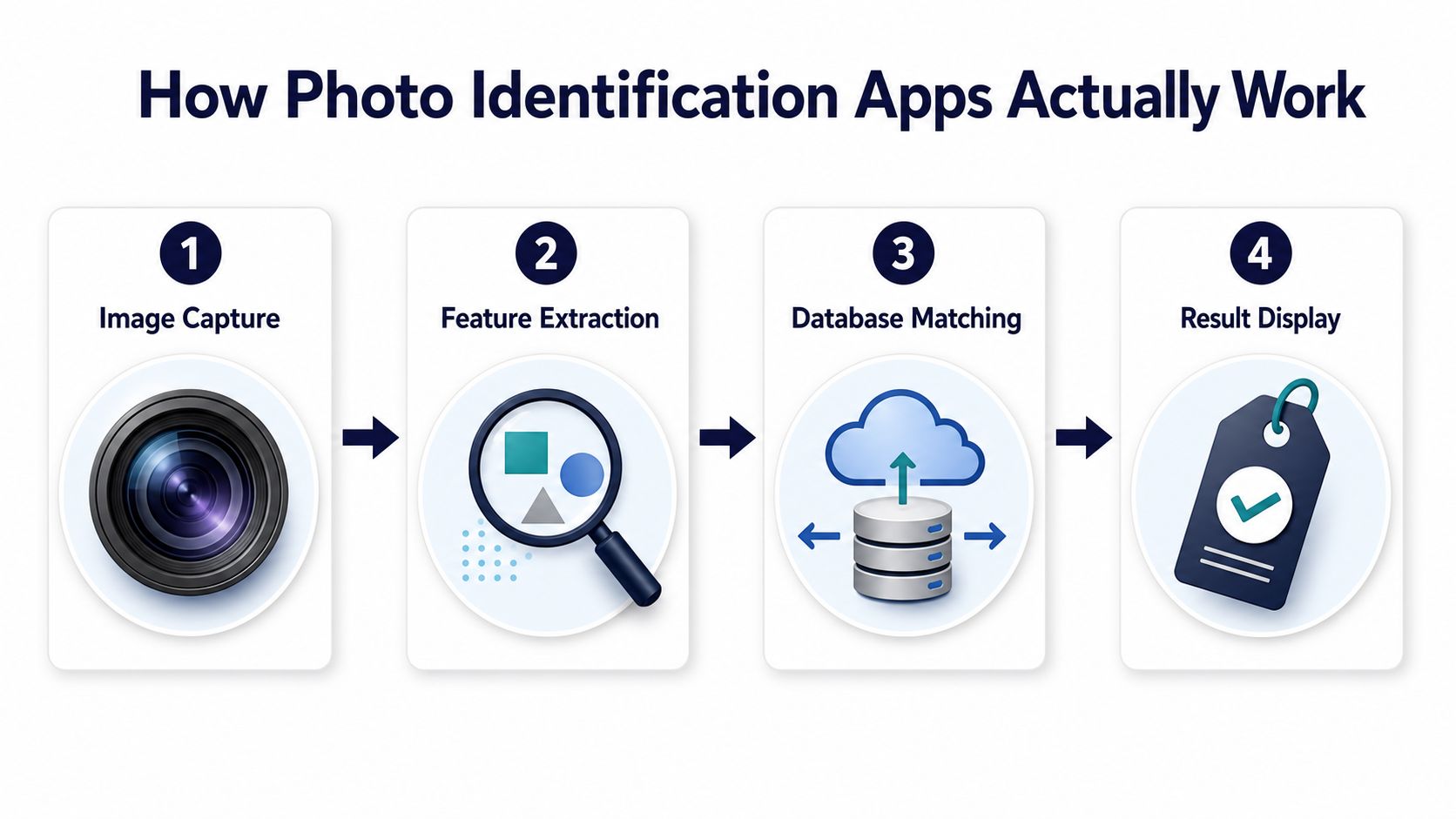
A photo identification app does not “know” the item the way a person does. It captures the image, pulls out visible features, compares them to a large reference set, and returns likely matches. Think of it less like a barcode scan and more like a fingerprint match, where the system is looking for similarity across shape, markings, logo position, texture, and model details.
That's why the quality of the photo matters so much. Guidance from Lens AI says to use good light, keep the subject sharp, avoid glare and shadows, and crop tightly around the item because the model compares visible details such as shape, markings, logo position, model numbers, and texture. A cluttered wide shot gives the system less useful signal and more confusion, so the app often has to work harder or ask for another angle. Lens AI guidance
Why the result is usually a candidate, not a verdict
Modern systems usually return ranked matches or a category tag rather than a single deterministic answer. Apple's Visual Look Up identifies items such as art, landmarks, plants, and dog breeds from images and then surfaces additional information from Siri Knowledge and the web, while Google Lens is widely used as a mainstream product-identification tool in Android and Google Photos. That architecture is built for recognition and retrieval, not certainty.
The first result is often the best lead, not the final answer.
For resale, that distinction is critical. A scan can point you toward the right brand family, product line, or style generation, but you still need to verify labels, markings, and condition before you pay. The app narrows the field. You close the deal, or walk away, based on the rest of the evidence.
What works in the field
The fastest scans usually come from tight, well-lit crops of the most distinctive area. Logos, heel tabs, hardware stamps, model numbers, and sole patterns tend to outperform generic full-item shots. If the item has several visual clues, take more than one photo and compare the results instead of trusting a single capture.
The point is simple. Better input gives you better retrieval, and better retrieval saves time where time actually matters, standing in front of the shelf.
Key Features Resellers Need in an Identification App
A consumer visual search app and a reseller app solve different problems. One tries to tell you what something is. The other should help you decide whether the item leaves room for profit after the marketplace takes its cut. That is a different job, and it needs a different feature set.
| Feature | Why It Matters | Problem It Solves |
|---|---|---|
| Photo identification without a barcode | Lets you research untagged, vintage, or worn items on the spot | Barcode-only tools fail on thrift finds and estate sale merchandise |
| Cross-platform sold comparables | Shows what the item has actually sold for across marketplaces | Prevents relying on a single listing or a stale asking price |
| Price comparison across marketplaces | Helps you see demand across several sales channels | Saves time opening separate apps and checking each venue by hand |
| Fee and shipping calculation | Turns gross price into expected take-home profit | Stops bad buys that look good before costs |
| Flip-or-pass verdict | Gives a fast yes, no, or maybe signal based on your threshold | Cuts hesitation in busy sourcing environments |
| Scan history with location and time | Keeps a record of what you found and where you found it | Helps with pattern spotting and repeat sourcing |
| Marketplace-specific fee schedules | Keeps projections aligned with current platform rules | Reduces manual spreadsheet upkeep and outdated assumptions |
Cross-platform sold comps are the most important feature after identification itself. If you only see asking prices, you are still guessing. A sold-comparables view gives you a much better sense of whether the item moves, and how the market has valued it recently. The strongest reseller tools also cover the actual places where buyers shop, not just one marketplace in isolation.
That is where a purpose-built option like ScanFlip AI fits naturally. It combines photo-based identification with sold comps, fee and shipping estimates, and a net-profit output so the buy decision is based on what you keep, not what the item grosses.
What to prioritize first
If you source casually, focus on identification speed and sold comps. If you source full-time, fee accuracy and scan history matter more because small mistakes compound. If you flip across multiple marketplaces, broad coverage becomes the difference between a useful app and a narrow one.
Review a reseller-focused app workflow
A Practical Sourcing Workflow Using Photo Identification
Start with the item, not the app. Look for the features that survive wear, because those are the clues the software can use. A shoe with a faded label still has a heel shape, outsole pattern, stitching layout, and logo placement that can produce a useful match if you photograph it well.
The in-aisle sequence that actually works
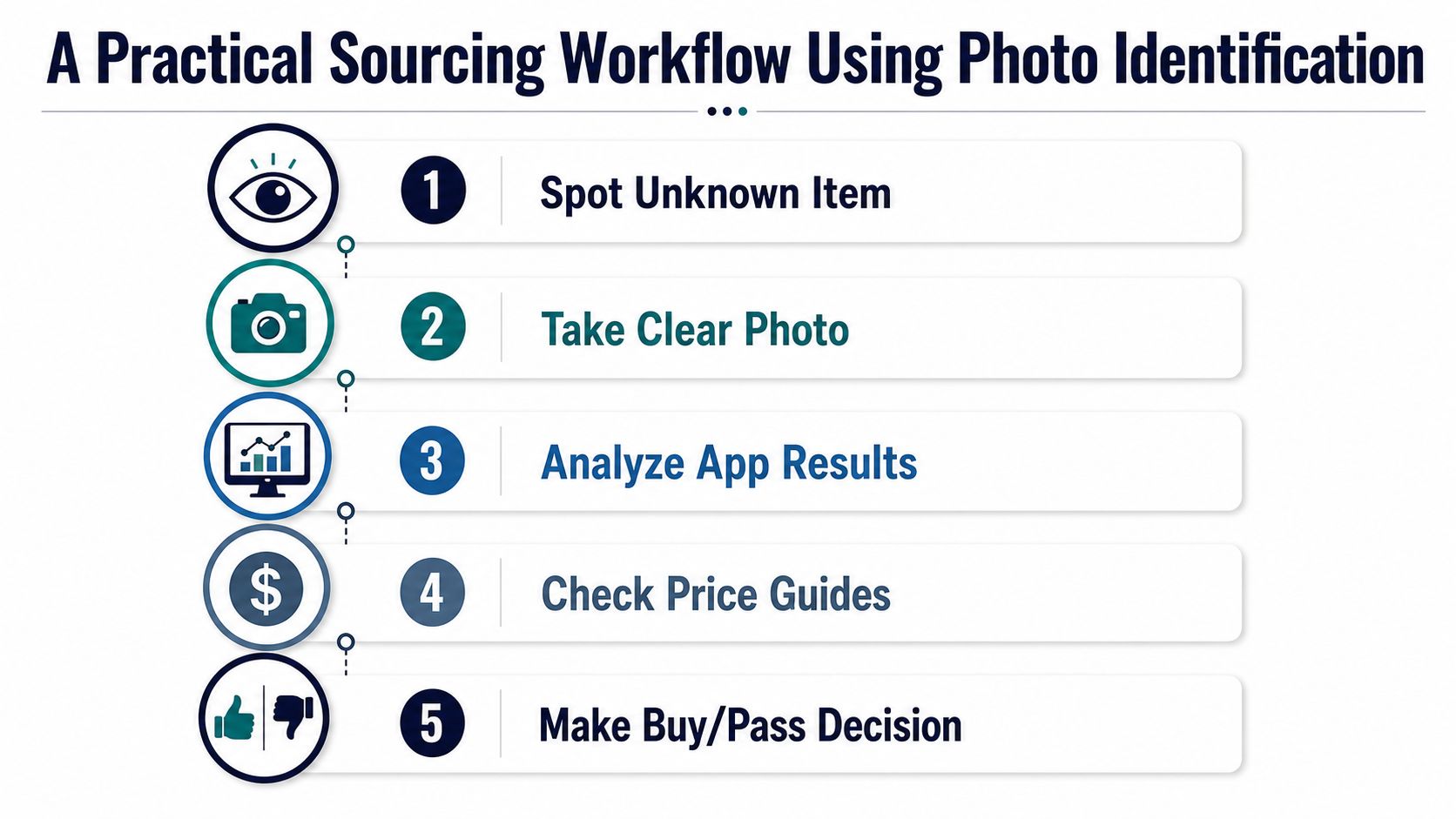
- Spot the unknown item. Don't waste time scanning obvious low-value goods. Save your attention for brands, materials, or categories you already know can flip.
- Take a clear photo. Use steady hands, pull back clutter, and crop tightly around the most distinctive detail. The app needs signal, not background noise.
- Review the likely match. Treat the top result as a candidate, then check whether the shape, marking, and style line up with what's in front of you.
- Check the price context. Compare what similar items sold for, not what sellers are asking right now.
- Make the buy-or-pass call. If the spread leaves room after fees and shipping, the item stays in your cart. If not, leave it.
That flow matters in fast environments like estate sales and garage sales because the best pieces do not wait. Hesitation costs money. Overconfidence costs more. The right workflow keeps you moving without turning every aisle into a research project.
How to stay fast without getting sloppy
Use one photo for the item as a whole and one for the most identifying mark. If the first scan is weak, take a second angle rather than guessing. A few extra seconds of capture time can save you from buying the wrong variant or a version with poor resale demand.
Field habit: a scan is only useful when it changes your decision.
For sellers who want a tighter sourcing loop, the app should hold your scan history with photos and notes so you can compare what you found later. That is especially useful when you're sourcing similar items repeatedly and want to recognize patterns in what turns into profit.
How to Choose the Right Photo Identification App
A lot of apps can identify an object. Far fewer can help you decide whether the object is worth buying. That difference is where most reseller buyers waste time, because a broad consumer tool can give you a name while a sourcing app should give you a decision.
Compare the three app types
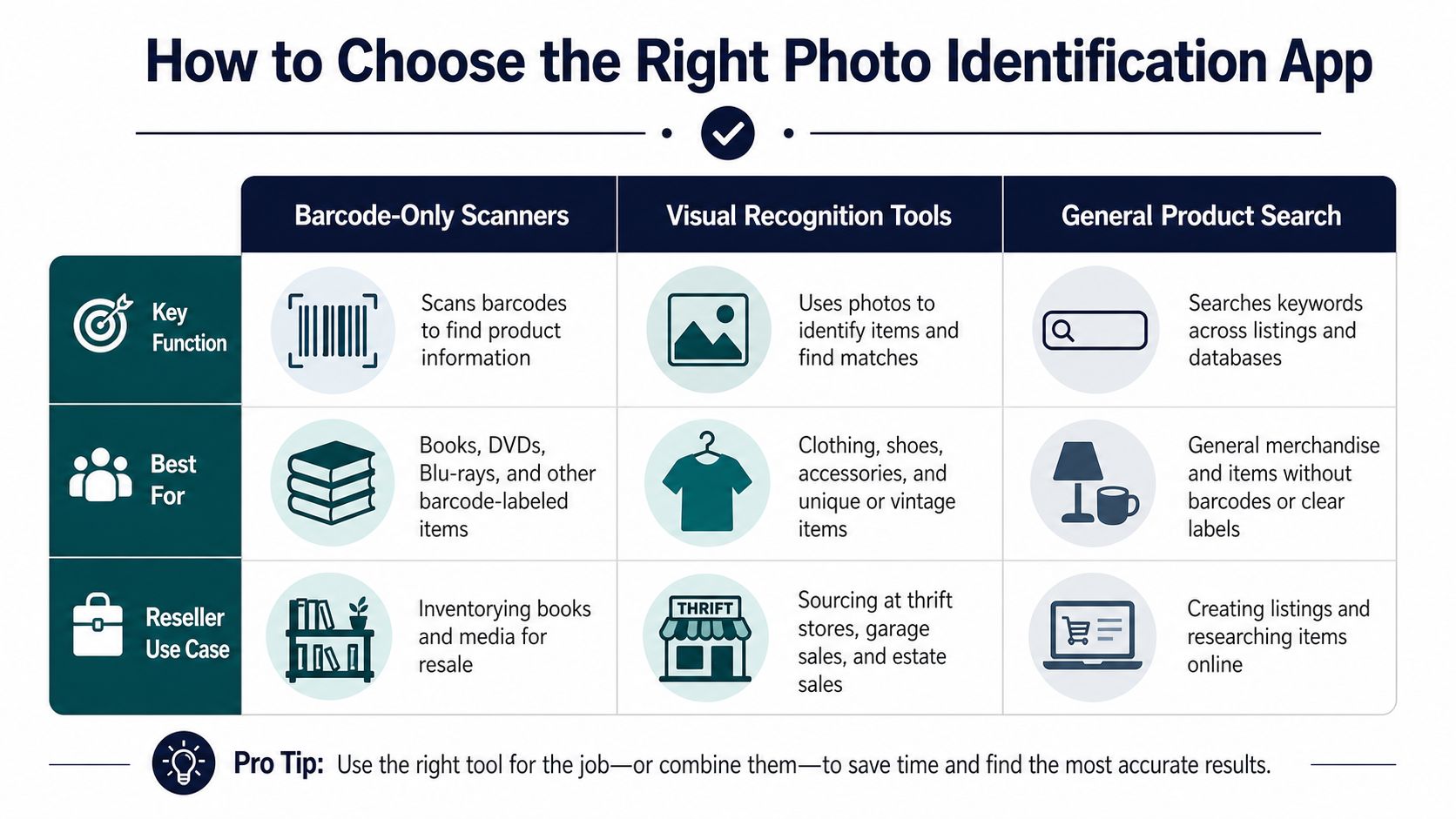
| App Type | Strength | Weakness | Best Reseller Use |
|---|---|---|---|
| Barcode-only scanners | Fast for tagged retail goods | Useless on most thrift and vintage items | New-in-box retail arbitrage |
| Visual recognition tools | Useful for unknown items and visual matches | Often stop at identification and web context | Quick name lookup in the aisle |
| General product search apps | Helps find visually similar products | May not include resale economics | Basic comparison shopping |
The right choice depends on what you source. If your cart is mostly modern retail with intact UPCs, a barcode tool may still be enough. If your buys are apparel, shoes, collectibles, or mixed estate-sale inventory, visual recognition becomes the baseline. If you care about real profit, look for net output rather than just gross price lookups. ScanFlip AI comparison overview
Three things separate the stronger options from the rest. First, they cover more than one marketplace, so you are not doing repetitive searches by hand. Second, they show fees and shipping, which keeps the profit math honest. Third, they save your scans, so the app becomes part of your sourcing memory instead of a one-time lookup.
A reseller who mainly flips shoes needs different coverage than someone scanning home goods at estate sales. That's fine. The wrong move is choosing based on a flashy camera demo instead of the output that matters, which is whether you can make a correct buy decision in seconds.
Common Pitfalls and How to Verify Results in the Field
Photo identification fails most often when the item is damaged, partial, or visually crowded. Worn logos, partial labels, glare on shiny surfaces, cluttered backgrounds, and vintage variants that look close to modern releases can all confuse a model. Condition differences matter too, because a great brand in poor shape may not justify the buy even if the scan is accurate.
The biggest mistake is trusting the top result too quickly. The systems are optimized for recognition and retrieval, not certainty, so the output should be treated as a candidate match. That means checking the label, model number, stitch pattern, hardware stamp, sole marking, or any other hard identifier before you commit money.
Where scans break down
Worn apparel labels are a common trap because the visible text is incomplete and the garment may have been produced in several seasons with similar styling. Reflective electronics, polished accessories, and clear plastic surfaces can also create glare that hides the exact detail the app needs. Vintage and near-duplicate products are especially risky because subtle differences can change value a lot.
Take more than one angle when the first scan looks shaky. One tight crop of the logo, one wider shot of the whole item, and one photo of the internal tag or serial area often gives you enough overlap to reduce uncertainty. If the results keep drifting across unrelated brands or model families, that's usually a sign to pass.
Verification checklist in the aisle
- Read the hard text first: Model numbers, size codes, serial marks, and material labels beat vague visual similarity.
- Compare the specific variant: A close match is not enough if the release year, size, colorway, or construction is different.
- Check the condition gap: Heavy wear, missing parts, or repairs can erase the profit you thought you saw.
- Use a second source when needed: If the item looks promising, confirm it against another reference before you spend.
That discipline saves money because it keeps you from paying for a confident guess. In resale, confidence is not the same thing as accuracy.
Building a Smarter Sourcing Routine with Visual Search
The best app to identify items by photo is the one that helps you make the right decision fastest. For resellers, that means photo recognition, sold comps, fee-aware profit math, and a scan history you can use later. If the app only names the item, it has not done enough work.
The shift is moving from gross-price thinking to net-profit thinking. A strong match is useful, but only if the item still makes sense after fees and shipping. That's the part many visual search tools ignore, and it's the part that determines whether a buy turns into cash or clutter.
Build the habit around verification, not blind trust. Get the clean photo, review the candidate match, confirm the identifying details, then check whether the numbers still work. Once that routine becomes automatic, the app stops being a novelty and starts acting like a pocket-sized sourcing assistant.
If you want a visual search workflow that's built for resale decisions, take a look at ScanFlip AI. It identifies items from photos, surfaces sold comps across major marketplaces, and shows expected net profit so you can decide fast in the aisle.