
Barcode Scanner for Books That Actually Pays Off
You're standing in a Goodwill aisle with a cart full of $3 books, and another shopper is already working the shelf behind you. You've got roughly half a minute to decide whether a hardcover belongs in your buy pile or back on the shelf. A clean barcode scan can identify the edition quickly, but identification alone won't tell you whether the book will cover marketplace fees, shipping, and your time.
That's the mistake newer book flippers make with a barcode scanner for books. They scan, see a title, notice an attractive price, and buy. Later, the book becomes part of the death pile because the sold comps are weak, the exact edition is wrong, or the net profit disappears after costs.
A scanner is most useful as the first filter in a larger sourcing process. You need to know what the barcode contains, why it sometimes fails, how to switch to AI photo or text search, and how to turn the result into a flip-or-pass decision. The practical workflow is simple: identify fast, verify the edition, check sold comps, calculate net profit, then buy only when the numbers and condition make sense.
For a broader look at mobile tools used during book sourcing, this book scouting app guide provides useful context. The aim here is more specific, to help you make better decisions while you're still standing in the aisle.
Table of Contents
- Introduction Why Scanning Books in the Aisle Still Matters
- How a Barcode Scanner for Books Works
- Barcode Scanning vs AI Photo and Text Search
- Why Some Books Will Not Scan and How to Fix It
- Best Practices for Fast and Accurate Book Sourcing
- Turning a Scan Into Sold Comps and Net Profit
- Conclusion Choosing the Right Scanner for Your Book Flipping Strategy
Introduction Why Scanning Books in the Aisle Still Matters
Barcode scanning remains valuable because it removes guesswork at the exact moment a reseller needs speed. The ISBN barcode on a commercially published book can connect the physical copy in your hand to title metadata, edition information, and marketplace records without typing a long title into a search bar.
That standardization has a long history. The barcode concept was patented in 1952, the first official UPC scan took place in 1974, and CCD imagers used in barcode reading were pioneered in the 1990s, according to this history of barcode technology from Clemson University. Book identification became much more consistent when ISBN-13 took effect on January 1, 2007, replacing the earlier 10-digit format for new books and aligning book identification with the EAN retail system, as documented by the Book Industry Study Group's barcoding guidelines.
The aisle decision is bigger than the scan
Say you find a clean-looking hardcover for $3. The scan identifies a desirable title, but the sold comps are weak or scattered across marketplaces. If shipping and fees consume the expected sale proceeds, the book isn't a flip. If the scan returns the wrong edition, you may buy a copy that has less demand than the one you researched.
The scan gives you an identifier. Your job is to decide whether that identifier represents a profitable, sellable copy. That means checking the cover, publication details, condition, demand, and actual sold prices rather than relying on current asking prices.
A barcode also can't identify every book. Vintage titles, books with missing jackets, ex-library copies with covered labels, and damaged covers may need a different method. A productive scanner workflow therefore has fallbacks instead of treating a failed barcode as a dead end.
A practical aisle rule: use the barcode to narrow the decision quickly, not to make the decision automatically.
By the end of this guide, you'll know how a barcode scanner for books reads an ISBN, when to use AI photo or text search, how to fix common scan failures, and how to connect the result to sold comps and net profit. That combination is what keeps a fast sourcing trip from turning into a cart full of low-value inventory.
How a Barcode Scanner for Books Works
You find a clean hardcover, point your phone at the back, and get a title in seconds. The scan identifies the book, but it does not decide whether the copy belongs in your cart. A barcode is an index number, not a record. It points to a database entry that may contain the title, edition, format, and pricing information.
From printed bars to an ISBN record
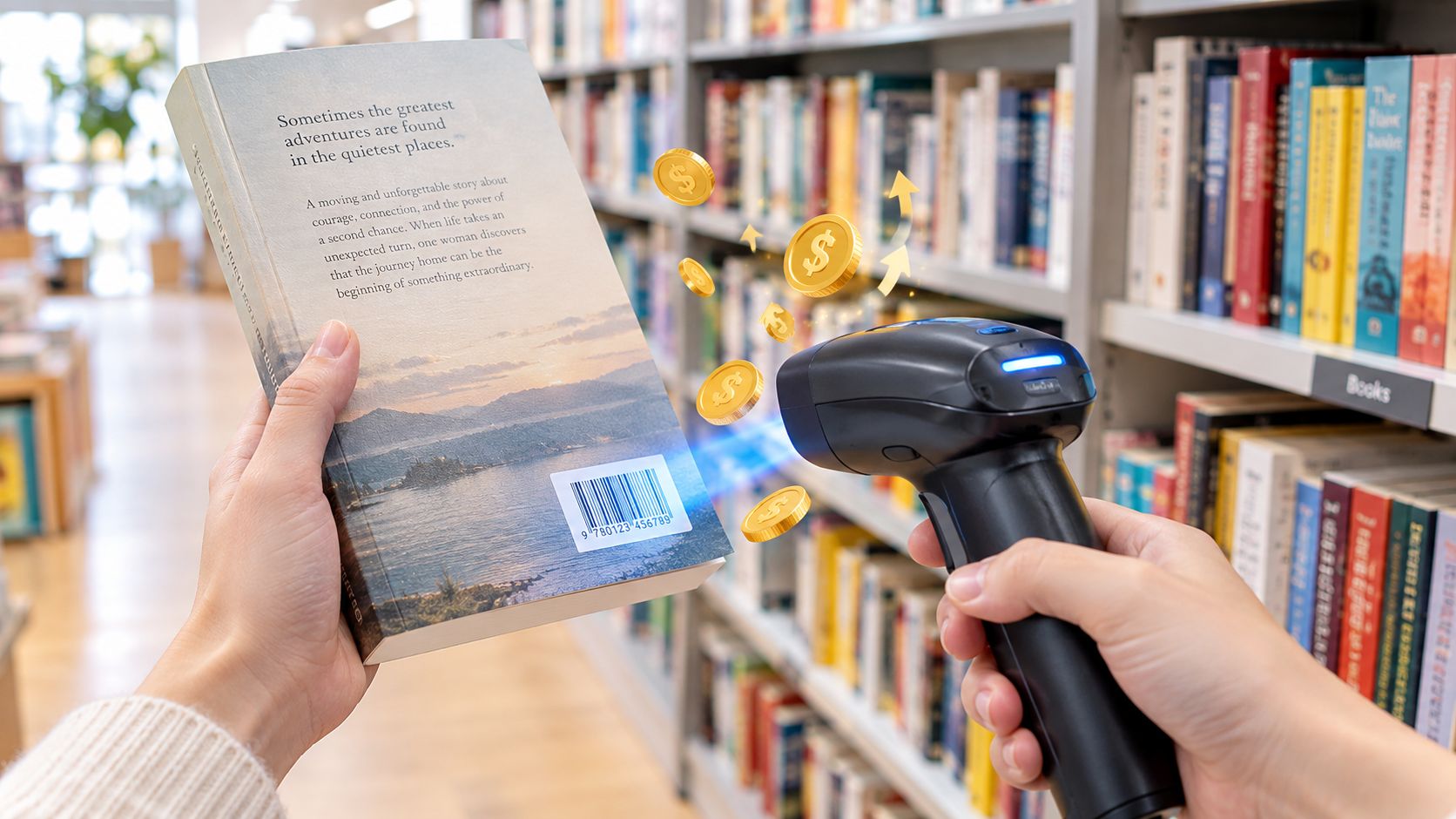
A book's back-cover barcode normally encodes its ISBN. Modern books commonly use an ISBN-13, represented through an EAN-13 barcode. The scanner reads the contrast between dark bars and light spaces, reconstructs the encoded digits, and sends the resulting number to a book database or marketplace catalog.
The lookup can return the title, author, publisher, format, and edition. The barcode itself does not contain a resale price. Current listings, sold history, and other market information come from external records connected to that identifier.
The camera needs a clear pattern to read each bar edge. A flat, clean print with blank space around it gives the decoder a strong signal. A curved dust jacket, glare, faded ink, or torn corner makes the edges harder to separate, so the scan becomes less reliable.
A readable code narrows the search quickly. You still need to verify the physical copy and check sold comps before making a profit decision.
Why quiet zones and placement matter
Book barcode guides generally place the code on the lower right of the back cover, with clear space around the bars called the quiet zone. The GS1 nominal EAN-13 size is about 37.29 millimeters wide by 25.93 millimeters high including margins, according to this book barcode placement guide. That placement and size give a camera enough room to capture the pattern when the book is framed properly.
Hold the phone too far away and the bars occupy too few pixels. Hold it at a sharp angle and the rectangle becomes distorted. Glossy covers can reflect overhead lights, washing out the contrast. The app may recognize a marginal image, but failures become more likely as the image quality drops.
The complete scan sequence
A typical book scan follows these steps:
- Frame the barcode. Keep the entire code and its surrounding blank space visible.
- Capture the bar pattern. The camera records the contrast, width, and spacing of the bars.
- Decode the digits. Software converts the pattern into an ISBN or related retail identifier.
- Match the identifier. The app checks a catalog or marketplace database.
- Review the record. Compare the returned details with the physical book.
The final check protects your buy decision. A scanner can return the wrong record when the identifier is malformed, the database has a mismatch, or the copy differs from the catalog entry. Compare the cover, format, publication details, and included materials. Then review sold comps and estimate net profit after fees, rather than treating identification alone as proof of value.
Barcode Scanning vs AI Photo and Text Search
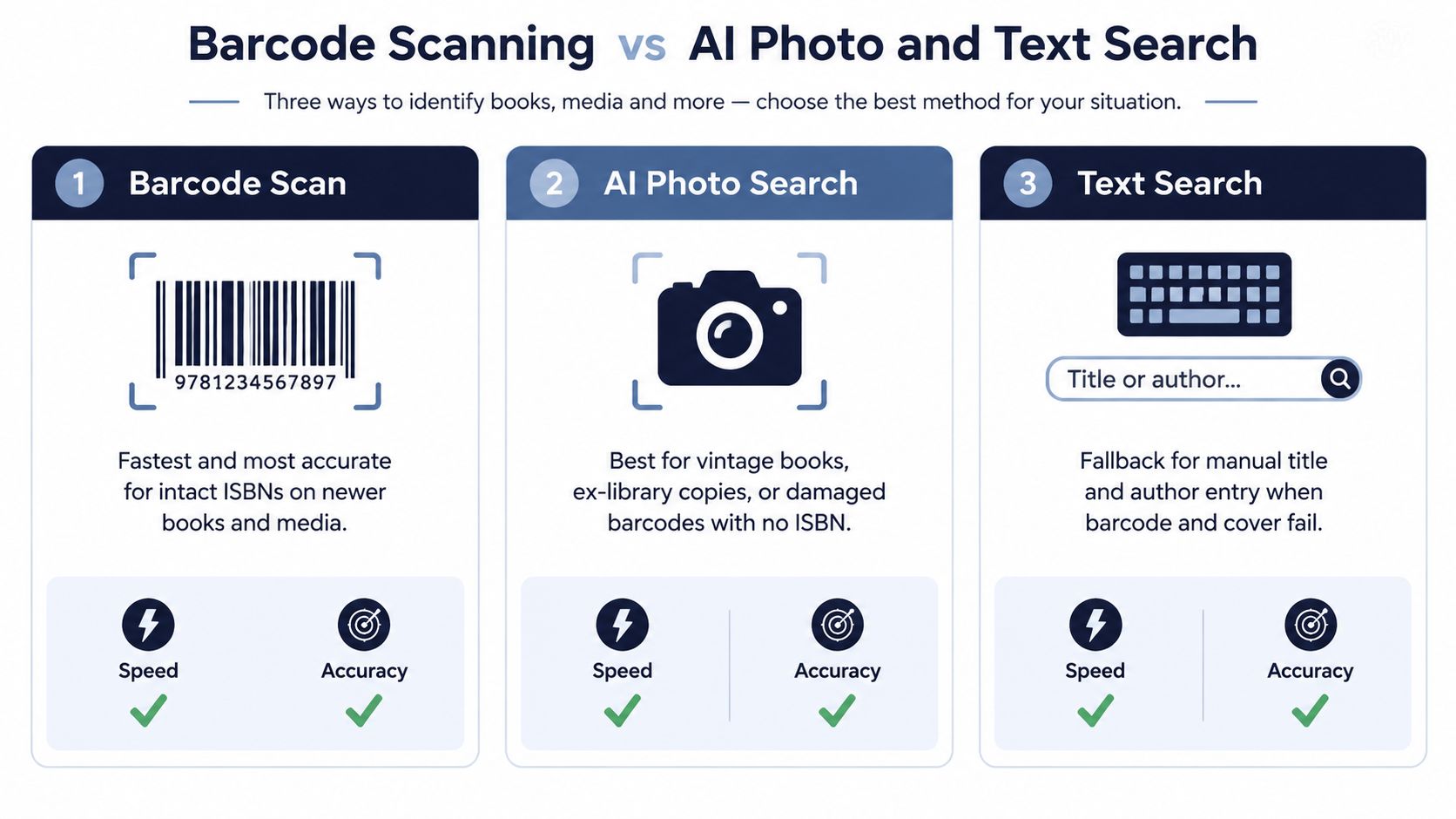
Barcode, AI photo, and text search each solve a different sourcing problem. Barcode scanning wins when the ISBN is intact and visible. It's usually the quickest route from a newer book to an identifiable catalog record, but it has the narrowest coverage because it depends on a readable barcode.
AI photo search is useful when the book has no usable barcode. You might be looking at a vintage title with an old cover, an ex-library copy with the original barcode covered, or a loose book without its dust jacket. A photo can use the cover design, typography, author name, and other visual clues instead of relying on the ISBN.
Text search gives you control when the other methods return uncertainty. If the barcode is faded, the scan identifies the wrong edition, or you want to verify a title manually, enter the title and author and compare the result with the copy in your hand.
Which method fits the aisle problem
| Method | Best For | Limitation | Speed in Aisle |
|---|---|---|---|
| Barcode scan | Intact ISBNs on newer books and media | Fails with missing, covered, faded, or damaged codes | Fastest when readable |
| AI photo search | Vintage books, ex-library copies, damaged barcodes, or books without usable ISBNs | Visual matches may require cover and edition verification | Fast for clear covers |
| Text search | Manual title and author lookup, edition confirmation, and barcode fallback | Typing takes longer and common titles can return several records | Moderate |
Consider three real shelf situations. A recent hardcover with a crisp back-cover barcode should go straight to barcode scanning. An older book with a clean illustrated cover but no readable ISBN is a better AI photo candidate. A textbook with a partially rubbed barcode and several similar editions deserves text search using the title, author, and publication details.
Coverage matters more than a perfect first scan
Barcode-only workflows leave gaps. Reseller guidance confirms that ISBN barcode tools work on books with intact ISBNs, but they don't solve items without barcodes, as explained in this overview of thrift-store scanning apps. That limitation matters at estate sales and garage sales, where older collections often include books that weren't produced with the same modern retail labeling.
Don't keep forcing the same method after it has given you a weak result. Switch methods based on the evidence in front of you:
- Clear barcode, recent-looking edition: scan the barcode first.
- No visible barcode or missing jacket: try AI photo identification.
- Barcode result doesn't match the book: use text search and verify the edition.
- All methods return uncertainty: inspect the title manually and consider passing.
The goal isn't to prove that a particular scanner can read every book. The goal is to identify enough of the right copy to make a defensible buy decision without wasting several minutes on one low-cost item.
Why Some Books Will Not Scan and How to Fix It
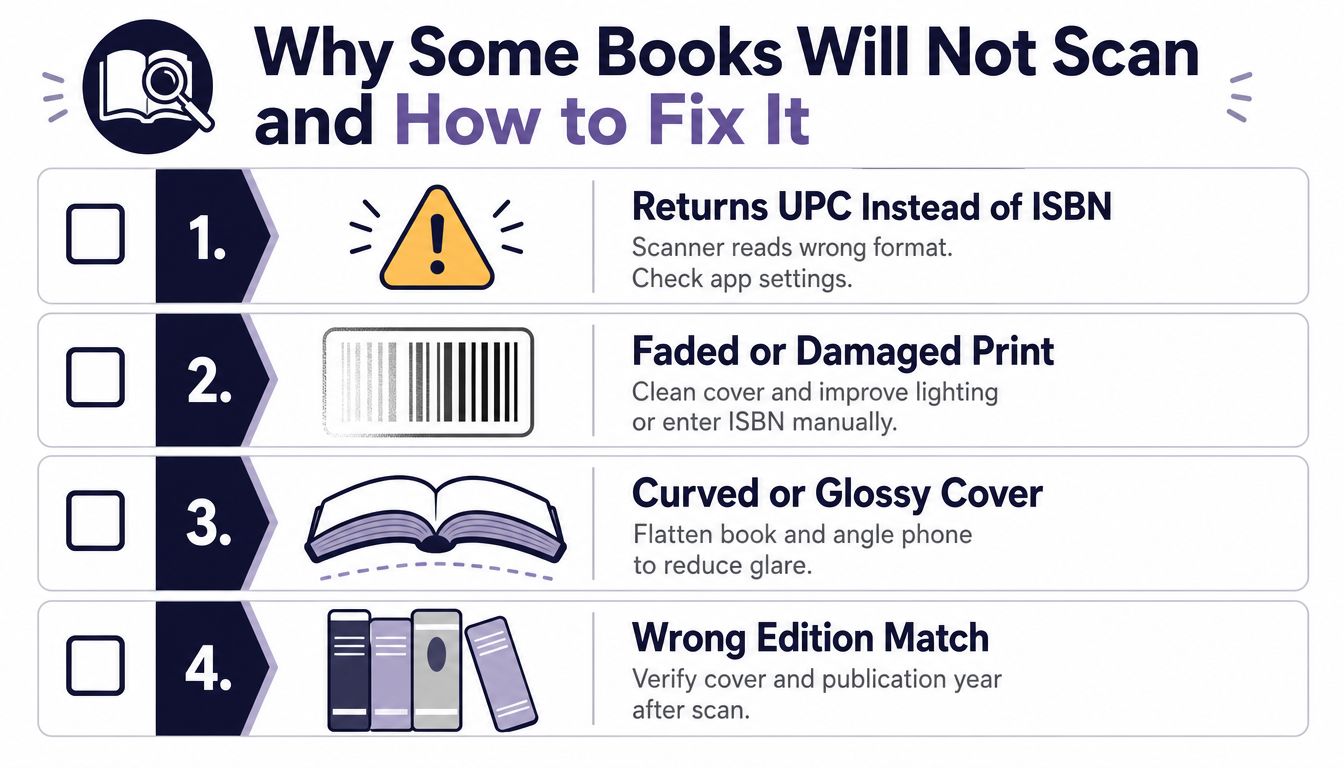
A failed scan doesn't always mean the book has no value. Sometimes the scanner reads a valid code, but not the identifier you expected. Older items can return a UPC instead of an ISBN, and malformed or mismatched barcode data may require manual correction, according to this barcode issue guide for library and catalog systems.
Diagnose the failure before you pass
Start by looking at the code itself. If the bars are faded, wipe dust from the cover and move to brighter, even light. If the book is glossy, tilt the phone slightly to reduce glare. If the cover is curved, flatten it with your hand and keep the camera parallel to the surface.
Camera scanners also have a resolution limit. A rigorous study of camera-based barcode reading found that exact decoding is possible when the narrowest bars are larger than three-fourths of a pixel, and in some cases at half a pixel under noise, as described in this barcode scanning technical guidance document. You don't need to calculate pixels in the aisle. You only need to understand the practical result: a small, blurry, moving barcode gives the decoder less usable geometry.
Use a short troubleshooting checklist
- Reframe the code. Move closer until the barcode fills more of the camera view, but keep the full pattern visible.
- Reduce movement. Hold the phone steady and wait for the image to focus.
- Change the angle. Rotate slightly when glare obscures the bars.
- Check the identifier type. If the app returns UPC rather than ISBN, look for an ISBN-10 or ISBN-13 printed near the copyright page or barcode.
- Type the ISBN manually. Manual entry can salvage a readable number when the camera can't decode the print.
- Switch to text search. Use the title and author when the number is missing, wrong, or tied to the wrong record.
- Verify the edition. Compare the cover, format, publisher, and publication details before buying.
The most expensive failure isn't a scan that produces no result. It's a confident scan that identifies a similar but different edition. A textbook, boxed set, international version, or book-club edition may carry different resale demand even when the title looks familiar. If the app result and physical copy disagree, treat the mismatch as a warning rather than forcing the purchase.
Best Practices for Fast and Accurate Book Sourcing
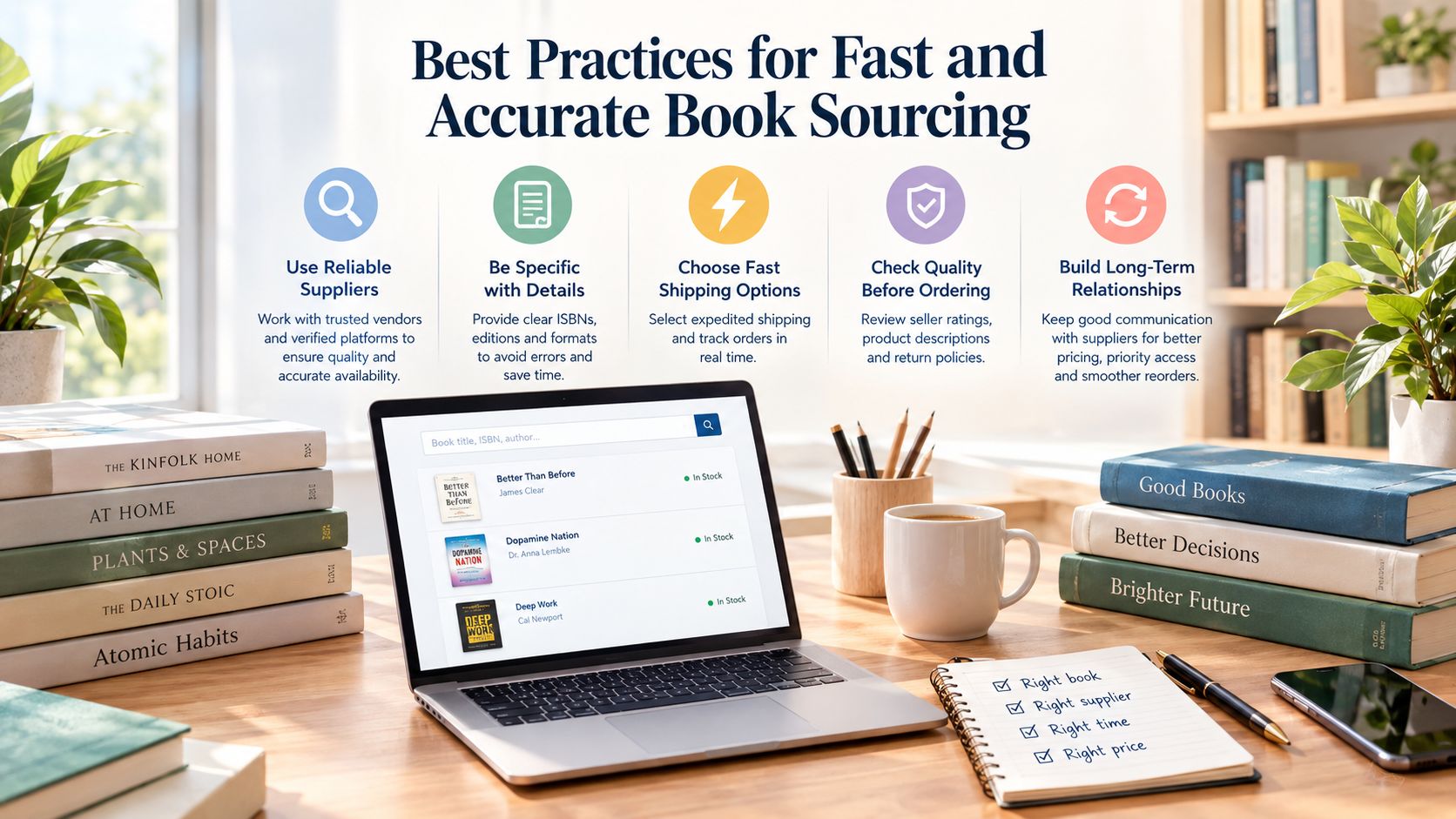
A good sourcing workflow protects your attention. You don't need to perform a full research session on every book in a thrift-store aisle. You need a fast first filter, followed by deeper comp checking only for copies that pass the initial inspection.
Start with the physical copy
Before scanning, spend a few seconds checking the signals that a barcode can't see:
- Condition: Look for writing, highlighting, water damage, odors, missing pages, and loose bindings.
- Edition clues: Compare hardcover versus paperback, publication information, included CDs or codes, and dust-jacket status.
- Category: Specialized nonfiction, out-of-print subjects, reference material, and certain textbooks may deserve a closer look. Common mass-market fiction often needs a faster pass decision.
- Price: Record the actual cost of goods before you research the outcome.
Then scan with the book flat. Aim at the lower right back cover, keep the quiet zone visible, and avoid letting your fingers cover the bars. For a $4 Goodwill hardcover, the first pass should answer whether the title and edition are worth a deeper comp check, not whether you can build a perfect listing immediately.
A repeatable sequence looks like this:
- Physical check: condition, format, and obvious edition details.
- Barcode scan: capture the ISBN when the code is intact.
- Record check: confirm the title and edition match.
- Profit screen: review sold comps, demand, fees, shipping, and cost of goods.
- Decision: place it in the buy pile or return it to the shelf.
Use batches without losing accuracy
Scan several promising books in a row, but don't let batch speed replace verification. Keep a photo of unusual finds and note the store or sale location so you can compare sourcing patterns later. Scan history with photos, locations, and timestamps can help you remember what you considered and which places consistently produce useful inventory.
The guide to scanning books at thrift stores offers another practical approach to keeping this process organized. Whatever app you use, set a personal profit floor before you start. That prevents a cheap buy cost from making a marginal book look attractive.
Aisle discipline: the fastest reseller isn't the person who scans everything. It's the person who stops researching weak candidates quickly.
Turning a Scan Into Sold Comps and Net Profit
The barcode answers, “What book is this?” Your sourcing decision needs to answer, “Should I buy this copy right now?” Those are different questions.
Start with sold comps, not asking prices. Current listings can sit unsold for a long time, while completed sales show what buyers paid. For a book with scattered demand, compare sold results across eBay, Poshmark, Mercari, Depop, Amazon, Whatnot, ThredUp, Facebook Marketplace, and TikTok Shop when relevant to the item and condition. A single marketplace can make a slow book look stronger or weaker than it is.
Read the result like a reseller
Look for a consistent sold-price range, comparable condition, and the same format or edition. A high sold price for a signed hardcover doesn't justify buying a worn paperback. A recent sale for a textbook with an access code doesn't apply when your copy lacks the code.
Sell-through rate also matters. If many comparable copies are available and only a small number have sold, your book may sit in storage even if the gross price looks attractive. That is how a promising buy becomes a death pile book.
A useful profit model is:
Expected sale price
minus marketplace fees
minus shipping
minus cost of goods
equals estimated net profit
For example, suppose you buy a book for $3, expect it to sell for $28, pay $4 in shipping, and incur $5 in marketplace fees. The estimated net profit is $16. If your minimum acceptable net is $10, that's a green decision. If the same book has a likely sale price of $14 with the same $3 cost, $4 shipping, and $5 fees, the estimated net is $2, which is a pass even though the title may look desirable.
Those figures are an example of the calculation, not a claim about standard fees or market results. Your actual fee schedule, shipping method, condition, and sale channel determine the final number.
ScanFlip AI in the sourcing workflow
ScanFlip AI combines AI photo scan with no barcode needed, barcode scan, and text search. It aggregates sold comps across the marketplaces named above, then calculates net profit after fees and shipping and returns a red or green flip-or-pass verdict based on your threshold. That makes it useful when a barcode identifies a book but doesn't give you enough economic context, or when the barcode fails and you need photo or text fallback. You can review the role of recent sold prices before relying on any single asking price.
The important distinction is that a scanner isn't a profit guarantee. It's a decision aid. You still need to inspect the physical book, confirm the edition, account for returns and storage, and decide whether the expected profit justifies the work.
Conclusion Choosing the Right Scanner for Your Book Flipping Strategy
A barcode scanner for books is the right first tool when the ISBN is intact, the print is sharp, and the returned record matches the physical copy. It gives you fast identification while you're standing at Goodwill, an estate sale, or a garage-sale book bin.
Barcode alone isn't enough for every sourcing situation. Use AI photo identification for vintage books, missing or covered barcodes, loose books without jackets, and damaged copies where the cover still provides useful clues. Use text search when you need to confirm an edition, correct a UPC-versus-ISBN problem, or verify a result that doesn't match the copy in your hand.
The strongest workflow has three parts:
- Identify the copy: barcode first, then AI photo or text when needed.
- Verify the match: compare edition, format, publication details, and condition.
- Make the buy decision: use sold comps, sell-through signals, fees, shipping, and cost of goods to calculate net profit.
That process keeps you from buying books merely because they have recognizable titles. It also helps you pass on low-margin inventory before it occupies a shelf, a storage bin, or your death pile.
ScanFlip AI fits the sourcing phase of that workflow, while tools such as Vendoo and List Perfectly can support the separate listing and inventory processes afterward. Start small on your next trip. Pick a manageable batch, scan the promising books, use a fallback method when the barcode fails, and record why each copy earned a green or red decision. Within a few trips, you'll have a clearer sense of which categories, stores, and editions deserve your time.
Use ScanFlip AI to identify books by barcode, AI photo, or text search, compare sold comps across major marketplaces, and calculate net profit after fees and shipping. Try the workflow on your next sourcing trip, then let the red or green verdict help you decide which books belong in your cart.