
Barcode Scanning App for iPhone
You're standing in a Goodwill aisle with a sealed board game in one hand and your iPhone in the other. You point the native Camera app at the UPC, wait for the familiar notification, and get nothing. Even if another app reads the digits, you still don't know whether the item will sell, how quickly it moves, or what's left after fees and shipping.
That's the core problem with most barcode scanning workflows. A barcode is an identifier, not a buy decision. A useful barcode scanning app for iPhone has to connect identification with sold comps, marketplace deductions, cost of goods, and a clear flip-or-pass answer.
Table of Contents
- Why the Native iPhone Camera Fails Resellers
- The Three Scan Methods You Actually Need
- Calculating Net Profit After Marketplace Fees
- Choosing the Right Tool for Your Sourcing Stack
- Adapting Your Scan Strategy by Sourcing Venue
- Managing Scan History and Sourcing Privacy
Why the Native iPhone Camera Fails Resellers
Apple's native Camera app is built to recognize QR codes and actions such as opening a URL. It isn't a complete product-research tool for resellers. Ordinary UPC and EAN scanning generally needs a dedicated app and a product database, as outlined in Apple's iPhone guidance on scanning QR codes.
That distinction matters in the aisle. Optical detection means the camera can interpret a pattern or number. Product identification means software connects that number to a catalog record. Sourcing intelligence goes further, matching the product to recent sold comps, shipping assumptions, marketplace fees, and your buy cost.
A generic scanner may return a raw UPC string and leave you to paste it into several marketplace apps. That's still manual research, and it's easy to compare the wrong version, use a high sold price that isn't typical, or forget that a profitable-looking item has a weak sell-through rate.
Practical rule: If the scan stops at the barcode number, you're only halfway through the sourcing decision.
The global system behind those numbers is far older than the iPhone. On April 3, 1973, U.S. grocery-industry leaders selected the UPC as a standardized product identifier, and on June 26, 1974, a 10-pack of Wrigley's chewing gum became the first retail item scanned at checkout at a Marsh Supermarket in Troy, Ohio. The original 12-digit UPC expanded to a 13-digit format in 1976, and international cooperation later connected the system across markets, according to GS1's barcode history.
That infrastructure is why a scan can identify many books, games, media items, electronics, and boxed retail products quickly. It doesn't mean every barcode has useful resale data. A discontinued product may have sparse comps, regional versions may be mixed together, and the barcode itself won't tell you whether the item is complete or working.
The Three Scan Methods You Actually Need
A barcode-only workflow breaks the moment the label is missing, damaged, or commercially irrelevant. A vintage jacket usually has no UPC. A collectible may have a decorative label instead of a machine-readable code. A boxed item may have a barcode, but glare or a crushed corner can keep the camera from decoding it.
The physical label matters more than many app listings admit. GS1 identifies the quiet zone, the clear margin around a barcode, as necessary for locating the symbol's beginning and end. Graphics, package edges, text, adhesive, wrinkles, and die cuts can interfere with decoding, while perspective, glare, curvature, low contrast, and partial occlusion create additional problems. The GS1 guidance on barcode quiet zones and printing explains why framing the entire symbol and its surrounding whitespace matters.
Live barcode capture for tagged inventory
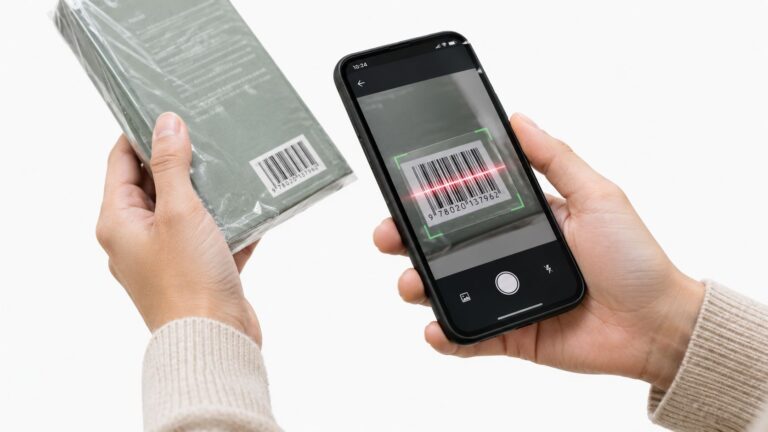
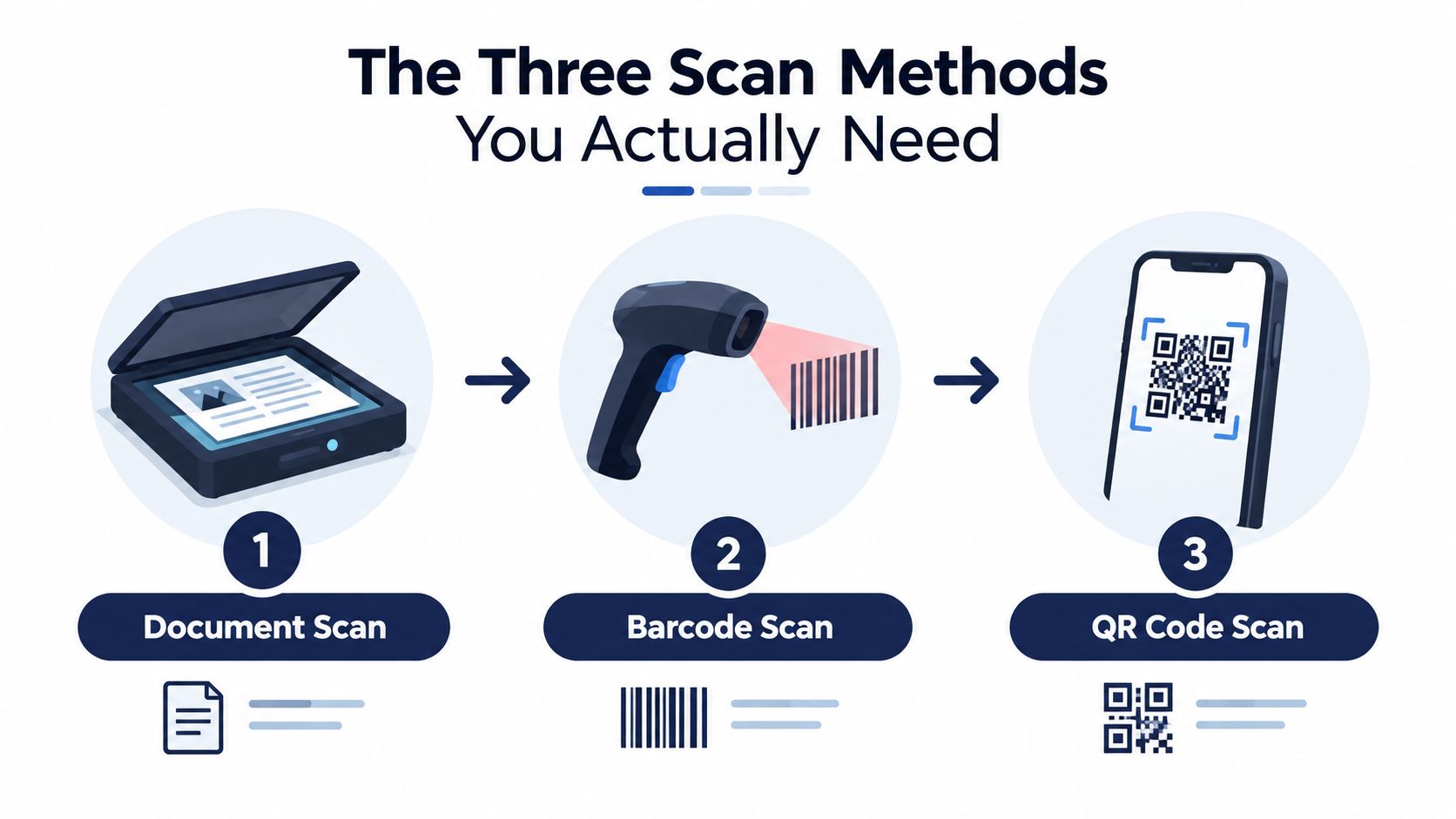
For books, DVDs, video games, sealed toys, and boxed retail merchandise, live camera capture is the fastest input. Apple's AVFoundation framework supports barcode detection directly from the camera stream, with symbologies including UPC-A, UPC-E, EAN-8, EAN-13, Code 39, Code 128, PDF417, Aztec, and QR. Apple's AVCamBarcode documentation shows the native pattern.
A practical app should stop or throttle recognition after a successful result. Otherwise, the same code can trigger duplicate lookups while it remains in view. It should also show scan-state feedback, explain camera-permission failures, and avoid repeatedly calling pricing services for one item.
AI photo identification when there's no UPC
Photo identification covers the inventory barcode scanning misses. Point the camera at untagged vintage clothing, shoes, trading cards, toys, collectibles, or electronics and let visual details guide the identification. This works best when the app can recognize brand marks, silhouettes, model details, and visible text rather than pretending every image is certain.
Text search for awkward items
Text search is the fallback when the item is too bulky, poorly lit, or difficult to photograph. Search a brand, model, title, or visible style code when you're checking furniture, a large appliance, or an electronic device with a barcode hidden on the back panel.
The practical workflow is simple: use live barcode capture for packaged goods, photo identification for untagged inventory, and text search when the camera isn't the right input. A barcode scanner app price comparison is only useful if it compares the research workflow, not just whether an app can read a code.
Calculating Net Profit After Marketplace Fees
A $42 sold comp isn't $42 in your pocket. The math changes by platform, category, shipping arrangement, and cost of goods, so the scanner has to calculate the result before you buy.
The eBay example
eBay's final value fee can range from 2.5% to 15.3%, depending on category, and orders over $10 also carry a $0.40 per-order fee. The fee applies to the total sale amount, including shipping and other applicable charges, according to eBay's seller fee information.
At a 13.6% fee rate, a $42 sale creates $5.71 in percentage fees plus $0.40, leaving $35.89 before shipping and cost of goods. If you paid $6 and shipping costs $4.50, your net is $25.39. That's the number worth comparing with your minimum ROI, not the gross sold price.
The Poshmark example
Poshmark keeps 20% on sales of $15 or more, leaving the seller 80%. A blouse bought for $5 and sold for $42 leaves $33.60 after the commission, or $28.60 after cost of goods, before other expenses. Sales under $15 use a flat $2.95 commission, so a $14 sale leaves $11.05 after the commission, and a $4 buy leaves $7.05 before supplies, returns, or labor. These fee rules appear in Poshmark's FAQ.
| Marketplace | Gross Sale | Platform Fees | Shipping & COGS | Net Profit |
|---|---|---|---|---|
| eBay | $42 | $6.11 | $10.50 | $25.39 |
| Poshmark | $42 | $8.40 | $5.00 | $28.60 |
A calculator should use the exact category and shipping assumption. It should also distinguish seller-paid shipping from buyer-paid shipping instead of treating every sold comp as directly comparable.
For a practical walkthrough of the inputs, use this net profit calculation guide. The important habit is to calculate before handing over your money. A raw barcode lookup can tell you what a board game is. It can't tell you whether the copy is complete, whether the sold comps are recent, or whether the margin survives marketplace deductions.
Choosing the Right Tool for Your Sourcing Stack
Different reseller tools answer different questions. A consumer QR reader answers, “What does this code contain?” An inventory manager answers, “Where is this item and how many do I have?” A sourcing tool answers, “Should I buy this item at this price?”
That separation keeps the aisle workflow clean. You don't need inventory locations or bookkeeping fields while deciding whether a Ross clearance item belongs in your cart. You need a reliable identification method, relevant sold prices, realistic deductions, and a quick decision.
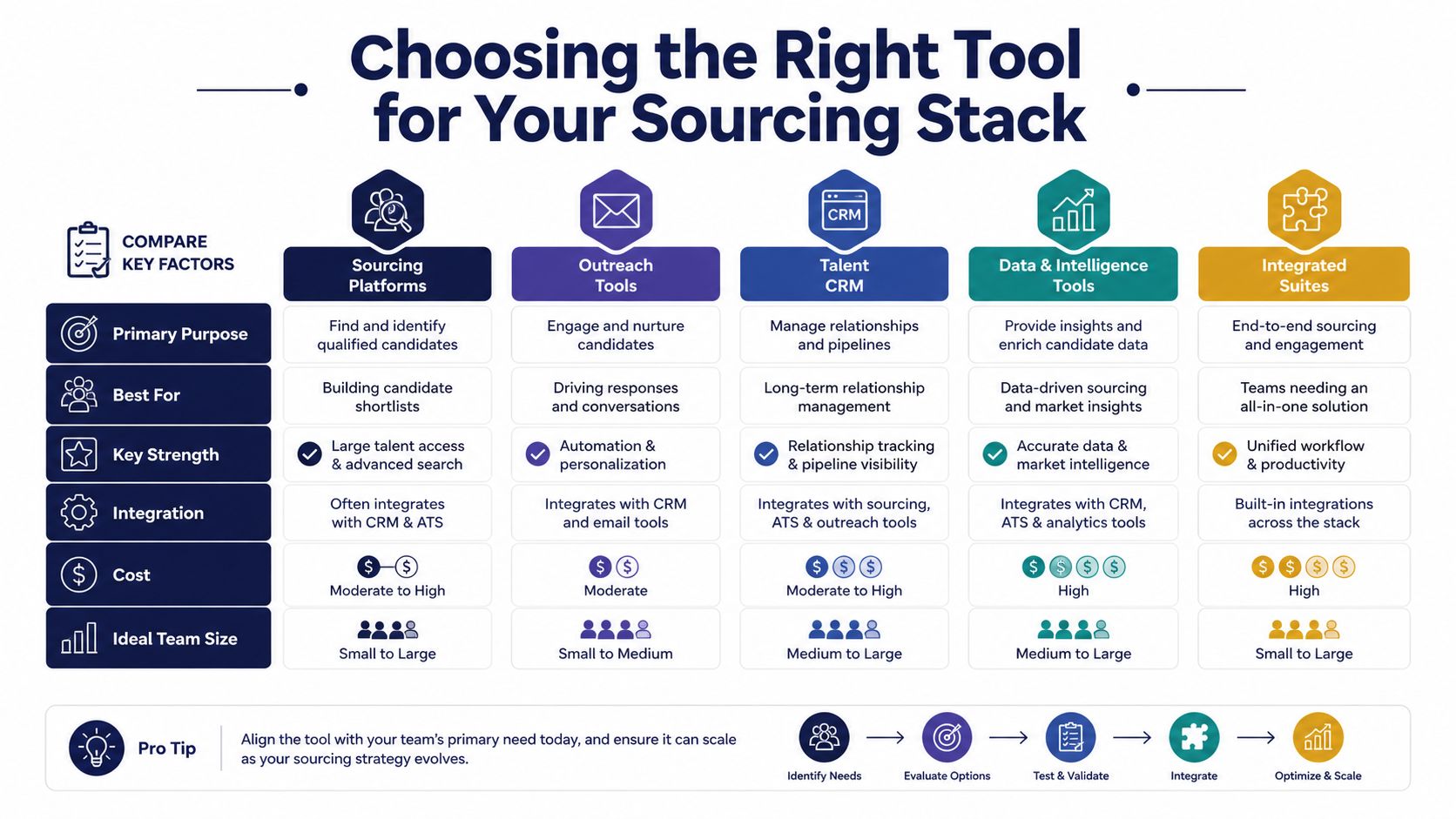
Match the tool to the question
Generic barcode apps are fine when you only need a number, a product page, or a basic lookup. They usually stop before the part resellers care about, which is sold comps and net profit.
Inventory platforms make sense after you own the item. They can support stock counts, locations, exports, and operational records, but that broader feature set can slow down a quick buy-or-pass decision.
Crosslisting tools belong later in the process. Vendoo and List Perfectly are tools resellers use to distribute listings and manage marketplace workflows after sourcing and preparation. They aren't substitutes for in-aisle pricing research.
A dedicated sourcing workflow can combine the three inputs in one place. ScanFlip AI offers AI photo identification, barcode scanning, and text search, then aggregates sold comps from eBay, Poshmark, Mercari, Depop, Amazon, Whatnot, ThredUp, Facebook Marketplace, and TikTok Shop. It also deducts fees and shipping and returns a red or green flip-or-pass verdict based on the seller's threshold. It doesn't handle listing, crosslisting, inventory management, or bookkeeping.
That boundary is useful. Decide whether to buy while you're at the thrift store, then use the rest of your stack when the item is cleaned, photographed, measured, and ready to list. Trying to force one app to perform every job often creates more taps without improving the buy decision.
Adapting Your Scan Strategy by Sourcing Venue
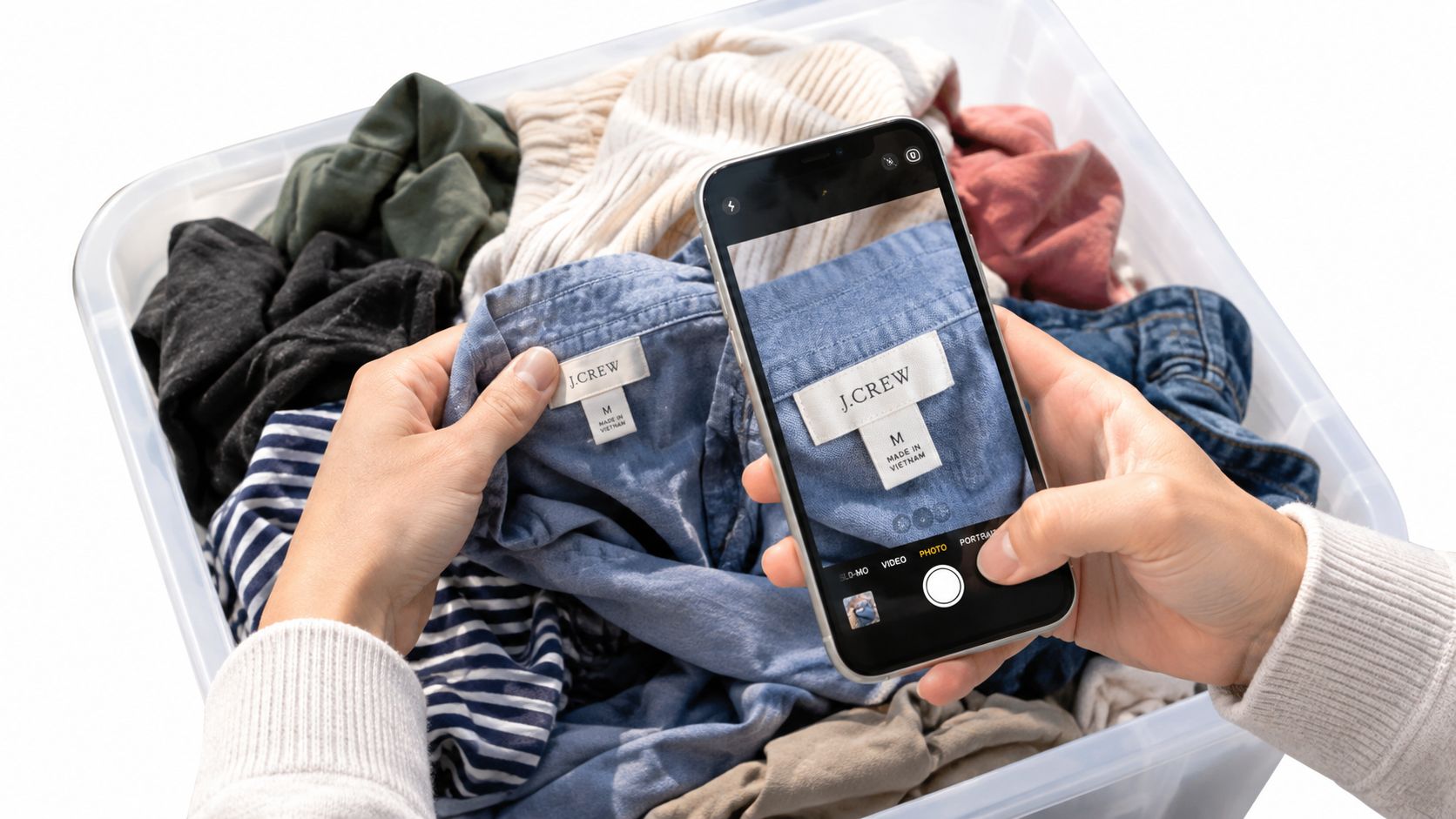
The best scan method depends on what's in front of you and how much time you have. A quiet estate sale lets you inspect a label. A crowded Ross clearance rack rewards quick barcode capture. A garage-sale bin may require visual recognition because the tags are missing or the packaging is beat up.
Goodwill and thrift stores
Start with sealed, tagged inventory. Hold the phone far enough away to include the entire barcode and its white margin. If the first attempt fails, change the angle, improve the light, and move back instead of jamming the lens directly against the package.
For books and media, live barcode scanning is usually the efficient choice. The guide to scanning books at thrift stores is especially relevant when you're working through a cart or shelf and need to keep the process moving.
Vintage apparel requires a different approach. Check the neck tag, care label, stitching, fabric, and recognizable design details, then use AI photo identification or text search when there's no UPC. A barcode-only app will miss the item entirely, even if the piece has strong sold comps.
Garage sales and estate sales
At a garage sale, scan the obvious boxed goods first, then switch methods quickly. If you're digging through a bin of loose toys, shoes, cards, or accessories, photo identification is more practical than hunting for a hidden label.
Estate sales often have electronics and small appliances with model numbers on rear panels. Photographing the full item may be awkward, especially when it's plugged in or packed behind furniture. Text search using the brand and model number can produce a cleaner lookup than trying to move the item for a barcode scan.
Keep your head up between searches. Other buyers are watching the same tables, and a long phone session over one uncertain item can cost you several easier opportunities. Set a pass rule before you begin, and don't spend several minutes rescuing a product with weak evidence.
Ross and clearance aisles
Retail arbitrage works best when you scan quickly and verify the exact variant. A barcode may identify the product family while packaging differences, size, color, bundle contents, or regional versions affect sold prices.
Scan the clearance tag and product barcode separately when needed. Then check whether the likely sale price supports your buy cost after platform fees and shipping. A high gross comp with thin net profit belongs back on the rack.
Managing Scan History and Sourcing Privacy
Your scan history can reveal more than your inventory interests. It may show which stores you visit, what categories you target, when you source, and which products caught your attention before you bought them. For a reseller, that information can be useful operationally and sensitive competitively.
Local-only storage reduces exposure, but it limits access when you change devices or want to review patterns elsewhere. Cloud-synced history is more convenient for reviewing photos, timestamps, and locations, yet it creates more questions about retention, account access, and deletion.
Before trusting a scanner with regular sourcing, check four things:
- Camera access: The app should request permission and explain why it needs the camera. If you deny access, live scanning won't work.
- Image handling: Ask whether photos are processed on the device or uploaded for AI identification.
- Search retention: Find out whether barcode numbers, text queries, and results are stored, and whether you can delete them.
- Location controls: Decide whether attaching a store location and timestamp helps your workflow enough to justify keeping that information.
A privacy disclosure is not automatically an independent audit. One App Store listing states that scans remain on the device unless iCloud is enabled, while also noting that its privacy practices are developer-reported and not verified by Apple, as shown on the QR Pro Code Reader App Store listing.
The trade-off is practical. Local storage may protect sourcing intelligence, but current multi-marketplace sold comps require access to marketplace information. Cloud history may help you remember which store produced a particular brand or spot restock patterns, but you should still have controls for retention and deletion.
Keep only the history that helps you source better. Delete abandoned scans, avoid storing sensitive location data by default, and review permissions before making the app part of your routine.
A barcode scanning app for iPhone earns its place in a reseller's stack when it shortens the path from item identification to an honest net-profit decision. ScanFlip AI combines barcode scanning with AI photo identification and text search, then compares sold comps across major marketplaces and accounts for fees and shipping. Visit ScanFlip AI to check an item before you buy it, not after it joins your death pile.