
Best Barcode Scanning Device for Resellers in 2026
I'm standing in a Goodwill book aisle with a paperback in one hand and my phone in the other. The barcode reads instantly, but the sold comp it pulls up is for a different edition. The copy on the shelf is damaged, and after shipping and fees, the buy looks a lot less attractive.
That's the problem with treating a barcode scanning device as a buy button. It can identify a coded product quickly. It can't tell you whether the item in front of you matches the profitable version, whether it's complete, or whether the net profit is worth carrying home.
Table of Contents
- When a Fast Barcode Read Still Means a Bad Buy
- The Three Scanner Categories Resellers Actually Use
- Why 1D vs 2D Imaging Matters at the Shelf
- The Trap of the Right Code on the Wrong Item
- Run the Real Numbers Through Fees and Shipping
- Dedicated Scanner vs Phone Workflow With Photo Scan
- What to Look for Before You Buy
- The Sourcing Flow That Actually Works in the Aisle
When a Fast Barcode Read Still Means a Bad Buy
A barcode can give you a useful starting point in seconds. It can also make a bad buy feel safe. In a Goodwill aisle, the scan might pull up a book's paperback edition while you're holding a battered hardcover, or show a boxed game's standard version when the copy on the shelf is missing its manual.
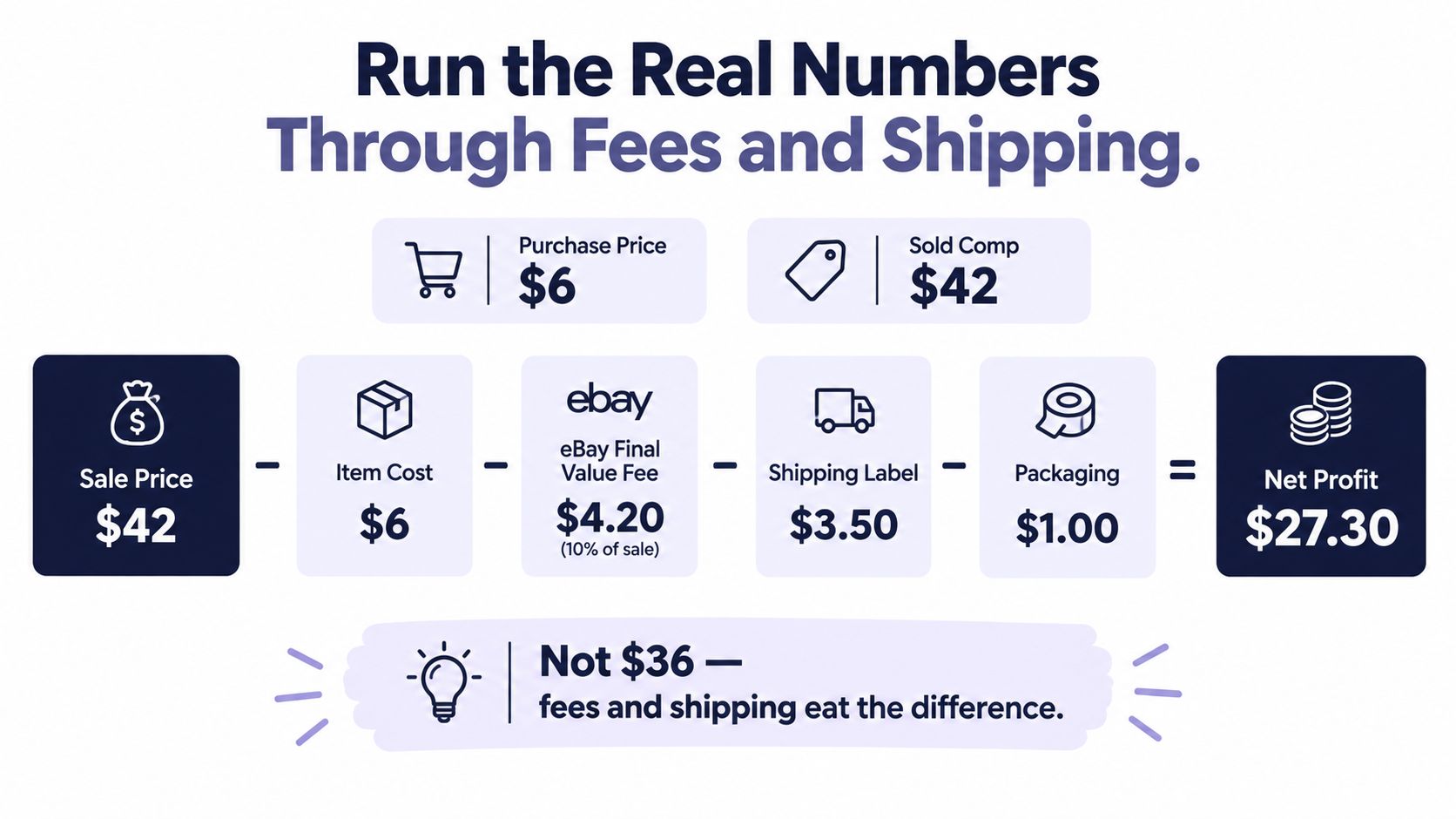
The same mistake happens at a Ross clearance rack. You scan a boxed item, spot a $42 sold comp, and mentally subtract the $6 cost of goods. That looks like a $36 spread until you account for fees and shipping. The number on the screen identifies a product, not the net you'll keep.
Barcodes are strong at connecting a standardized product code to product data. That's why the technology took off in grocery checkout: retail leaders selected the UPC as the standard on April 3, 1973, and the first successful commercial UPC scan followed on June 26, 1974, at a Marsh Supermarket in Troy, Ohio. GS1 reports that barcodes now identify more than 1 billion products and are scanned billions of times each day worldwide (GS1's account of the barcode's 50-year history).
A fast scan answers “What product might this be?” It doesn't answer “Should I buy this copy?”
That distinction matters most when condition, edition, completeness, or shipping changes the deal. The scanner is an identification tool. Your buy decision still depends on the exact item and the net profit.
The Three Scanner Categories Resellers Actually Use
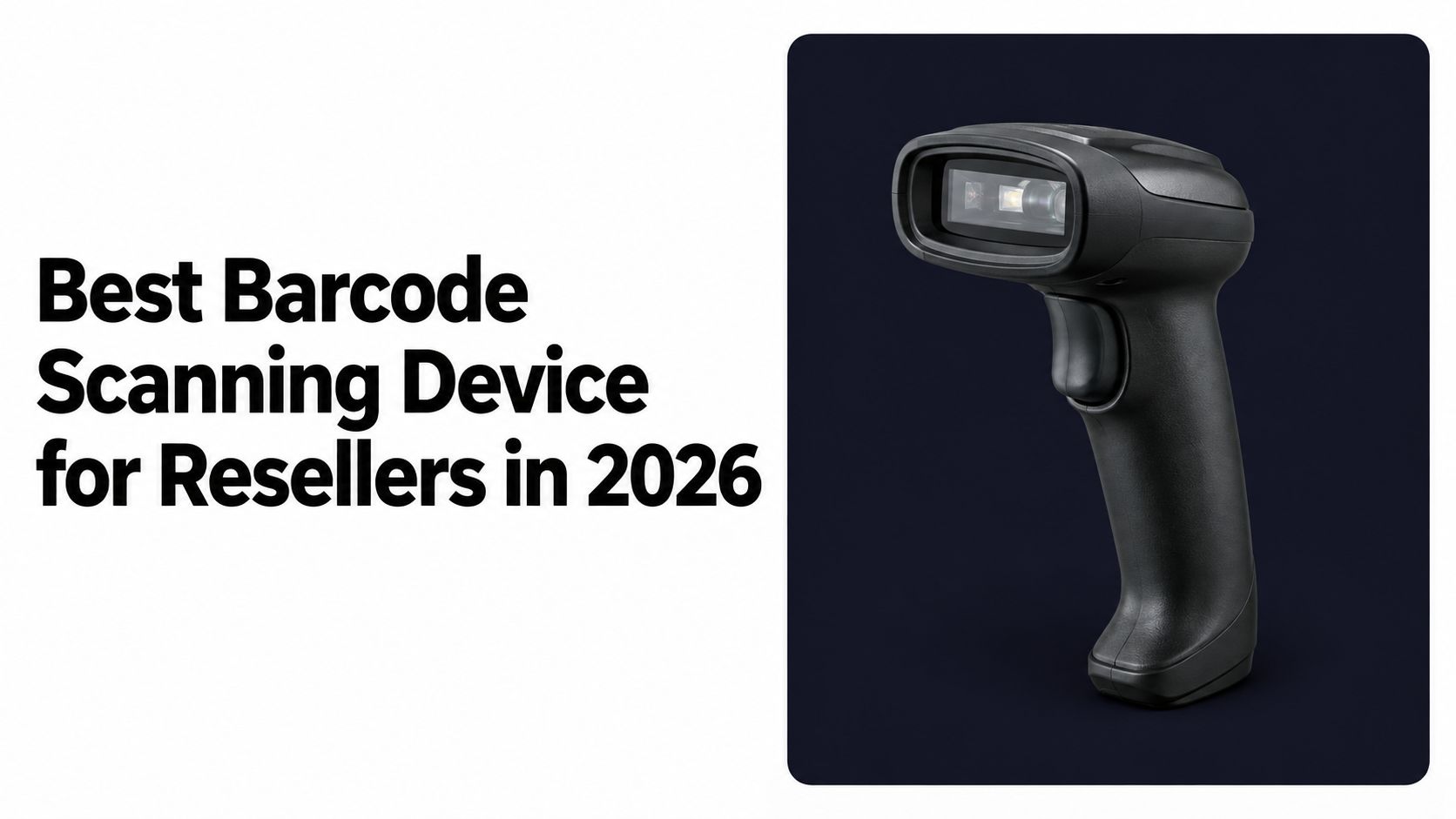
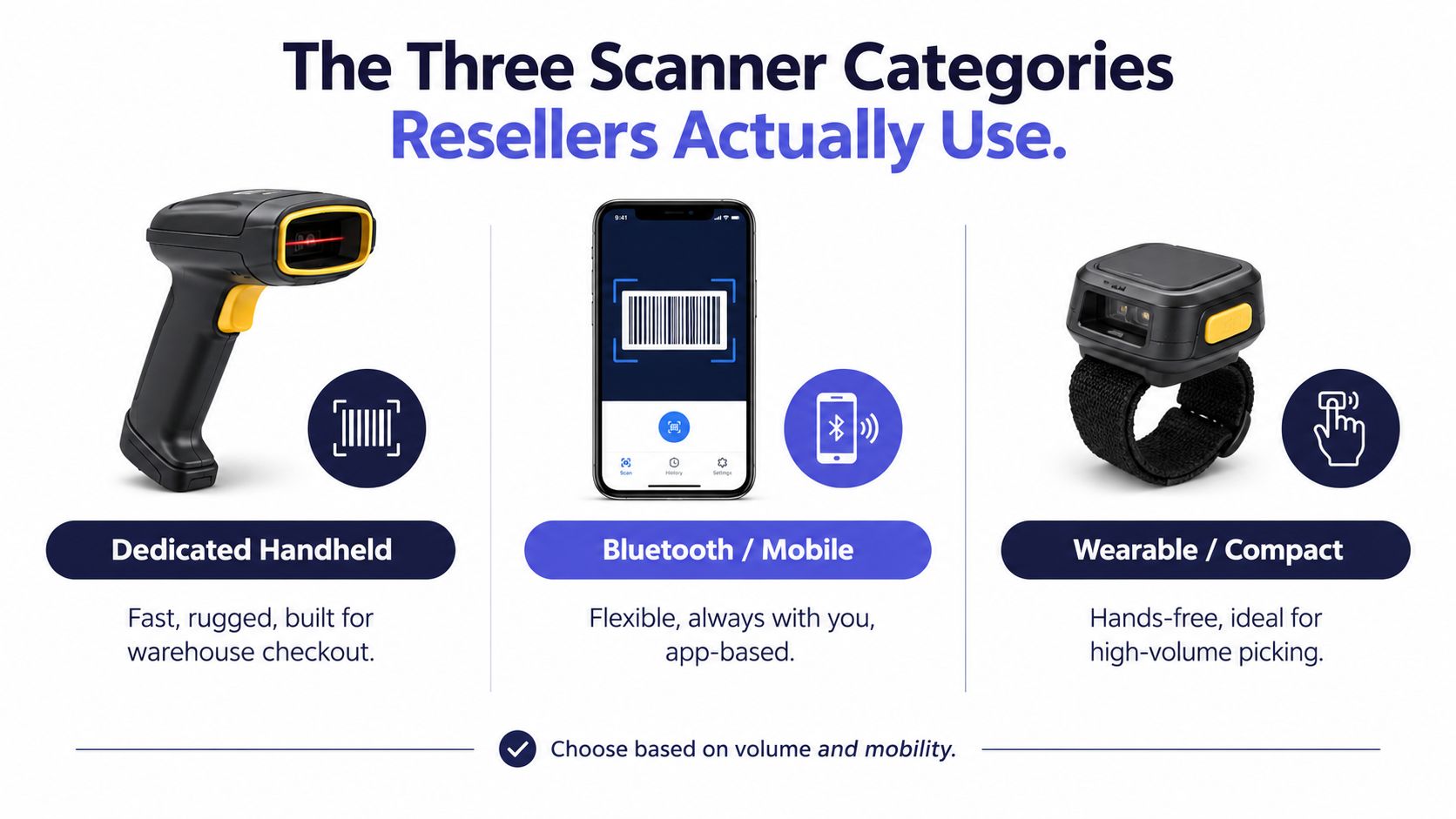
Resellers generally reach for a dedicated handheld, a Bluetooth scanner paired with a phone or tablet, or the camera already built into a phone. The right fit depends less on flashy specs than on what you source and how often you need to scan.
Dedicated handheld scanners
These are the gun-style units built for repeated scanning. They're a sensible pick for a high-volume bookseller who works through standardized inventory or a retail arbitrage seller checking a cart at a TJ Maxx or Ross clearance rack. They're often overkill for a casual thrift trip, especially if your sourcing includes apparel, shoes, and vintage pieces with no code to scan.
Bluetooth scanners
A Bluetooth unit pairs with a phone or tablet, so you can keep the lookup and scan flow on your own screen. A book scanner digging through a library-sale bin may like the speed and grip of a compact reader, particularly when scanning lots of ISBNs back-to-back. Before buying, make sure it pairs reliably with your actual device and app. A scanner that drops its connection mid-aisle isn't a shortcut.
Phone-based scanning
Your phone camera is the least complicated option because it's already in your pocket. It works well for the casual flipper who scans a few books, games, or boxed items while also checking condition and taking photos. It's also the most adaptable when your sourcing changes from UPC-tagged merchandise to untagged goods.
Pick the tool that fits your inventory. Dedicated handhelds suit repeat, high-volume scanning. Bluetooth scanners suit sellers who want a separate reader while keeping a phone or tablet as the lookup screen. Phone-based scanning is the practical starting point for most thrift, garage-sale, and estate-sale sourcers.
Why 1D vs 2D Imaging Matters at the Shelf
A 1D laser reader is built to read the familiar strip of bars on a paperback or product box. A 2D camera imager can read those conventional UPC or EAN barcodes and also capture symbols such as QR codes and DataMatrix. For a reseller, that flexibility is more useful than buying a reader that only handles the simplest label.
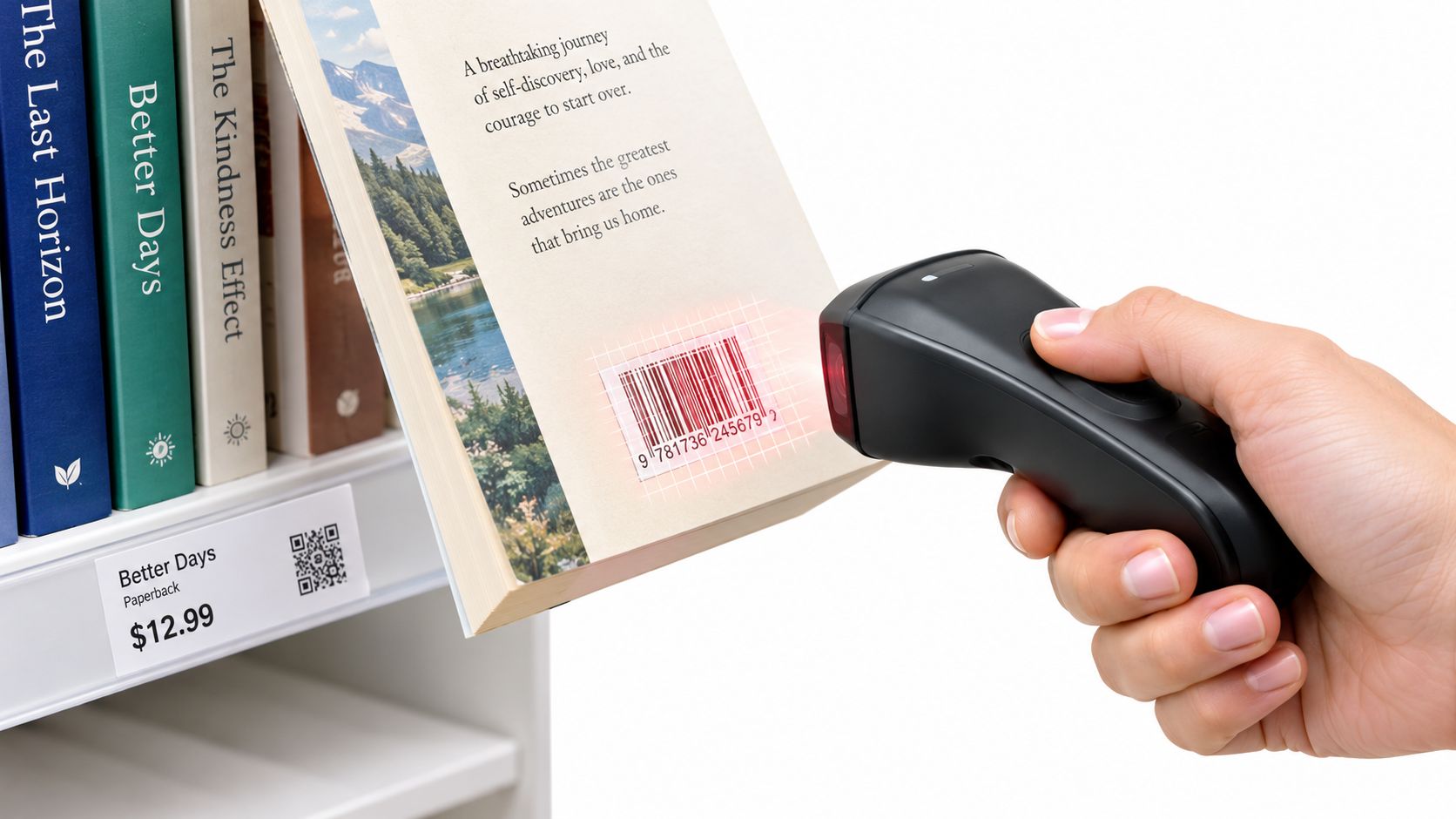
At the shelf, packaging isn't always flat or pristine. A label might curve around a container or sit on a beat-up box. A camera-based imager gives you a more versatile way to capture the code. GS1 testing found that compliant 1D barcodes generally decoded successfully across the tested dimensions, while 2D scanning required the device to capture the complete symbol, not just part of it (GS1's barcode scanning test report).
GS1's Sunrise 2027 initiative is pushing retailers toward point-of-sale systems that can read 2D barcodes and extract GTIN data. That's a reason to avoid buying a 1D-only device if you expect to keep using it as packaging changes. It doesn't mean a 2D imager can identify every thrift-store find. A vintage jacket without a barcode still has no code for the scanner to read.
For resellers who mostly scan books, the camera flow is still handy; see this guide to scanning books at thrift stores. But if your cart includes boxed games, media, electronics, and retail goods, a 2D imager is the better hardware choice. Just remember that the camera has to capture the whole symbol cleanly.
The Trap of the Right Code on the Wrong Item
A UPC, ISBN, EAN, or JAN can identify a product. It doesn't verify the copy in your hand. Amazon's seller guidance identifies those codes as product identifiers that sellers may find around a barcode (Amazon's product identifier guidance). For sourcing, that's useful, but it doesn't replace checking the item itself.
Take a $4 book from a Goodwill shelf. Your scan returns a paperback edition with strong sold comps, but the book in your hand is a damaged hardcover. The cover may look almost identical, yet the edition and condition don't match the result. If you buy based on the first result, you're pricing the copy you don't have.
A $6 boxed game can fool you the same way. The UPC may point to the standard edition, but your copy is missing the manual. The barcode hasn't told you the box is complete, and the sold comp doesn't prove that an incomplete copy will sell for the same amount.
Check the copy, not just the scan
Before buying, compare the physical item with the product result. Check the edition, size, color, pack count, and condition. For a game, confirm the disc or cartridge and included pieces. For a book, compare the format, publisher details, and condition. For retail goods, make sure the package count and exact variant match.
A green scan is the start of the decision, not the decision.
If the scan result and item don't line up, stop and search the exact version rather than forcing the match. That extra check is part of evidence-based purchasing, and it can keep a tempting BOLO from turning into dead inventory.
Run the Real Numbers Through Fees and Shipping
A $42 sold comp on a $6 item isn't $36 of profit. eBay says its final value fee varies by category from 2.5% to 15.3%. The per-order fee is $0.30 for orders of $10 or less and $0.40 above $10, and the percentage applies to the total sale amount, including shipping (eBay's seller fee details).
For the example below, use the stated 13.6% category fee, a $42 item sale, $4.50 shipping, and $6 cost of goods. The percentage fee is calculated on $46.50, or about $6.32. Add the $0.40 order fee, the $4.50 shipping, and the $6 buy cost, and the result is about $28.78 before other costs. That's a far more useful number than the raw sold price.
The same calculation can turn a garage-sale find into a pass. Say an appliance costs $10, has a $39 sold comp, and needs a $9 shipment. At a 13.6% fee on the sale plus shipping, the percentage fee is about $6.53. Subtract the $0.40 order fee, shipping, and purchase cost, and roughly $13.07 remains before packing materials and returns.
Price the package you'll actually ship
USPS Ground Advantage pricing depends on package weight and zone, which is the distance between the buyer's and seller's ZIP Codes. Parcels exceeding one cubic foot can be charged using dimensional weight when that's greater than actual weight. USPS lists Ground Advantage retail pricing starting at $8.40, with commercial pricing starting at $7.33 (USPS Ground Advantage pricing).
A bulky appliance and a compact item can have the same sold price but very different shipping costs. Check realistic packed weight and dimensions before you buy, then use a calculator that accounts for the platform, category, shipping, and cost of goods. This guide to estimating shipping costs can help you think through the package before the item joins your death pile.
Dedicated Scanner vs Phone Workflow With Photo Scan
A dedicated scanner earns its keep when you're moving through coded inventory repeatedly. If you're processing a bin of books and need to scan ISBNs without constantly repositioning your phone, a Bluetooth reader can make sense. But the device goes quiet when the tag is missing, unreadable, or tied to a result that doesn't match the item.
That limitation shows up fast outside a book aisle. At an estate sale, you may find untagged vintage shoes beside boxed electronics. At a garage sale, the collectible you're considering may have no UPC. A barcode-only setup can't solve those identification gaps, and scanning a wrong variant faster doesn't improve your decision.
A phone-based workflow covers more of the sourcing mess: barcode scan for coded goods, AI photo scan for untagged items, and text search when a scan or photo isn't practical. ScanFlip AI combines those three ways to scan with sold comps from eBay, Poshmark, Mercari, Depop, Amazon, Whatnot, ThredUp, Facebook Marketplace, and TikTok Shop, then shows net profit after fees and shipping with a red/green flip-or-pass verdict.
That makes it a pricing and scouting step, not a replacement for your selling setup. It doesn't list items or handle crosslisting, inventory management, or bookkeeping. Sellers who need those functions can keep using tools such as Vendoo or List Perfectly alongside their sourcing workflow.
My call: choose a dedicated scanner if your day is mostly standardized, barcoded inventory. Choose a phone workflow if you source books, media, apparel, shoes, vintage, or collectibles in the same trip. A scanner can speed up identification, but photo scan and text search cover the items a barcode can't.
What to Look for Before You Buy
Don't buy a scanner because the spec sheet says it's fast. Buy for the failures you run into: damaged labels, curved packaging, dropped Bluetooth connections, a dead battery halfway through an estate sale, or a device that's too heavy to carry while you dig through boxes.
Match the features to your sourcing
- Choose 2D imaging if you scan more than flat UPC labels. It can handle conventional 1D codes and 2D formats such as QR and DataMatrix.
- Test it on imperfect packaging. Try a curved label and a scuffed box before trusting it with your sourcing routine.
- Pair it with your actual phone. Confirm the Bluetooth connection stays usable in the app you rely on.
- Think in full sourcing shifts. Battery life matters when you're out all day, not just when you test the device at home.
- Carry it before you commit. Weight matters during estate-sale runs when you're already juggling a tote, phone, and purchases.
- Read the software terms. Don't pay for a subscription that duplicates tools you already use unless it solves a real problem.
A barcode scanner that only reads codes leaves money on the table when a vintage dress, untagged sneaker, trading card, or one-off collectible shows up. That's not a scanner defect. It's a mismatch between a barcode-only tool and the inventory you source.
Before walking into the next store, check: 2D support, clean reads on rough packaging, reliable pairing, a battery that lasts your trip, comfortable weight, and no unwanted software bill. If your inventory regularly includes untagged items, make sure your phone workflow can handle those too.
The Sourcing Flow That Actually Works in the Aisle
Pick up the item and scan the barcode if it has one. If it doesn't, take a photo or search the product name. Match the result to the exact variant and condition, check sold comps, subtract fees and realistic shipping from the expected sale, then keep it or put it back. Before your next sourcing trip, save this flow somewhere easy to reach and use it on the first item that makes you hesitate.
Use ScanFlip AI to check coded and untagged finds with barcode scanning, AI photo scan, or text search while you're still at the shelf. It pulls sold comps across major resale marketplaces and calculates net profit after fees and shipping, so you can make a clear flip-or-pass call before you buy.