
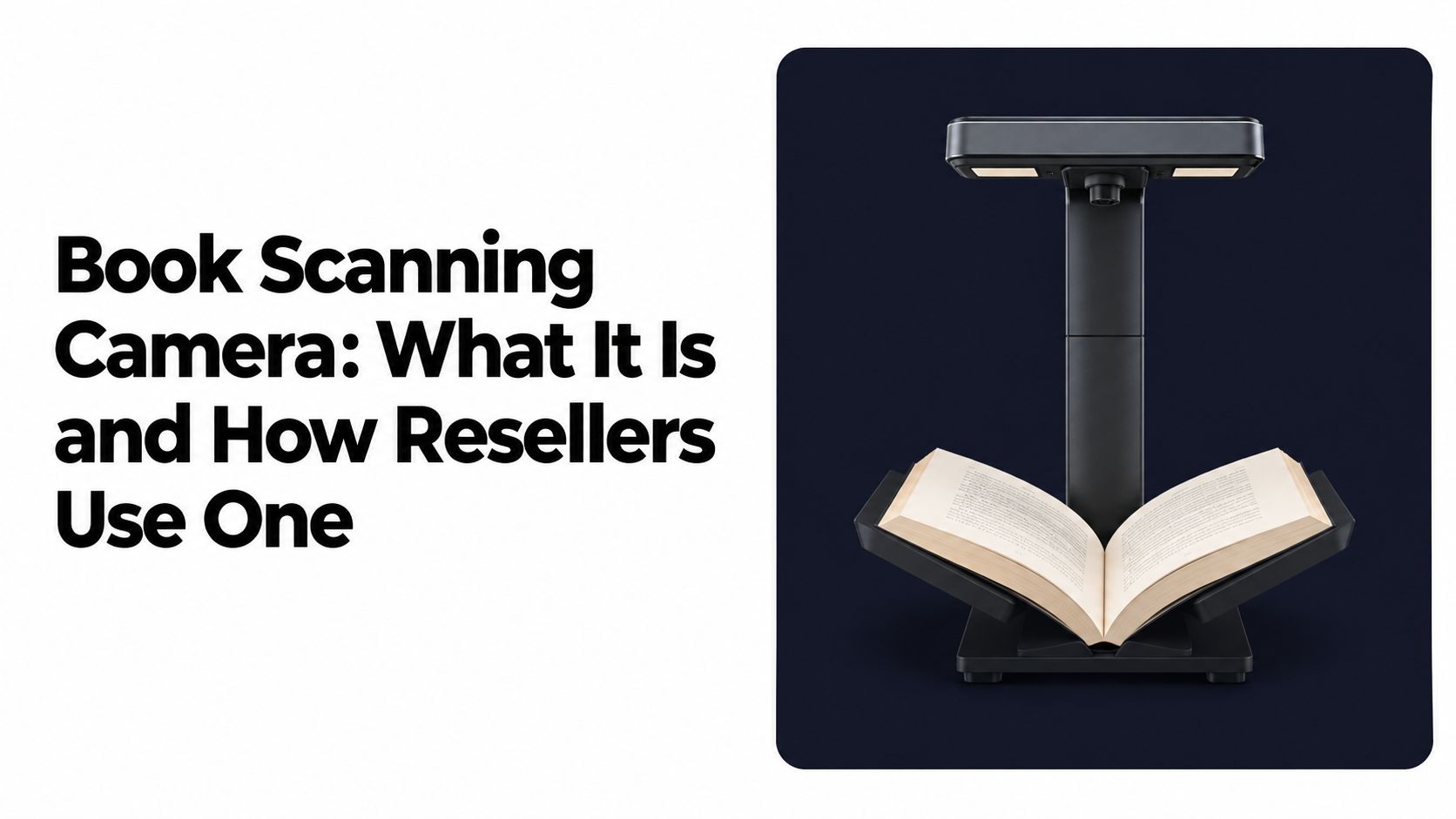

Book Scanning Camera: What It Is and How Resellers Use One
You're standing in a Goodwill aisle with a cart full of books, and the cover on a hardcover looks promising. The ISBN is buried under a sticker, the dust jacket is missing, and the spine opens only halfway. A phone photo might identify the title, but it won't automatically tell you whether you're looking at the profitable edition or a slow-moving reprint.
That's where a book scanning camera earns attention. It isn't just a faster way to make digital images. Used properly, it helps you capture the pages, copyright information, ISBN, and condition details that determine whether a book belongs in your cart or on the shelf.
For most flippers, dedicated hardware only makes sense when it supports a sourcing decision. The camera handles clean capture. Your comping workflow still has to verify the edition, condition, fees, shipping, and expected net profit.
Table of Contents
- What a Book Scanning Camera Actually Does
- How the Hardware Captures a Book Page
- Dedicated Camera Versus Smartphone Scanning
- Buying Considerations That Actually Matter
- Fitting the Camera Into a Sourcing Workflow
- Two Aisle Scenarios From the Book Aisle
- When a Book Scanning Camera Earns Its Keep
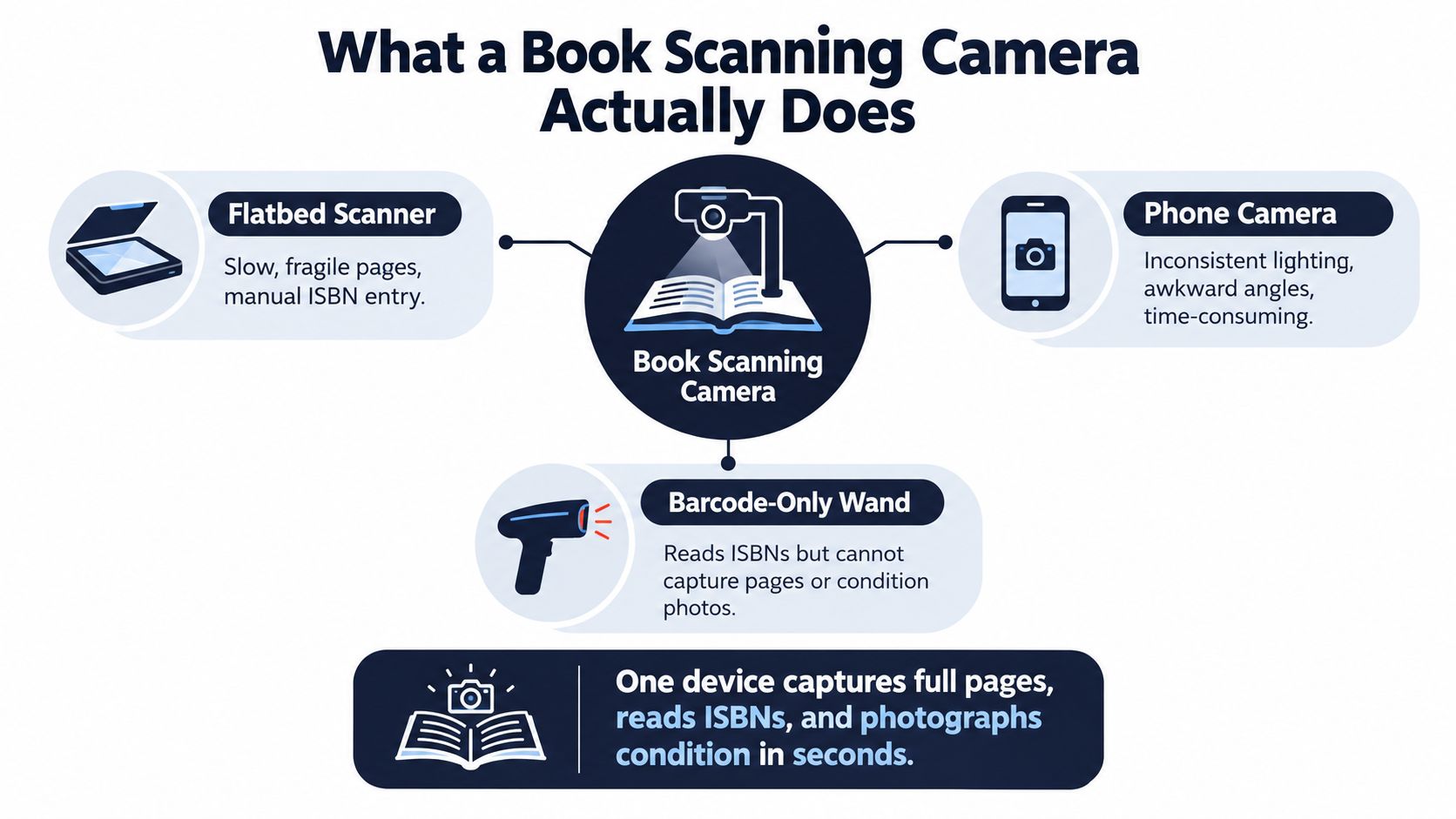
What a Book Scanning Camera Actually Does
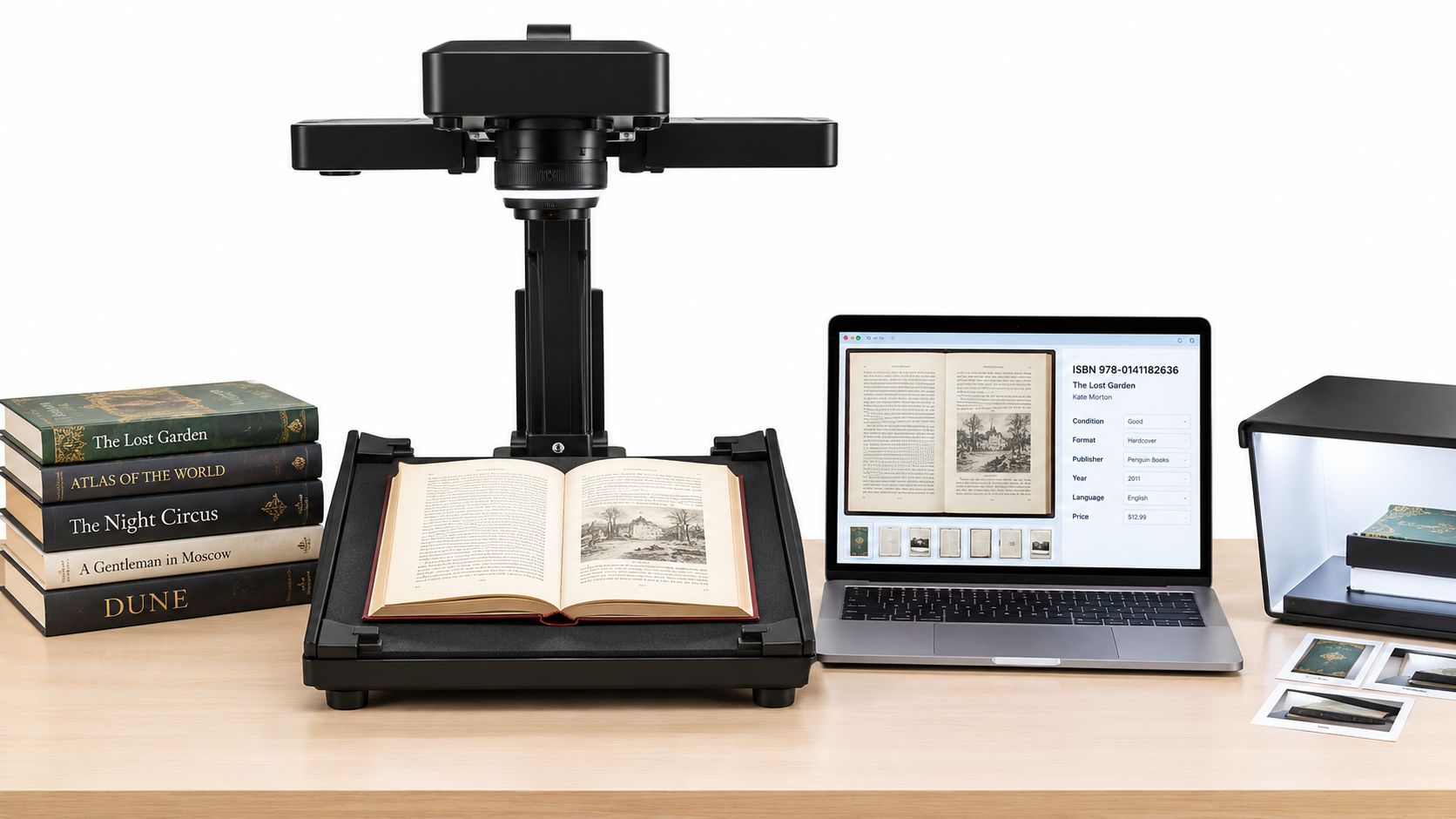
A book scanning camera is an overhead imaging system built to photograph bound pages without forcing the book face-down onto glass. In a thrift aisle, that distinction matters most with older hardcovers, tight bindings, glossy cookbooks, and books where the useful information sits near the gutter or inside the front matter.
A flatbed scanner wants the book pressed against a surface. A phone can capture the same page, but usually with inconsistent distance, shadows, and perspective. A barcode-only wand reads an ISBN when the label is visible, but it can't photograph a copyright page, confirm a missing dust jacket, or document writing in the margins.
The job is bigger than OCR
The useful output is a searchable visual record of the book. That can include a full open spread, the title page, ISBN page, copyright page, barcode, and condition photos. For a reseller, those images help answer practical questions:
- Is this the edition shown in the sold comps?
- Does the copyright page confirm a first printing or later reprint?
- Is the ISBN for the hardcover, paperback, boxed set, or international edition?
- Does the book have stains, highlighting, clipped corners, or a missing insert?
Large digitization projects pushed this category forward. Google began experimenting with book digitization in 2002, reportedly photographing a 300-page book manually in approximately 40 minutes as part of its effort to make books searchable at global scale. The later systems used mechanical cradles, controlled lighting, optical instruments, and page-curvature measurement rather than treating a book like a loose sheet. Google Books history
That history explains why raw megapixels aren't the whole story. A camera pointed at a curved page with a dark gutter can produce a technically large file that still gives you poor text recognition and unreliable edition evidence.
Reseller rule: A scanner is useful only when it reduces uncertainty before you buy. A beautiful image of the wrong edition is still a bad sourcing decision.
The best setup turns a stack of physical books into searchable information without beating up the inventory. It should help you move from cover recognition to ISBN verification, condition checking, and sold-comps research with fewer manual steps.
How the Hardware Captures a Book Page
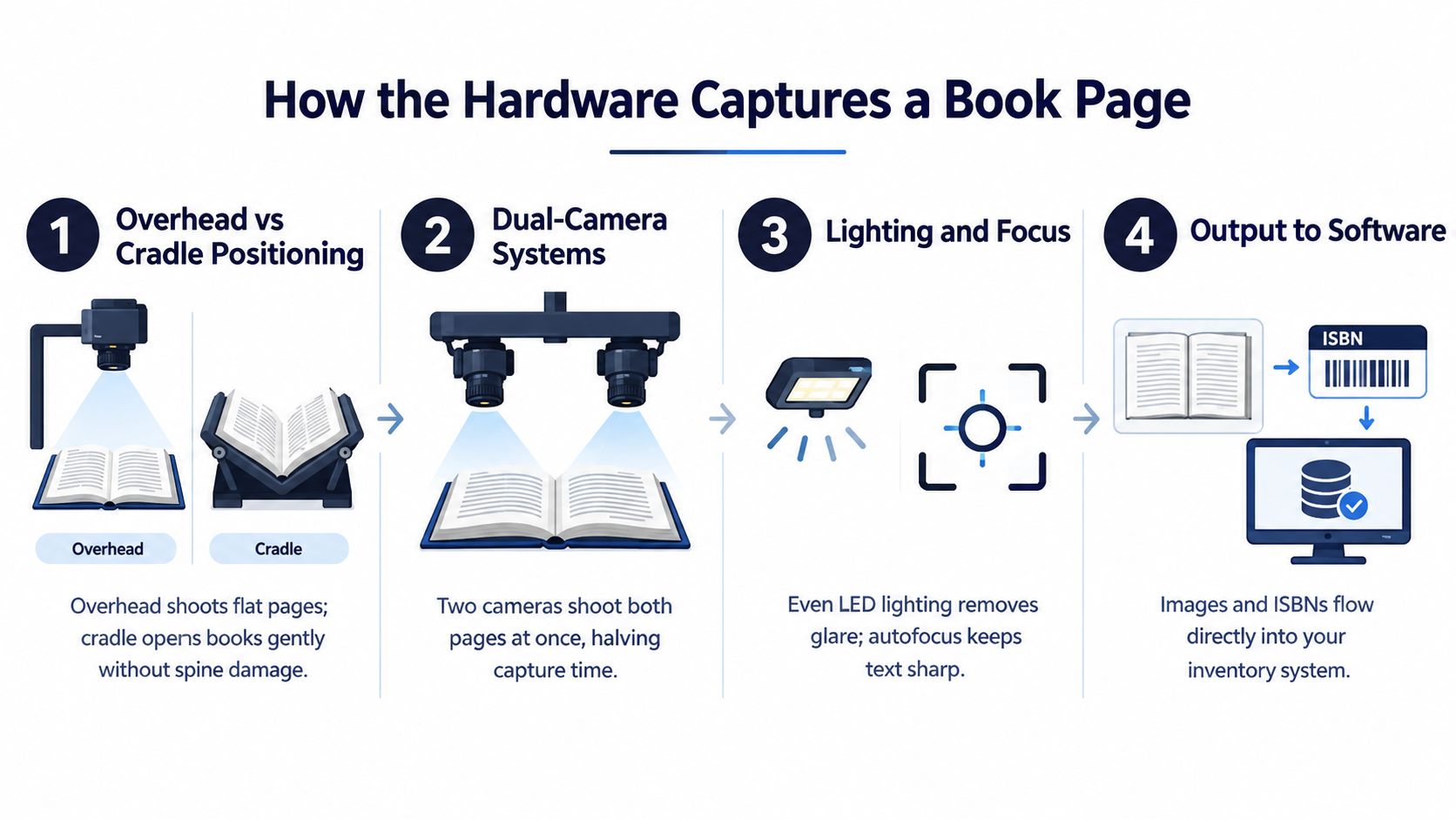
Start with the physical position of the book. A serious overhead setup places the camera above an adjustable cradle or leveled platen, keeping the page within the lens's depth of field while the book stays open at a safe angle. A V-cradle supports books that shouldn't be forced flat, although the angle can hide words close to the outer edges if the setup is too restrictive.
An overhead camera photographs downward. A dual-camera system can capture both sides of an open spread at once, with one camera assigned to each page. That matters when you're processing a large lot, but it doesn't remove the need to inspect the gutter, page edges, and focus.
Why the gutter causes trouble
The spine creates two recurring problems: a shadow and curved text lines. Side-mounted or multi-angle LED arrays spread light across both pages, reducing the dark strip near the binding. Opposing oblique lights also help with glossy pages because glare from one side can be reduced without lighting the entire spread from a single harsh direction.
A practical capture sequence looks like this:
- Support the binding. Use an adjustable cradle for restricted-opening or fragile books. Don't press a brittle spine flat just to make the image look straighter. Preservation guidance from the Library of Congress scanning recommendations specifically cautions against pressure that can damage books and recommends support for volumes that shouldn't open widely.
- Level the camera and page. A fixed camera position keeps focus and perspective consistent from book to book.
- Light both pages. Check for a dark gutter, clipped highlights, and glossy hotspots before capturing the frame.
- Lock focus and exposure. After the system detects the page, autofocus and exposure should be locked. Constant refocusing can create inconsistent sharpness and brightness across a batch.
- Correct the curve in software. Page flattening can straighten text lines, but it can't recover letters hidden by an overly tight cradle or lost in a black gutter.
A phone on a copy stand can imitate some of this arrangement, but it usually lacks the coordinated cradle, lighting, and page-geometry correction. That difference shows up first in small type, glossy illustrations, and books that refuse to open flat.
Practical warning: Gutter loss is a quality tax. You can reduce it with support, lighting, and geometry, but you can't comp an edition accurately from text you never captured.
For preservation-quality work, consistent illumination and a color reference target help keep results stable across sessions. For resale inventory, the priority is simpler. Capture readable evidence, protect the book, and reject frames with glare or a dark gutter before you trust OCR or an identification result.
Dedicated Camera Versus Smartphone Scanning
A dedicated book scanning camera wins when you scan repeatedly in a controlled workspace. A smartphone wins when you're standing beside a thrift cart and need an answer before another picker reaches the shelf.
Consider a library sale with 50 paperback lots. A phone workflow might return 48 ISBNs, with 6 misread because of glare, while an overhead camera can capture all 50 cleanly after you spend 20 minutes setting up. That's a real trade-off, not a spec-sheet contest. If you scan occasionally, the setup time is a burden. If you process books every week, repeatability starts paying for itself.
| Criterion | Dedicated Camera | Smartphone + App |
|---|---|---|
| Page capture | Full spreads, title pages, copyright pages, and condition images | Fast single images, but angle and distance vary |
| Binding safety | Cradle support can handle restricted-opening books more gently | Depends on how you hold or support the book |
| Lighting | Controlled LEDs can reduce gutter shadow and glare | Dependent on store, room, or accessory lighting |
| ISBN work | Can capture barcodes and supporting page evidence | Quick barcode scan when the ISBN is visible |
| Identification | Strong for repeatable page imaging and OCR workflows | AI photo identification helps when there's no barcode |
| Portability | Bulky and usually stays in a workspace | Already in your pocket |
| Batch throughput | Better for repeated, consistent capture | Better for short sourcing checks |
| Cost of setup | Hardware, cradle, lights, and software | Phone plus the scanning app you already use |
A smartphone also handles the messy cases that a dedicated camera doesn't solve by itself. You can photograph a cover with no barcode, search visible text from an obscure title, or check a book while standing in a Ross clearance aisle or digging through a garage-sale box.
For that kind of aisle decision, this guide to book scanning apps is more relevant than buying an imaging rig. The app workflow is portable, while a dedicated camera is an investment in volume and consistency.
Choose based on your sourcing pattern
Buy dedicated hardware if you regularly process library-sale lots, estate-sale collections, fragile inventory, or large batches that need consistent condition documentation. It's also useful when you want searchable page images for obscure books that barcode databases identify poorly.
Stick with your phone if you scan a few books per trip, source across clothing, cards, media, and collectibles, or rarely need full-page capture. A phone won't replace a controlled overhead system for archival work, but most flippers aren't running an archive. They're deciding whether a book clears a minimum profit threshold before money leaves their pocket.
Buying Considerations That Actually Matter
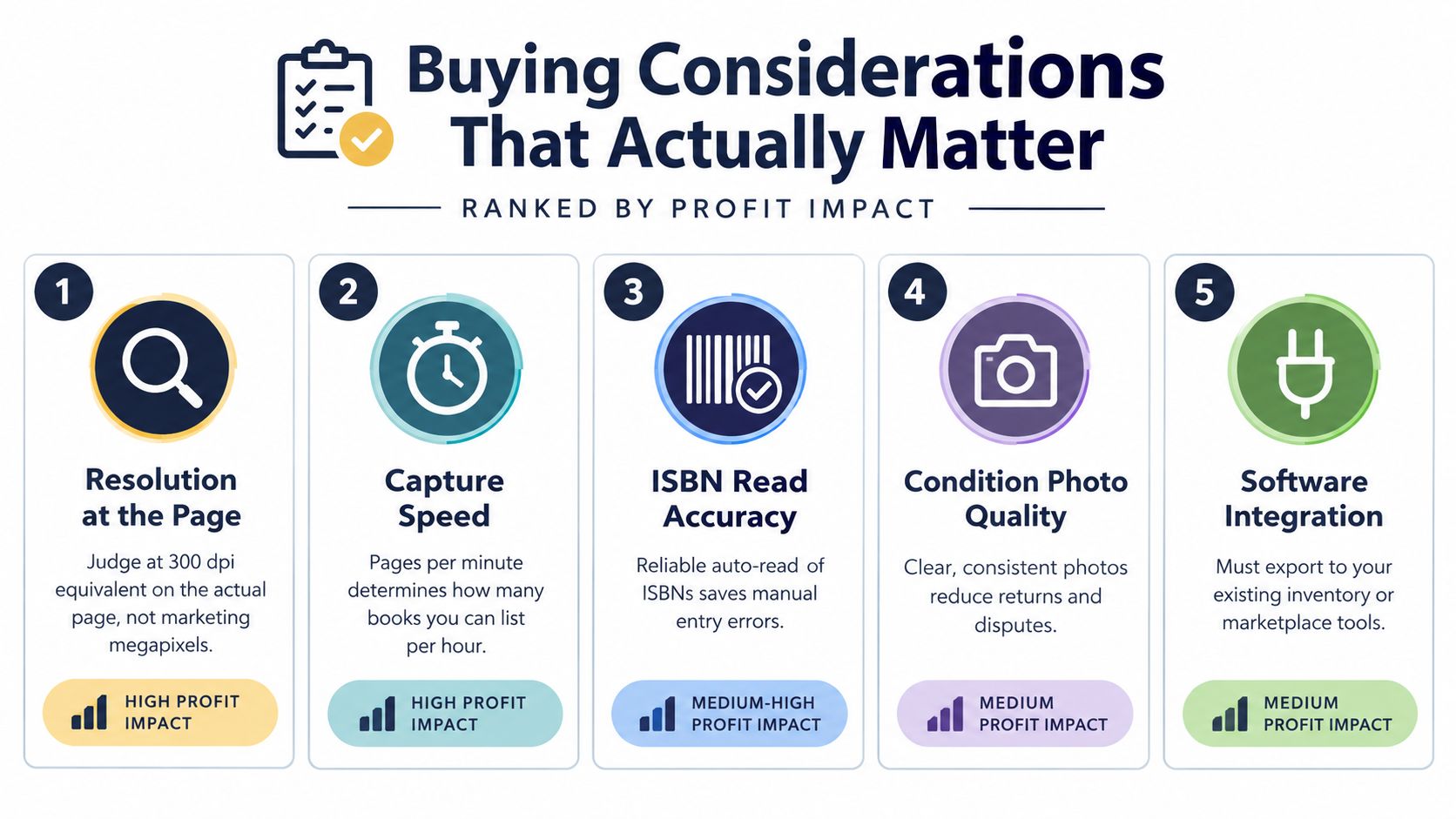
Ignore the headline megapixel number until you know the physical page area covered by the lens. A full-page capture around 300 ppi is generally adequate for printed text and OCR, while 600 ppi is more appropriate for illustrated books, maps, fine typography, and preservation work. Practical book-scanning guidance explains why the same sensor produces lower effective resolution when it covers a larger page.
For typical A4 or paperback pages, a 13–16 MP camera is commonly sufficient at roughly 240–300 ppi. Larger A3 spreads or pages with small type and detailed illustrations are better matched with 24 MP or more. Those figures matter only when the lens, distance, focus, and lighting support them. Atiz's book-scanning application note also places 300 dpi at the practical OCR baseline, with 400–600 dpi safer for small print and preservation masters.
Rank the features by profit impact
Resolution at the page comes first. Test the actual page size you scan, not a cropped sample. A sharp ISBN page is more valuable to a flipper than a huge file that needs aggressive cropping.
Capture speed matters next. Dual-page capture can reduce handling because both sides of an open spread are photographed together. Still, manual page turning, book support, and frame rejection determine the actual throughput.
ISBN and OCR accuracy beat cosmetic sharpness. A readable but incorrect edition sends you toward the wrong sold comps. Favor software that shows uncertainty, flags questionable recognition, and lets you verify against the title page and copyright page.
Lighting protects the decision. Look for independently controlled lamps, even illumination, and a way to manage glossy pages. A modest sensor with clean light often produces more usable evidence than a higher-resolution camera with a bright gutter shadow.
Binding handling is essential. Test a tight paperback, a thick hardcover, and a fragile older volume. Check how much text disappears near the spine and whether the cradle supports the book without pressure.
Before paying, capture the same page under ordinary room light and the device's own lights. Test a barcode, small type, a glossy image, and a copyright page. Then export the result and confirm that the software gives you files or data your existing workflow can use. A camera that traps you in a proprietary viewer is a poor fit for a reseller who still needs marketplace listings, inventory records, or manual edition checks.
Fitting the Camera Into a Sourcing Workflow
A book scanning camera earns its place by reducing edition and condition risk, not by producing attractive images. Use it to capture an ISBN, copyright page, cover, and defects. Then confirm sold comps, fees, shipping, cost of goods, and the exact edition before calling the book a BOLO.
At a thrift store, keep the process short:
- Capture or scan the ISBN.
- Photograph the cover, copyright page, and missing or damaged parts.
- Compare the result against sold comps, not asking prices. Follow this guide to scanning books at thrift stores to run that check efficiently in the aisle.
- Subtract fees, shipping, and cost of goods.
- Buy only when the net clears your threshold.
A camera records evidence. It does not replace a mobile comping app or prove that a barcode matches the copy in your hand. For mobile sourcing, ScanFlip AI combines AI photo scan with no barcode required, barcode scanning, and text search. It pulls sold comps from eBay, Poshmark, Mercari, Depop, Amazon, Whatnot, ThredUp, Facebook Marketplace, and TikTok Shop, then calculates net profit after fees and returns a red or green flip-or-pass verdict. That pairing helps when a book has no barcode, or when the barcode identifies a title without proving the edition, printing, format, or condition.
Use a hard pass line
A $1.50 hardcover with a $28 sold-comp median leaves roughly $17.00 after $5.00 in fees and $4.50 shipping, before other adjustments. Against a $10 minimum target, that clears the line. A wrong edition, missing dust jacket, or undisclosed writing changes the result, so verify the copy before putting it in the cart.
A camera can expose the copyright page and document condition. A sourcing app can price the opportunity. Neither proves that every similar-looking comp applies to your book.
After purchase, move the record into Vendoo or List Perfectly for listing, crosslisting, and inventory work. Keep the roles separate. The camera gathers evidence, while the comping workflow decides whether that evidence supports a purchase.
Two Aisle Scenarios From the Book Aisle
At the Goodwill bins, an overhead setup makes sense only when the volume justifies carrying it. In one Saturday run, a reseller batch-scanned 80 hardcovers, then checked the title page and copyright page on a promising $3 first-edition cookbook after the ISBN result looked inconsistent. That misprinted ISBN would have sent the book toward the wrong edition comps.
The final buy was four books with estimated net profit above $20 each after fees and shipping. That isn't a guaranteed outcome, but the camera helped expose the mismatch before the reseller trusted the barcode.
At a smaller thrift, the same person left the rig at home and used phone barcode scans plus photo identification. A $0.50 paperback produced a glare-related misread. The cover looked right, but the sold-comp and net-profit check showed that the likely outcome would have been a $4 loss after fees and shipping.
A clear cover is not edition proof. Verify the ISBN, printing, format, and condition before you treat a comp as yours.
The dedicated camera helped with batch evidence. The phone workflow won on portability. In both cases, the profitable step was the same one: compare the actual copy against sold comps and calculate the net before buying.
When a Book Scanning Camera Earns Its Keep
Buy dedicated gear if you process high-volume book lots, attend library sales regularly, or handle fragile and tightly bound inventory where pressing pages flat creates risk. It earns its keep through repeatable lighting, page capture, and condition evidence, not because a larger sensor automatically finds better flips.
If you scan only a few ISBNs per thrift trip, use your phone. A barcode scan handles common books, AI photo identification helps with books without barcodes, and text search covers obscure titles or damaged labels. This barcode scanner guide for books fits that lighter workflow better than a permanent overhead rig.
The habit that separates profitable book flippers from the rest is simple: never buy from the cover alone, and never trust a scan until the sold-comp net profit clears your threshold.
Use ScanFlip AI while you're still in the aisle to scan books by photo, barcode, or text, compare sold comps across major marketplaces, and see net profit after fees with a red or green flip-or-pass verdict. Visit ScanFlip AI before your next sourcing run and test the workflow on the books you normally leave behind.