
Barcode Scanner eBay Guide: Scan, Price, and Flip
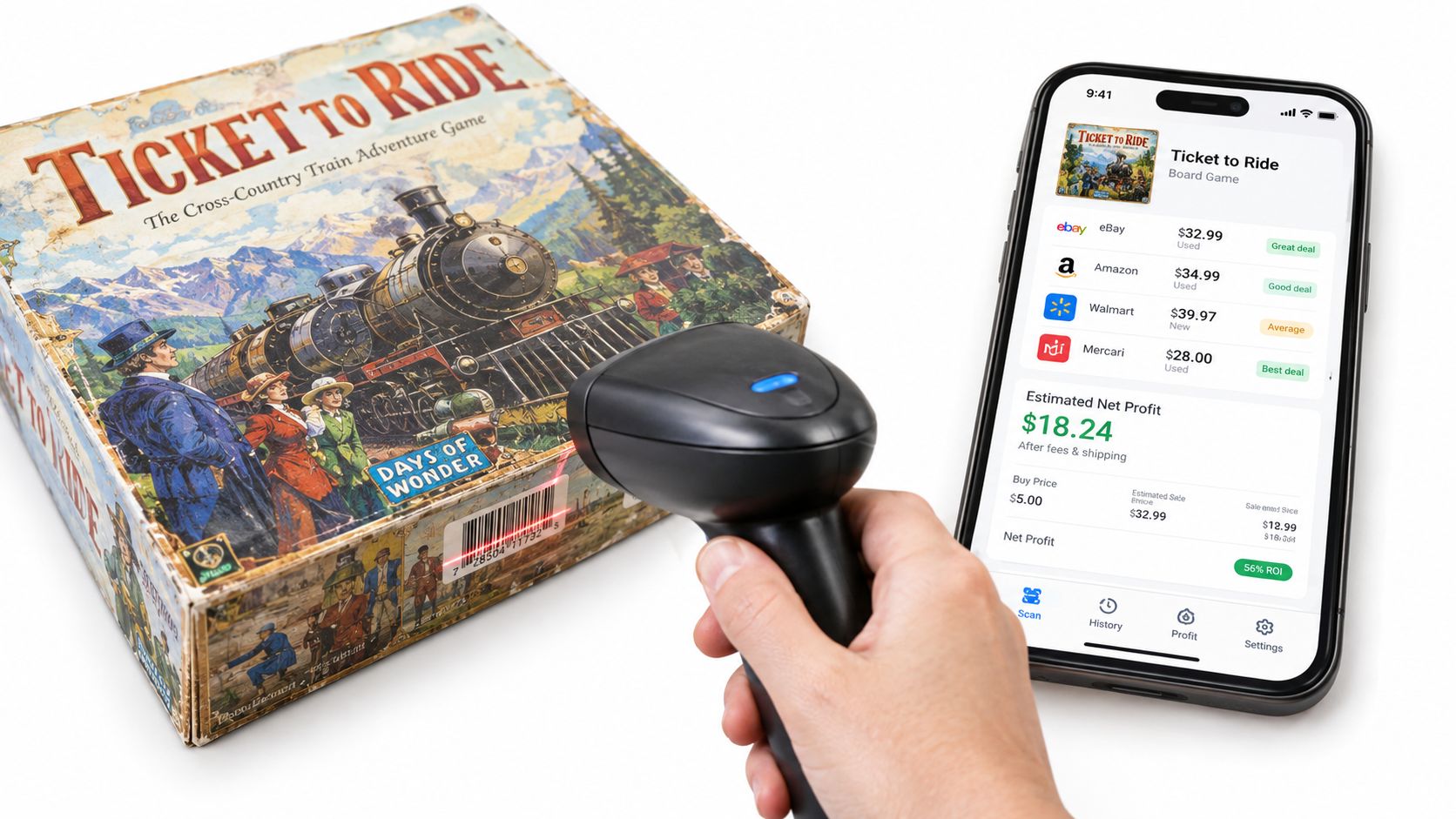
You're standing in a Goodwill aisle with a $3.99 board game in one hand and a phone in the other. A barcode scan pulls up a 12-month sold-comps median of $28, with shipping and fees accounted for, and the screen gives you a green flip verdict before another shopper reaches for the same box. That's the useful version of a barcode scanner for eBay. It helps you decide whether to spend money, not just identify something you've already bought.
The right setup combines a scanner, a phone workflow, and disciplined verification. You'll need to know which scanner features matter, how to pair one with iPhone or Android, when to use photo or text search instead of a barcode, and how to turn sold prices into a realistic net-profit number. You also need a plan for false matches, damaged labels, and products that never had a useful barcode in the first place.
Table of Contents
- Why Resellers Care About a Barcode Scanner on eBay
- Picking the Right Scanner for an eBay Sourcing Workflow
- Pairing Your Scanner With Your Phone the First Time
- Three Ways to Scan a Find in the Aisle
- Running a Fast In-Store Scan From Rack to Verdict
- Turning a Scan Into a Real Net-Profit Number
- When the Barcode Fails or Lies
Why Resellers Care About a Barcode Scanner on eBay
A barcode is valuable because it can turn a standardized product into a fast research target. Books, sealed media, boxed games, health and beauty products, and packaged retail goods often have a UPC, EAN, ISBN, or related identifier that narrows the search immediately.
The bigger value appears before checkout. If the item costs $3.99 and the realistic sold comps support a $28 median, you can investigate the fee, shipping, packaging, condition, and sell-through rate while the item is still in your hand. That protects you from the common sourcing mistake of buying based on a tempting asking price.
Barcode scanning has been part of retail infrastructure since June 26, 1974, when a pack of Wrigley's Juicy Fruit gum became the first grocery item scanned with a UPC at a supermarket in Troy, Ohio. By 2024, the industry recognized that event as the 50th anniversary of commercial barcode scanning, and GS1-linked coverage reported that more than 10 billion barcodes are scanned worldwide every day. The history helps explain why standardized packaged goods remain such efficient scan targets. Datalogic's barcode history documents those milestones and the scale of modern barcode use.
Practical rule: A barcode gives you an identity candidate. It doesn't prove that the item in your hand matches the catalog record.
This guide treats a barcode scanner eBay workflow as a sourcing-phase decision tool. You'll use it to identify a product, check sold comps, estimate net profit, and choose flip or pass. Listing helpers and inventory systems can come later. The decision that matters in the aisle is whether the item deserves space in your cart.
Picking the Right Scanner for an eBay Sourcing Workflow
Start with compatibility, not brand names. A useful reselling scanner should read 1D UPC-A, UPC-E, EAN-13, EAN-8, and ISBN-13 codes. ISBN support matters for book scanning, while ASIN lookup through an ISBN-related catalog match can help with Amazon-oriented research. The scanner should also handle ordinary printed labels rather than forcing you into a proprietary database.
Bluetooth pairing is just as important. Look for Bluetooth HID, which makes the scanner behave like a keyboard and sends the digits into the active field on your phone. BLE-only devices can be rejected by apps or require an awkward vendor connection, so they're poor choices for a quick thrift-store workflow.
A battery rated for 8+ hours of continuous scanning gives you practical coverage for a long sourcing day, although actual runtime depends on trigger use and standby behavior. A 650nm laser or CMOS imager should read curved packaging and glossy labels more reliably than a basic fixed scanner. Keep the shape simple enough to fit in a back pocket or clip to a belt.
Features that matter at the rack
- Read range and angle: You need to scan a cereal box, DVD case, or bottle without perfect positioning.
- Keyboard behavior: The device should send digits cleanly, without unwanted commands or extra text.
- Recharge method: USB charging is easier to manage than a scanner tied to a special cradle.
- Physical controls: A tactile trigger is faster than tapping a phone camera button repeatedly.
- Optional extras: Wi-Fi dongles, internal storage, rugged casings, and proprietary apps may sound useful, but they don't automatically improve a basic eBay sourcing decision.
A U.S. Census working paper found that early barcode adoption increased store labor productivity by approximately 4.5% in the first few years, with larger gains in stores carrying more packaged products. That historical result is about retail operations, not a reseller's personal profit, but it reinforces why standardized inventory is where scanning earns its keep. The barcode adoption summary provides that context.
Reselling scanner tiers compared
| Tier | Price Range | Symbologies | Battery Life | Best For |
|---|---|---|---|---|
| Entry | $25 | UPC, EAN, ISBN | Rated for 8+ hours | Thrift-only book, media, and packaged-item sourcing |
| Midrange | $70–$90 | UPC, EAN, ISBN, broader 1D support | Rated for 8+ hours | Yard-sale volume and damaged or glossy labels |
| Industrial | $150+ | Broad 1D support | Built for extended use | Resellers scanning over four hours a day |
For more detail on choosing a phone-based setup and scanner workflow, compare the practical criteria in this scanning app guide for retail arbitrage. A $25 Tera or Inateck can be enough for thrift-only work. A $70–$90 ScanFun or NADAMOO imager makes more sense for heavier yard-sale volume. An industrial unit at $150+ is difficult to justify unless you're scanning over four hours a day.
Pairing Your Scanner With Your Phone the First Time
Most resellers using an iPhone should pair the scanner as a keyboard, not through the manufacturer's app. Turn on Bluetooth in iPhone Settings, put the scanner into HID mode, and select it from the available devices. HID mode matters because the scanner needs to type the barcode into whatever field has the cursor.
Open ScanFlip and tap the UPC field so the cursor is visibly active. Hold the scan trigger while the cursor is in that field instead of relying entirely on auto-send. Some scanners buffer the first scan after a long idle period, and that's exactly how you lose a product while standing at the rack.
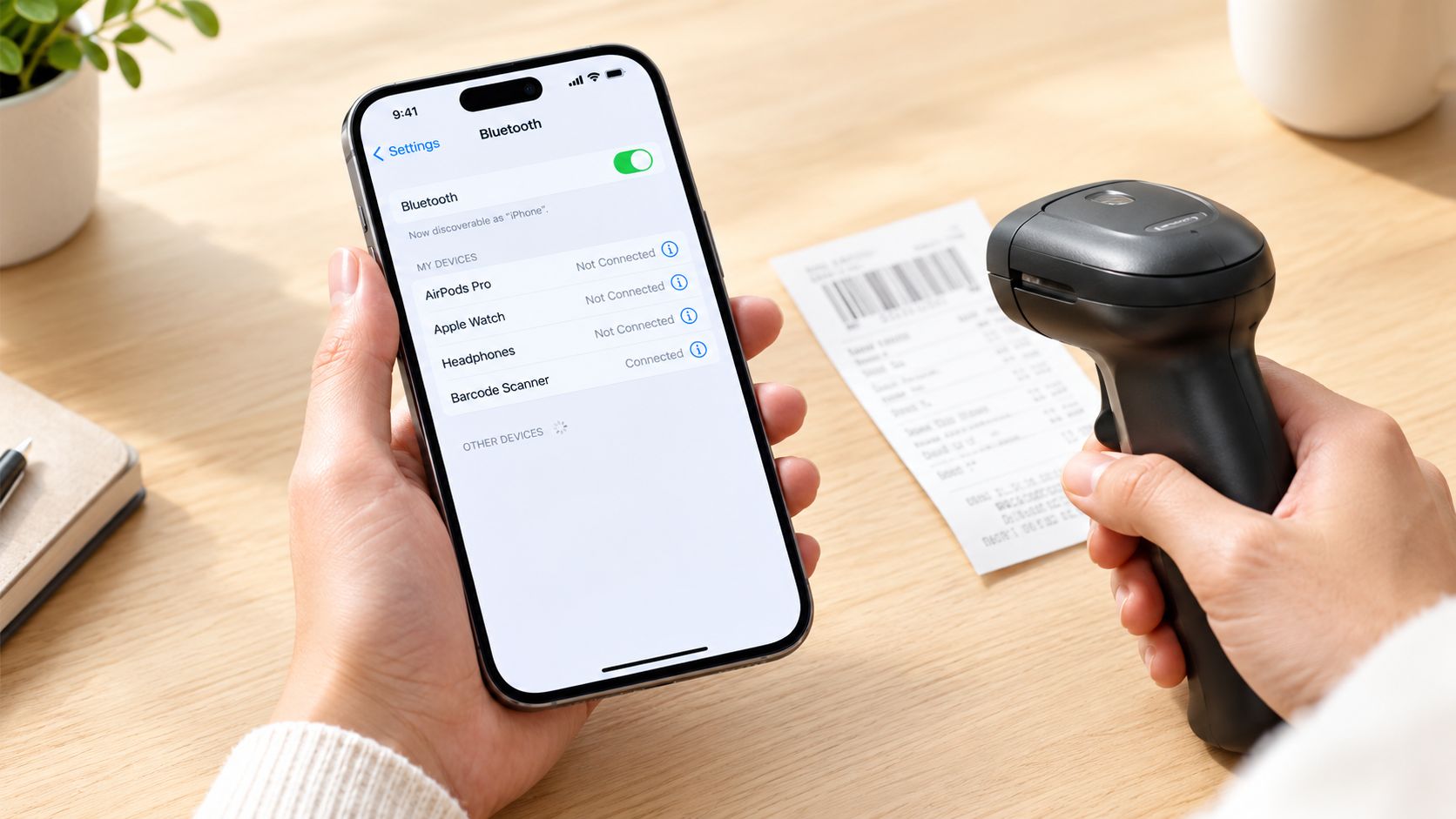
Android pairing follows the same general idea, but check that the Bluetooth input device remains enabled after pairing. On some Samsung phones, the setting is tucked under Connected Devices, so a scanner can appear paired while still failing to enter numbers into the app.
Run a two-minute sanity check
- Pair the scanner and open the UPC field.
- Pick up a Cheerios box with a clean label.
- Scan once while the cursor is active.
- Confirm that a 12-digit number appears in the UPC field.
- Check that no extra keystrokes, spaces, or commands were inserted.
If the number doesn't appear, reconnect in HID mode before changing apps. The scanner is probably paired as a device but not acting as a keyboard.
For a reseller-focused walkthrough of this setup, use the barcode scanner guide for resellers. Once the Cheerios test works, leave the app open and keep the scanner in an accessible pocket. The best setup is the one that removes friction between picking up an item and checking its sold comps.
Three Ways to Scan a Find in the Aisle
Barcode is only one input method. A mixed thrift haul can include sealed retail products, worn books, vintage clothing, and collectibles, so forcing every item through the barcode path creates bad matches and wasted time.
Choose the input that fits the item
| Category | Best Scan Method | Why | Example |
|---|---|---|---|
| Media with identifiable cover art | AI photo scan | The cover is often faster to recognize than a small label | A DVD case with a clear front image |
| Sealed packaged goods | Barcode scan | The UPC can map directly to a standardized product record | A sealed stick of deodorant |
| Damaged or incomplete books | Text search | The title may remain readable when the ISBN is torn or missing | A hardcover novel with a damaged ISBN |
| Ungarbed apparel and vintage | AI photo scan | No reliable UPC may exist | A vintage jacket or pair of shoes |
| Items with a known name | Text search | Manual terms can avoid a misleading barcode match | A collectible with a readable model name |
Photo scan works well for DVDs, CDs, video games, vintage items, apparel, shoes, and collectibles when the cover, silhouette, branding, or construction provides the useful clues. Point the phone at the item rather than hunting for a code that may not exist.
Barcode scan wins with sealed grocery, health, beauty, media, books, and boxed retail products. A clean UPC or ISBN gives you a fast identity candidate, but you still need to compare the returned product image, size, flavor, edition, and packaging with the physical item.
Text search is the fallback when the label is damaged or the object can't be photographed clearly. A hardcover novel with a torn ISBN can still be researched by author and title. The same applies to a named electronics accessory or a collectible whose model number is printed on the casing.
Each method can return sold-comps data, but they differ in speed and false-positive risk by category. The decision is deliberate: use the barcode when the product is standardized, photo recognition when the object is visually distinctive, and text when the remaining information is cleaner than the damaged code.
Running a Fast In-Store Scan From Rack to Verdict
Use a staged workflow. Pick up the item, scan the cleanest visible UPC, and only turn it around to inspect the back if the first attempt misses. On easy targets, that keeps total handle time near three seconds per item, but the speed comes from avoiding unnecessary handling rather than rushing the trigger.
Verify the returned catalog entry before you trust the result. Match the product image, brand, size, edition, flavor, pack count, and packaging. A barcode can identify a similar item while missing a meaningful variation, such as a multipack, regional version, or different edition.
Fix the common misfires
- Glossy labels: Tilt the item about 15 degrees to move the reflection away from the scanner.
- Curved bottles: Aim for the flatter bottom edge rather than the most curved section.
- Security stickers: Check whether a store sticker covers the UPC, then look for another clean code or use photo or text search.
- Shadows and smudges: Move into brighter light, wipe the label, and change the angle.
- Creased packaging: Flatten the surface gently if the code is still intact.
The verdict should stay simple. A green result means the estimated net profit clears your chosen threshold after fees, shipping, packaging, and cost of goods. A yellow result means the margin may work, but the condition, sell-through, shipping weight, or data match needs another check. A red result means the item doesn't justify the cash or the risk under your settings.
Scan first, verify second, decide third. Don't buy just because the app found a product.
If another shopper is also scanning, step aside with the item and queue your research. Scan the easy, high-confidence products first, then return to the uncertain ones away from the rack. That keeps the aisle moving and prevents a single difficult barcode from consuming the time you need for the rest of the shelf.
Turning a Scan Into a Real Net-Profit Number
Gross sold price is not profit. eBay says sellers can face an insertion fee when creating a listing and a final value fee when the item sells. The final value fee is calculated as a percentage of the total sale amount plus a per-order fee, which eBay lists as $0.30 for orders of $10.00 or less and $0.40 for orders over $10.00. eBay's selling-fee explanation is the source to check when your category or account terms change.
For most casual sellers, eBay says listing is free up to 250 items per month. After that allotment, an extra listing carries a $0.35 insertion fee, although category and store-plan rules can vary. eBay's seller-fee information gives the current framework.
A worked scan-to-cash example
Suppose a sealed candle costs $4.99 in a discount bin. The sold-comps median is $22 shipped, the final value fee is 12%, the per-order fee is $0.30, outbound shipping is $4.50 paid by the buyer, and a padded envelope costs $1.20.
The fee calculation is $22 × 12% = $2.64, plus $0.30, for $2.94 in selling fees. Subtract the $4.50 shipping charge from the sale proceeds, then subtract the $1.20 packaging cost and $4.99 cost of goods. That leaves roughly $8.37 in net profit, or about $13.36 before the purchase cost is removed.
| Line item | Amount | Notes |
|---|---|---|
| Sold price | $22.00 | Shipped sale price |
| Final value fee | -$2.64 | 12% of sale amount |
| Per-order fee | -$0.30 | Order over $10.00 uses this tier |
| Outbound shipping | -$4.50 | Paid by the buyer, then spent on postage |
| Packaging | -$1.20 | Padded envelope |
| Cost of goods | -$4.99 | Discount-bin purchase |
| Estimated net profit | $8.37 | Before any other account-specific costs |
A store subscription can change the calculation. eBay's store-fee page lists monthly prices of $7.95 for Starter, $27.95 for Basic, $74.95 for Premium, $349.95 for Anchor, and $2,999.95 for Enterprise, so subscription economics belong in a high-volume seller's broader cost model. eBay's store-selling-fee page lists those plans.
The second check is velocity. Compare the 30-day sell-through rate from sold comps, not just the dollar amount. A $30 item that takes 90 days to move can be worse for your cash flow and storage than a $15 item that sells in five days.
Use the resale pricing guide to keep the calculation tied to sold prices rather than optimistic asking prices. At the rack, set your own minimum net-profit threshold and reject anything that only works if every assumption goes perfectly.
When the Barcode Fails or Lies
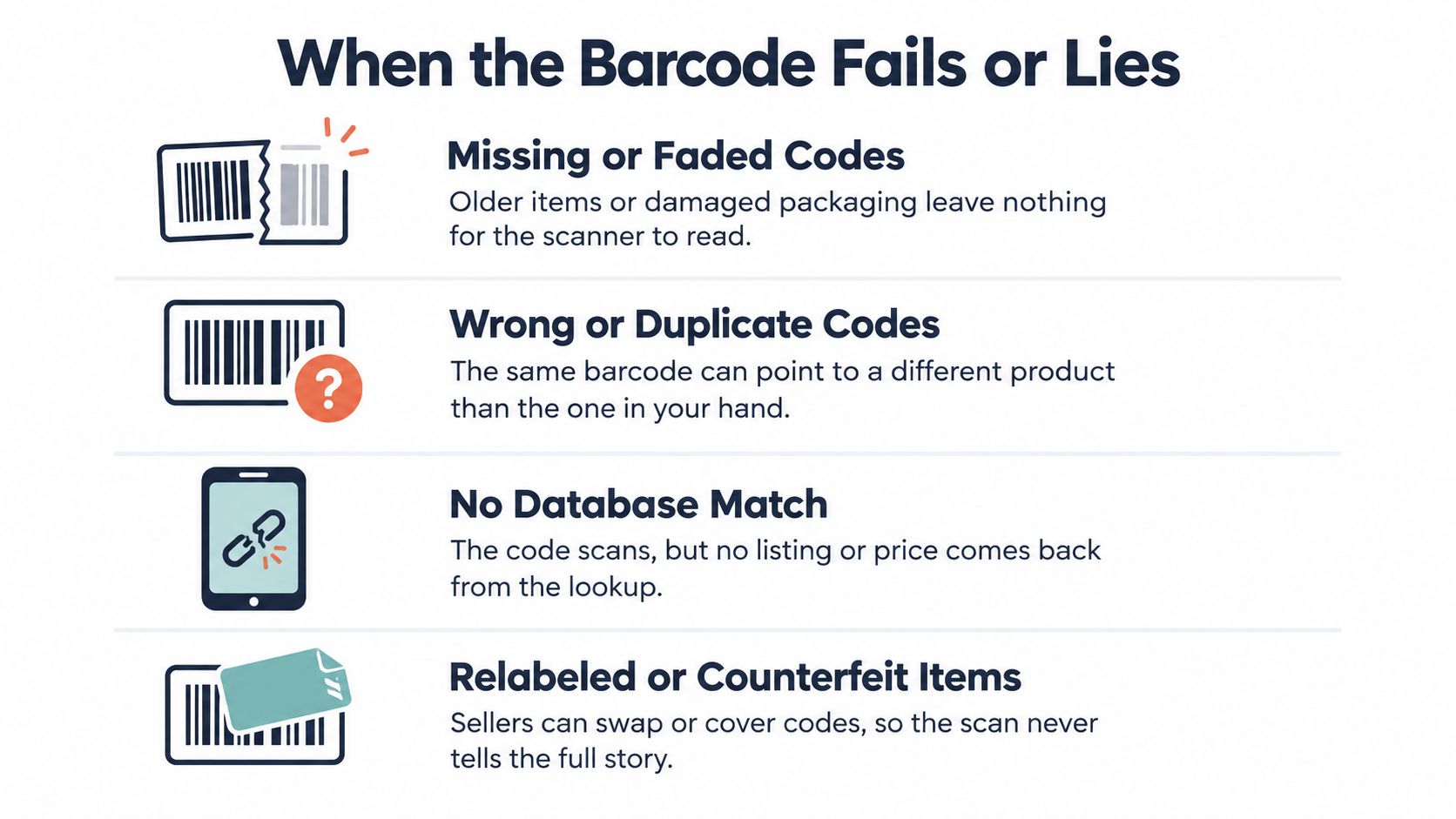
Barcode-only sourcing breaks down on ordinary thrift inventory. Older goods may have missing or faded codes, third-party databases can resolve a code to the wrong product, generic UPCs can lead to empty or irrelevant entries, and books or media may have swapped, stripped, or mismatched identifiers.
A successful scan can be more dangerous than a failed scan if the returned data is wrong. A red screen forces you to investigate. A green screen attached to the wrong product can persuade you to buy an item that has no realistic sold comps.
Four failure modes and their fixes
- Missing or faded code: Type the title, author, model name, or ISBN manually into ScanFlip. If the item is visually distinctive, use photo scan instead.
- Wrong catalog match: Compare the returned product image with the physical item, including size, edition, color, pack count, and packaging.
- Generic or empty result: Treat the code as unusable and search by visible product details. Don't fill in the identity from a vaguely similar entry.
- Swapped or stripped identifier: Check the cover, spine, copyright page, or manufacturer markings, then search manually. Books and media deserve special attention because editions can look nearly identical.
The same caution applies to unbarcoded categories. Apparel, shoes, vintage goods, collectibles, and many electronics need visual recognition or text research because a UPC is absent or irrelevant. Barcode scanning is strongest for books, CDs, sealed retail products, and similar standardized goods, not for every item in a mixed thrift cart. This comparison of barcode and photo-scanning workflows reflects that category split.
Sourcing habit: If the scan feels off, the item costs more than $3, or the category is unfamiliar, verify with a photo scan or manual entry before it reaches the cart.
Barcode scanning should be your starting line, not proof. If the physical product and returned catalog record don't agree, walk away even when the apparent sold price looks attractive.
ScanFlip AI combines AI photo scan without a barcode, barcode scanning, and text search, then aggregates sold comps across eBay, Poshmark, Mercari, Depop, Amazon, Whatnot, ThredUp, Facebook Marketplace, and TikTok Shop. It also factors fees and shipping into net profit and gives a red or green flip-or-pass verdict, so visit ScanFlip AI and use it to check the next item before you spend your sourcing money.