
Best Barcode Scanning App for Resellers
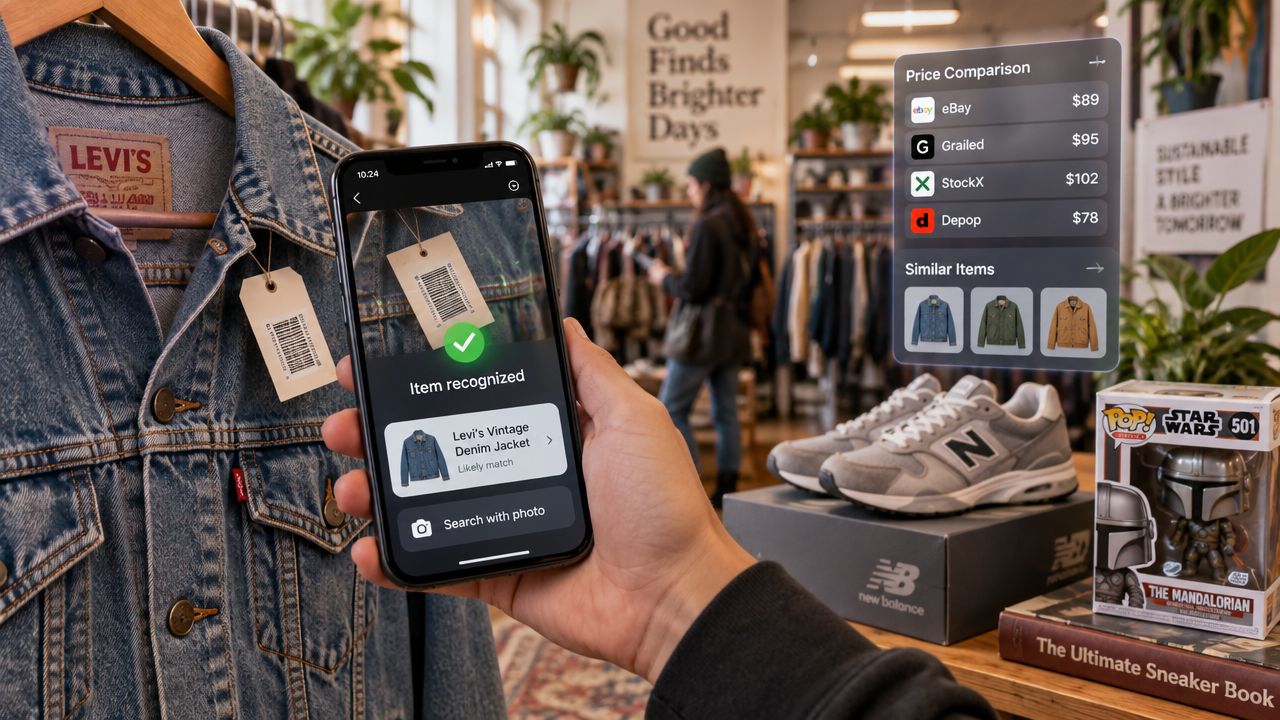
You're standing in a Goodwill aisle with a jacket that looks promising, but the tag is gone. A few shelves over, an estate-sale bin holds unboxed electronics, loose game controllers, and collectibles with no readable packaging. A barcode-only app can't help much, even if the item turns out to be worth buying.
That's the true test for the best barcode scanning app for resellers. It shouldn't only read a clean UPC quickly. It should help identify untagged items, find sold comps across the marketplaces where buyers make purchases, and estimate net profit before you spend money on another piece for the death pile.
The category is no longer a niche utility. The barcode scanner app market is estimated at $1.8 billion in 2025 and projected to reach $3.6 billion by 2034, with retail representing 34.2% of applications and Android representing 45.8% of market share, according to Market Intel's barcode scanner app market analysis. For resellers, that scale explains why scan speed matters, but it also makes it more important to separate a fast scan from a useful buy decision.
Table of Contents
- The Sourcing Aisle Reality Check
- Barcode Scanners Versus AI Photo Recognition
- Comparing the Top Scanning App Categories
- Calculating True Net Profit at the Aisle
- Matching the Tool to Your Sourcing Environment
- Building a Profitable Sourcing Tech Stack
- Common Sourcing Mistakes and App Limitations
The Sourcing Aisle Reality Check
A clean barcode is convenient, not guaranteed. Retail arbitrage sellers can work through boxed products with UPCs, but thrift store flippers, vintage pickers, shoe resellers, card and collectibles flippers, and estate-sale buyers often handle items that were never labeled for modern retail.
A vintage jacket may have a brand label but no barcode. A pair of older sneakers may have a model code hidden inside the tongue. A collectible may be identifiable only by its packaging, markings, shape, or edition. If your app only accepts a UPC, those items become manual research projects while another picker is already at the register.
What actually slows down sourcing
The friction usually isn't the camera. It's the sequence after identification. You need to know what the item is, whether comparable products have sold, which marketplace has relevant demand, and what remains after fees, shipping, and cost of goods.
Active asking prices create false confidence. Sellers can list an item for almost anything. Sold prices show what buyers have paid, which is why reseller pricing workflows commonly use eBay sold listings first and then compare ranges on platforms such as Poshmark and Mercari, as described in this sold comps workflow for resellers.
A practical sourcing tool needs three fallback paths:
- Barcode scan: Fast identification for books, media, games, and boxed retail products.
- AI photo scan: Identification for apparel, shoes, vintage goods, electronics, and collectibles without a readable barcode.
- Text search: A manual route for items you can't photograph clearly or scan reliably.
The output matters just as much as the input. A useful result should bring back sold comps, account for the marketplace you're considering, and give you a buy-or-pass signal based on your own minimum profit threshold.
Practical rule: If an app helps you identify an item but leaves you to calculate the real payout manually, it's only solving the first half of the sourcing problem.
Barcode Scanners Versus AI Photo Recognition
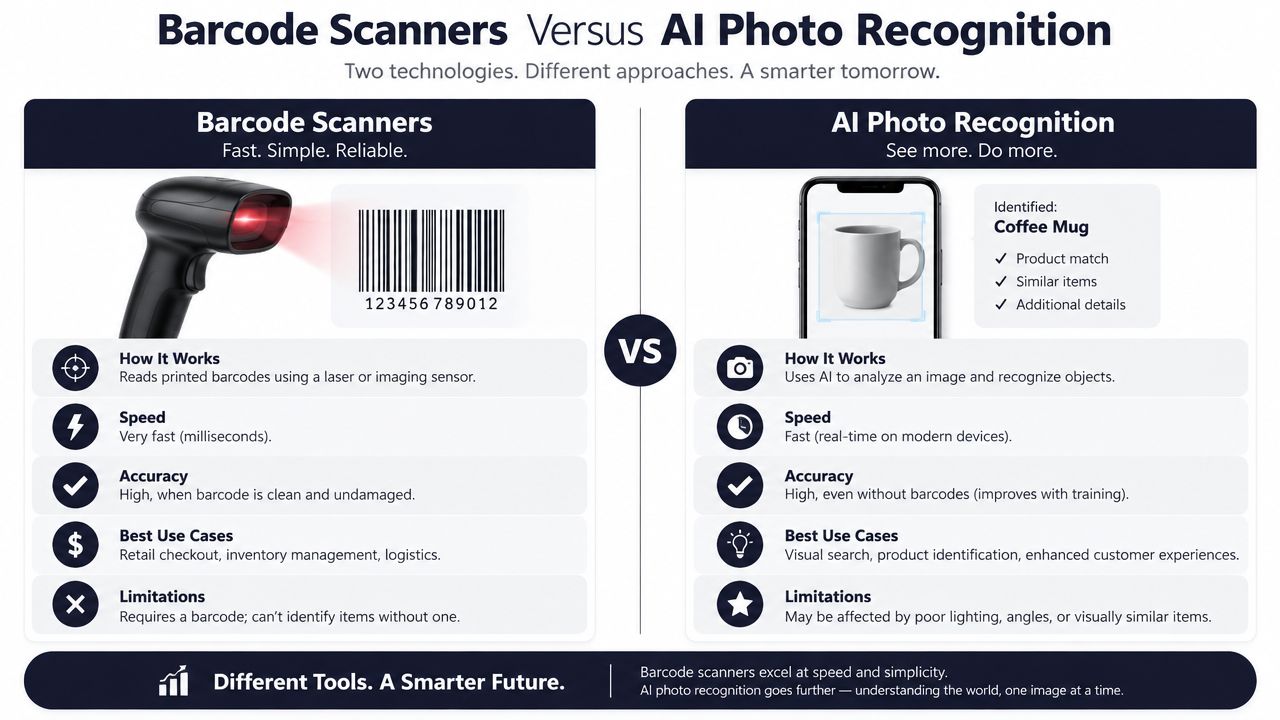
Traditional barcode scanning and AI photo recognition solve different identification problems. A barcode app looks for a structured code such as a UPC, EAN, or ISBN, then uses that identifier to retrieve product information. Photo recognition starts with the visible item and tries to match its appearance, text, brand details, or category when no barcode is available.
That distinction matters because retail packaging is the exception in many resale categories. Books, sealed games, boxed electronics, and clearance merchandise often scan cleanly. Vintage clothing, shoes, handmade items, loose toys, and unboxed collectibles usually require visual or text-based research instead.
What benchmark data tells you
Independent benchmark results show why raw speed shouldn't be the only selection criterion. In one static-image test, Dynamsoft Barcode Reader detected 428 total barcodes and 292 unique codes, the highest totals among four tested SDKs, while averaging 278 milliseconds per image. The same test reported Scanbot at 242 total barcodes and 790 milliseconds per image, Scandit at 178 total barcodes and 11,210 milliseconds per image, and Strich at 58 total barcodes and 646 milliseconds per image, according to Dynamsoft's benchmark of four barcode SDKs.
A separate real-world benchmark using 83 barcode images found Dynamsoft detected 354 barcodes, compared with 346 for ZXing-CPP, 150 for Apple Vision, and 120 for Google ML Kit. Dynamsoft averaged about 201 milliseconds per image, while Apple Vision and ML Kit were faster per image at roughly 96 to 98 milliseconds. The report calculated per-detection efficiency at about 47 milliseconds for Dynamsoft, 53 milliseconds for Vision, and 68 milliseconds for ML Kit, as detailed in Dynamsoft's barcode accuracy comparison.
The practical lesson isn't that one engine automatically makes one app the right choice. It's that a faster engine can still miss items, while a broader detection yield can be more valuable in a crowded bin or a damaged-package clearance aisle.
Why photo recognition changes your buying range
A barcode-only workflow pushes you toward categories with standardized packaging. AI photo identification expands the sourcing pool to items that depend on visual attributes rather than universal product codes. That doesn't guarantee a correct match, so you still need to verify brand, model, condition, size, and edition against sold comps.
For a deeper look at the use case, this guide to identifying items by photo is relevant to resellers dealing with untagged inventory. The strongest workflow treats photo recognition as a starting identification method, not a substitute for judgment.
Comparing the Top Scanning App Categories
Resellers generally encounter three types of scanning apps. Enterprise inventory scanners are built for receiving stock, assigning labels, and moving data into a business system. Book and media arbitrage apps are designed for standardized products and marketplace-specific research. Sourcing tools combine multiple identification methods with sold-price research and profit calculations.
The right category depends on where you source and what you need to decide. A warehouse receiving app may be excellent at recording known inventory but irrelevant when you're asking whether an untagged jacket is worth buying at an estate sale.
Reseller Scanning App Categories Compared
| App Category | Scan Methods | Marketplace Data | Best For |
|---|---|---|---|
| Enterprise inventory scanners | Usually barcode and QR capture | Inventory records, exports, and connected business systems | Warehouses, retail operations, and organized stock control |
| Book and media arbitrage apps | Primarily barcode scanning and text lookup | Product-specific pricing, often centered on books or media workflows | Amazon-focused book scanners and clearance media sourcing |
| Comprehensive AI sourcing tools | AI photo identification, barcode scanning, and text search | Aggregated sold comps across multiple resale marketplaces, with fee and shipping analysis | Thrift, vintage, collectibles, garage-sale, estate-sale, and multi-platform sourcing |
Enterprise options such as BarCloud, inFlow Inventory, OrcaScan, Sortly, and Zoho Inventory are designed around broader inventory operations. That can be useful after you've bought and organized products, but those systems may prioritize labels, exports, integrations, purchasing, or stock records over the speed of a buy-or-pass decision.
Book-specific tools such as ScoutIQ or Underpriced fit a different workflow. They can make sense for a seller scanning shelves of books or media, where a barcode is usually present and the product identity is straightforward. They don't solve the problem of identifying a vintage graphic tee or an unboxed collectible.
Marketplace coverage changes the research workload
Checking eBay, Poshmark, Mercari, Depop, Amazon, Whatnot, ThredUp, Facebook Marketplace, and TikTok Shop one at a time creates a fragmented process. A multi-marketplace workflow can reveal that an item has stronger sold demand in one channel than another, while also giving you a more realistic range than relying on a single app.
The key phrase is sold comps, not asking prices. A scanner that returns a product page but no evidence of completed sales may help with identification, yet it doesn't answer whether your buy price leaves room for fees, shipping, cleaning, testing, and the time required to sell.
For resellers, a sourcing app is most useful when it keeps the decision narrow: identify the item, inspect sold prices, enter cost of goods, and decide. Listing and crosslisting belong elsewhere. Tools such as Vendoo, List Perfectly, and Crosslist can handle those later workflows, but they shouldn't influence whether you buy an item in the first place.
Calculating True Net Profit at the Aisle
A $50 sold comp isn't $50 of profit. The number that matters is the amount left after marketplace fees, shipping, cost of goods, and any other costs you know will apply.
Mercari currently charges sellers 10% of the completed item price, calculated on the item price rather than shipping, according to this explanation of Mercari seller fees. If you use a Mercari prepaid shipping label, the label cost is deducted from your payout before you receive the funds.
A simple buy decision
Suppose you're considering a $15 item and the relevant Mercari sold comp is $50. The Mercari selling fee is $5 because it's 10% of the $50 item price. Your payout before the prepaid shipping label is therefore $45.
The final calculation is:
Net profit = item price minus marketplace fee minus shipping deduction minus cost of goods.
Using the example:
- Completed item price: $50
- Mercari seller fee: $5
- Shipping: Deduct the actual prepaid label cost shown for the transaction
- Cost of goods: $15
- Net profit: $30 minus the shipping-label deduction
That result may be acceptable for a lightweight item you can photograph and ship quickly. It may be a pass if the item needs testing, cleaning, repairs, measurements, or specialized packaging. The same gross sale price can produce different decisions depending on weight, condition, platform, and your minimum threshold.
Set the rule before emotions take over
A red or green flip-or-pass verdict works because it forces you to define what counts as worthwhile before you're standing in a crowded aisle. Set a minimum profit or margin threshold that reflects your time and category knowledge. If an item only works under the highest sold comp, treat it cautiously rather than using the optimistic number.
A calculator also reduces the temptation to buy because an item “looks rare.” Rarity without demand can create slow inventory, and a high asking price doesn't prove that buyers will pay it. This guide to calculating net profit covers the same core discipline, use actual sold data, subtract platform costs, and make the decision before cost of goods enters your books.
Matching the Tool to Your Sourcing Environment
The best workflow changes with the location. A Walmart clearance aisle is not a Goodwill shoe rack, and neither resembles a garage-sale table covered with unmarked household goods.
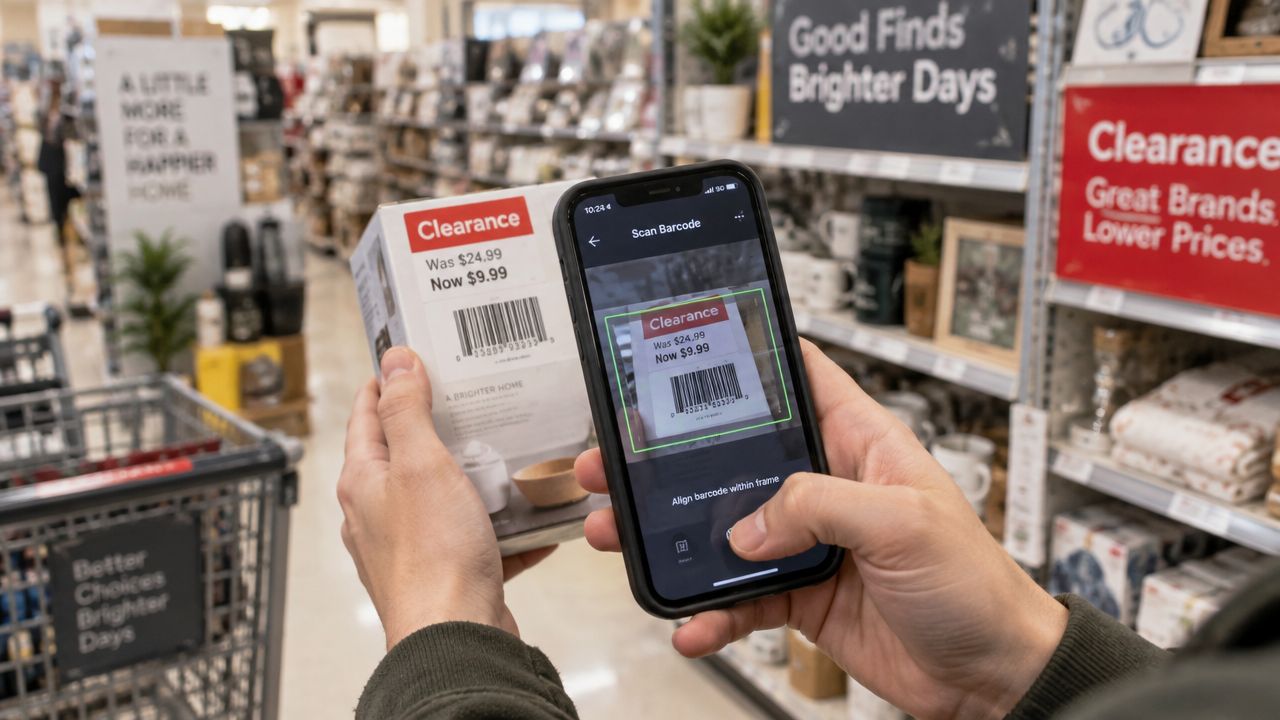
Retail arbitrage favors speed and repetition. If every product has a clean UPC, barcode scanning lets you move quickly from identification to pricing research. The scanner still needs to return relevant sold data, but photo recognition adds little when the packaging already provides a reliable identifier.
Use the method that fits the inventory
At a thrift store, start with the barcode when one exists, then switch immediately if the code is missing, damaged, or tied to the wrong product variation. Photograph the full item, brand mark, care label, model plate, or packaging details. For a vintage jacket, those visual clues may be more useful than trying to force a barcode workflow.
At an estate sale, text search is valuable when photographing the item would produce a poor match. Search the exact brand and model printed on an electronics label, or enter the title and edition of a collectible. For books, sealed media, and boxed games, barcode scanning remains the quickest route.
Keep sourcing evidence, not just results
Scan history with photos, locations, and timestamps gives you a record of what you considered and where you found it. That can help you remember which Goodwill locations produce useful BOLOs, which estate-sale organizers price collectibles aggressively, and which clearance aisles repeatedly generate viable buys.
A sourcing log also exposes personal bias. If you keep scanning a category but rarely purchase or sell it, the history can show whether the problem is weak sell-through, insufficient margin, or overconfidence in active asking prices. The app provides data, but your repeated decisions provide the pattern.
A fast scan helps you inspect more items. A complete sourcing workflow helps you buy fewer bad ones.
Building a Profitable Sourcing Tech Stack
Trying to make one app scan products, calculate profit, create listings, crosslist, and manage inventory creates unnecessary clutter. Sourcing and post-purchase operations involve different decisions, so separate the workflows.
The sourcing question is simple: Should I buy this item at this cost? After purchase, the work shifts to cleaning, testing, photographing, describing, publishing, and managing the product. Keeping those stages separate helps you judge the buy before time spent on preparation changes your view.
Assign each tool one job
A sourcing tool should handle identification, sold comps, marketplace fees, shipping estimates, and a flip-or-pass decision. A crosslisting tool such as Vendoo, List Perfectly, or Crosslist belongs after purchase, when the item is ready for your existing selling workflow.
That boundary protects your time. Do not start building a listing until the projected net profit justifies the effort. An inventory system also should not decide whether an untagged vintage piece belongs in your stock.
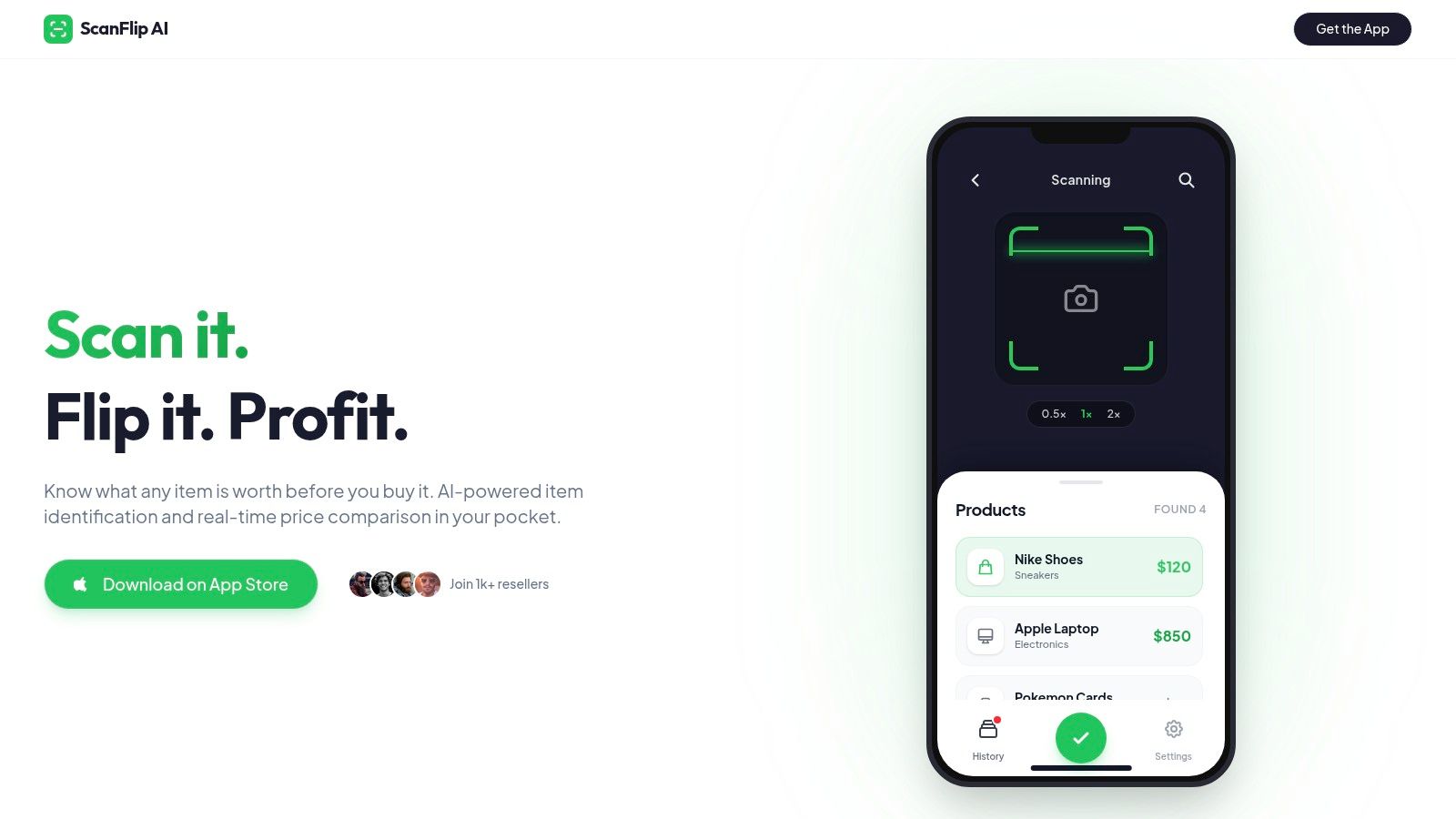
ScanFlip AI covers the buy phase with AI photo identification without a barcode, barcode scanning, and text search. It aggregates sold comps from eBay, Poshmark, Mercari, Depop, Amazon, Whatnot, ThredUp, Facebook Marketplace, and TikTok Shop. It then applies platform fees, shipping, and buy cost to produce a net-profit result with a red or green flip-or-pass verdict.
For a broader view of how sourcing software fits with other reseller tools, this roundup of reseller apps offers useful context. Decide whether the item earns a buy first, then pass purchased inventory to the listing and inventory stack.
Common Sourcing Mistakes and App Limitations
A faster scanner won't rescue a weak buy. You can process a clean UPC quickly and still lose money if the product has poor sell-through, heavy competition, costly shipping, or a narrow buyer pool.
The most common mistake is comparing against active asking prices. Sellers control asking prices, but buyers determine sold prices. Use completed sales to establish the realistic range, then account for condition, size, color, edition, platform, and time required to sell.
Barcode apps also struggle when the code points to multiple variations. A product may have different sizes, colors, packaging versions, or regional identifiers. Confirm that the scan result matches the exact item in your hand before trusting the comp.
Low light, glare, scratched labels, and curved packaging can reduce scan reliability. Clean the camera lens, move the item into better light when possible, and switch to a photo or text search workflow instead of repeatedly aiming at an unreadable code.
Finally, don't confuse identification with demand. A recognizable product can still be oversaturated, and a promising sold price can still fail your minimum net-profit rule. The best barcode scanning app is the one that supports disciplined decisions across both tagged and untagged inventory, not the one that produces the quickest beep.
ScanFlip AI gives resellers three ways to research an item in the aisle, AI photo identification with no barcode required, barcode scanning, and text search. Visit ScanFlip AI to compare sold comps across major marketplaces and check estimated net profit after fees, shipping, and cost of goods before you buy.