
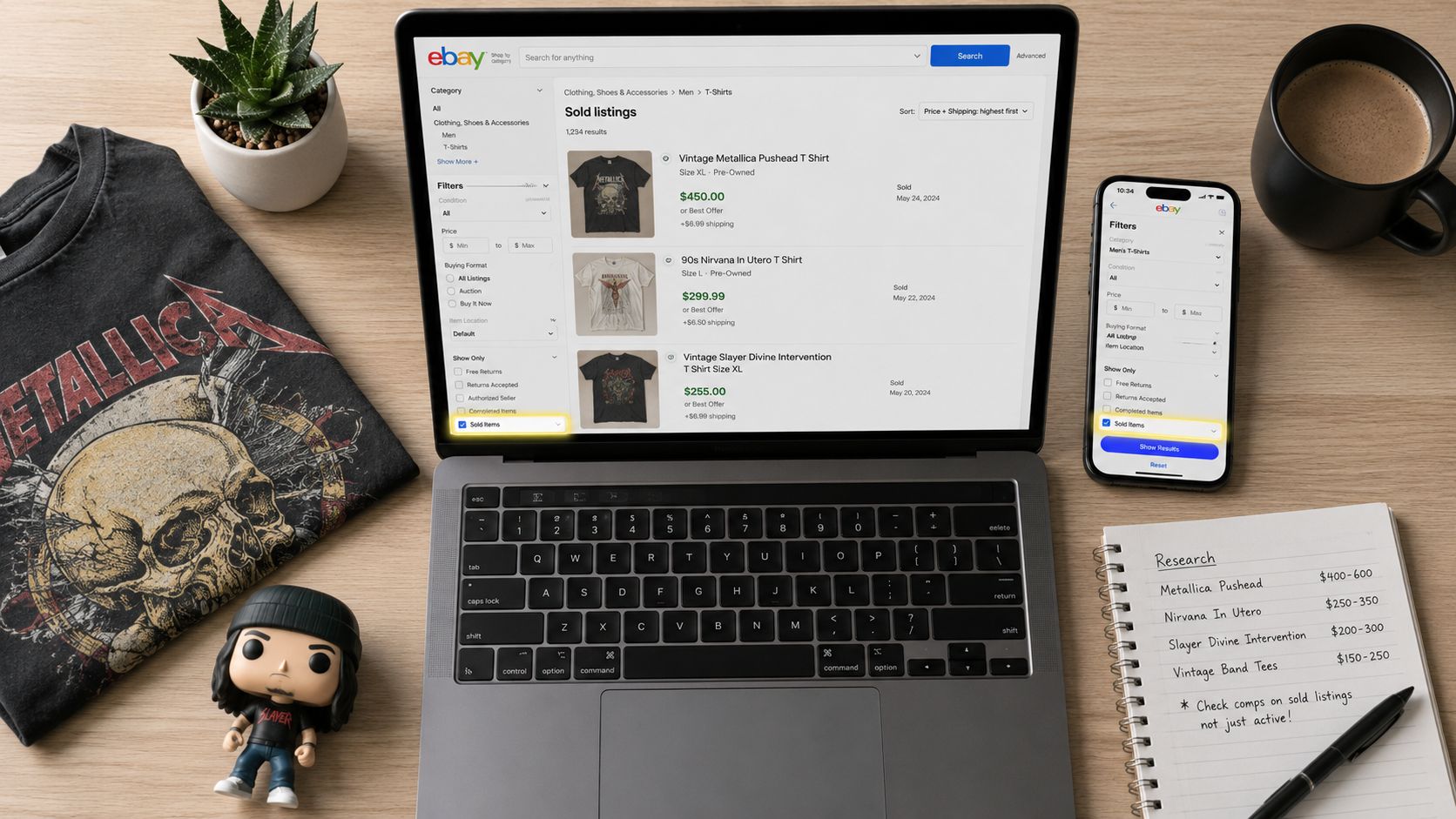

How to Find Sold Prices on eBay (2026 Reseller Guide)
You're in a thrift store, holding something that might be a winner. Maybe it's a vintage tee, a camera, or a pair of shoes that look better than the rack around them. The tag price is low enough to tempt you, but low buy cost alone doesn't make it a good pickup. The question is whether buyers are paying for it now.
That's why knowing how to find sold prices on eBay matters so much. Not active listings. Not wishful asking prices. Actual sold comps. And even then, there's a catch most guides skip. The number you see on a sold listing often isn't the amount the seller really took home, especially when Best Offer was involved.
Table of Contents
- Why Sold Comps Are a Reseller's Superpower
- The Fast Method for Checking eBay Sold Comps
- Unlocking Deeper Insights with Advanced Search
- Why the Sold Price Is Not What You Actually Get Paid
- Common Mistakes When Researching Sold Prices
- Beyond Manual Lookups Automating Your Comps
Why Sold Comps Are a Reseller's Superpower
A reseller with fast comp skills buys differently from everyone else in the store.
Two people can pick up the same band shirt. One sees a cool graphic and guesses. The other checks sold comps, notices the exact print has recent demand, compares condition, and decides in under a minute whether the spread leaves room for fees, shipping, and profit. That second person is buying based on evidence.
Active listings don't tell you much on their own. Sellers can ask whatever they want. Plenty of overpriced listings sit for weeks or months and never move. Sold comps show what buyers were willing to pay when money changed hands.
Practical rule: If you're making sourcing decisions from active listings alone, you're pricing off hope instead of demand.
This matters most when the buy decision is time-sensitive. At estate sales and thrift stores, hesitation costs you deals. Bad comps cost you cash. Good comp work lets you decide quickly whether an item is a flip, a slow hold, or an easy pass.
There's also a discipline angle. Sold data keeps you from buying just because something looks rare, old, or expensive. Scarcity without demand is how shelves fill up. Resellers who stay profitable learn to separate “interesting” from “sellable.”
If you're still building that sourcing instinct, it helps to study categories with proven resale demand. A list of the best items to resell for profit can sharpen your eye, but the key skill is validating any find against sold comps before you buy.
The real advantage isn't just price
The strongest use of sold comps isn't finding the top comp and getting excited. It's seeing the range.
A healthy comp read answers questions like these:
- How often does it sell: Is there regular movement or just one lucky sale?
- What condition wins: New, tested, cleaned, complete, boxed, repaired?
- Which variation matters: Size, color, print, model number, era, or accessory bundle?
- How recent is demand: Did it sell yesterday, or did the market cool off?
That's why sold comps are a reseller's superpower. They turn sourcing from guesswork into decision-making.
The Fast Method for Checking eBay Sold Comps
The fastest way to check sold comps on eBay is still the standard Sold Items filter. It works on desktop and mobile, and for common inventory it's usually enough to make a buy-or-pass call on the spot.
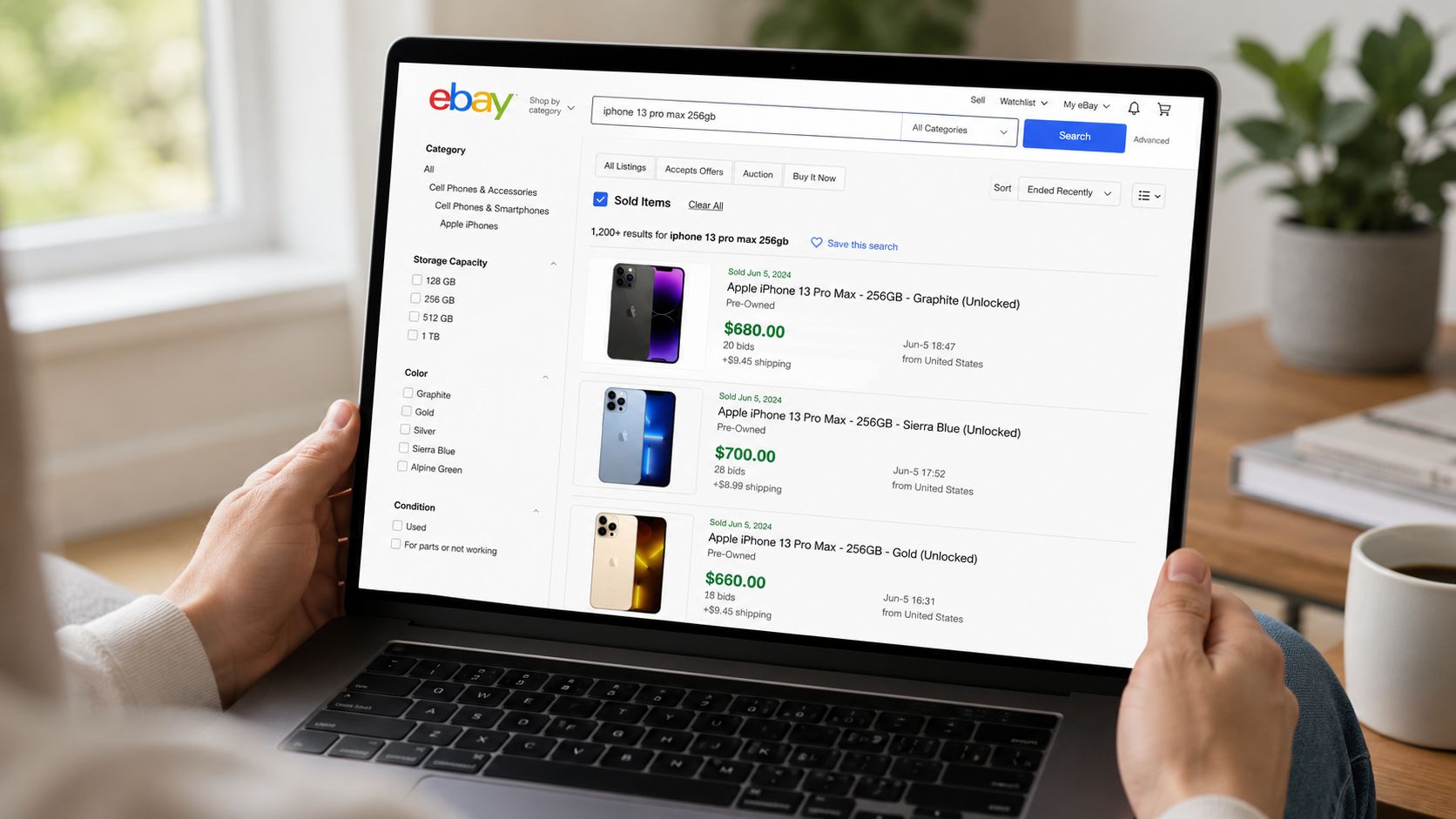
According to this guide to checking sold items on eBay, enabling the Sold Items filter on desktop or in the app has a 95% success rate for gauging market demand when you also sort by Ended Recently. The same source notes that over 30% of novice resellers use Completed Items instead, which includes unsold listings and skews pricing.
Desktop workflow
On desktop, search the item normally first. Then use the left sidebar and look for Show only. Check Sold Items.
That immediately strips out active inventory and leaves only listings that sold. After that, sort the results by Ended Recently. That step matters because old comps can make a live market look stronger or weaker than it is.
Use a search string that reflects what the buyer would care about, not what the thrift tag says. Brand, model, size, material, and notable keywords usually matter more than generic descriptions.
A clean desktop process looks like this:
- Search the item with specific keywords.
- Check Sold Items.
- Sort by Ended Recently.
- Open the closest matching comps.
- Compare condition, completeness, and shipping setup.
Mobile workflow
In the eBay app, search the item, tap Filter, scroll down, tap Show More if needed, and toggle Sold Items. The app then refreshes to show sold and paid listings within the standard recent window.
For sourcing in the field, mobile works well if you keep the search tight. If the query is too broad, you'll get noisy comps fast. If the query is too narrow, you may miss similar listings that would still support the buy.
Buy decisions get easier when you stop looking for one magic comp and start looking for a pattern in the last few relevant sales.
What to check before trusting the comp
The filter is only half the job. The other half is reading the comp correctly.
Use this quick checklist before you anchor to a number:
- Match the condition: A sealed item and a tested used item are not the same comp.
- Check the exact variation: Size, colorway, year, and included accessories can swing value.
- Look at shipping terms: A cheap sold price with high shipping can still be a strong comp.
- Avoid completed-only noise: If it doesn't show as sold, it shouldn't shape your floor price.
- Favor recent results: Current demand beats stale history for everyday items.
If you need a comp in under a minute, this is the workflow to use. It's simple, reliable, and fast enough for most bread-and-butter sourcing.
Unlocking Deeper Insights with Advanced Search
The standard sold filter is good for quick checks. It gets weaker when you're researching rare items, seasonal inventory, slow-moving collectibles, or anything with thin sales history.
That's where eBay's Terapeak Product Research earns its keep.
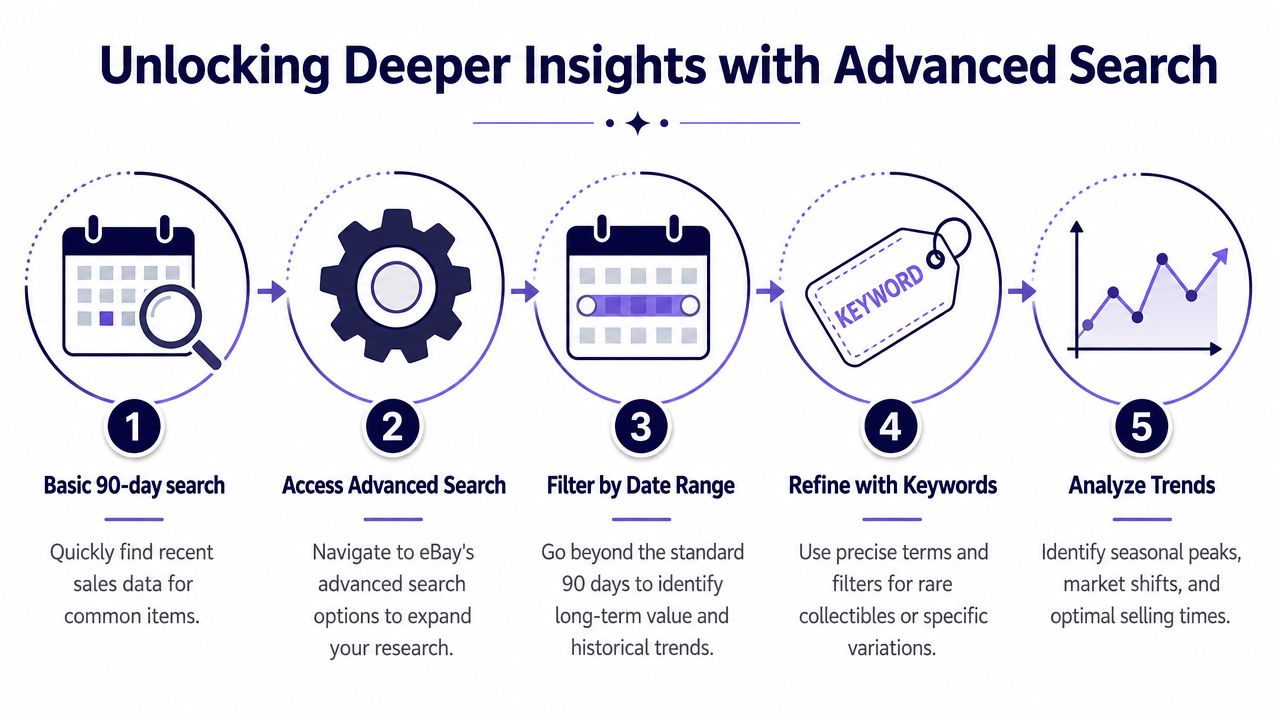
The key upgrade is time. As shown in this Terapeak walkthrough, Product Research inside Seller Hub gives you access to three years of sales data instead of the standard 90-day window. The same walkthrough shows that Terapeak can reveal the exact accepted price, not just the visible listing price. In one example, an “Alice and Chains t-shirt” query showed a sale at $9.75 with a sold count of 9.
Where Terapeak lives inside eBay
If you have access to Seller Hub, go to the Research tab and open Product Research. From there, enter your keywords and choose your timeframe.
That's the practical difference from normal sold filtering. You're not stuck with a short recent snapshot. You can review a narrow date range for current movement or widen the lens and study how the item behaves over time.
On mobile, the same research function is available inside the app through Seller Hub. That helps when you're sourcing away from a laptop and need more than the surface-level sold filter.
When the three-year view changes the decision
A short comp window works best for common inventory that sells often. It can mislead you with niche goods.
For example, a standard recent search might show weak movement on a seasonal item because you're checking in the wrong part of the calendar. A deeper history can reveal that demand is cyclical, not dead. It can also show whether a collectible spikes when a trend returns, or whether supply has increased enough to flatten prices.
Use the longer view when you're trying to answer questions like:
- Is this item seasonal: Does it move at certain times and stall at others?
- Is the market thinning out: Are sales getting less frequent over time?
- Was that big comp an outlier: Or is it part of a repeatable range?
- Do accepted offers change the actual value: Terapeak is stronger here than the normal sold filter.
The longer data window doesn't just help you price an item. It helps you decide whether now is the right time to list it.
A quick example of better comp reading
A lot of resellers stop after seeing one strong sale. That's risky.
A better approach is to search the exact item in Product Research, tighten the keywords, then compare title language, condition, and recency. If the strongest comp is old, incomplete, or attached to unusual buyer demand, it shouldn't set your buy price. If the same item keeps moving over a longer timeframe, that's a much better sign.
For professional resellers, this is the point where comp research shifts from “What did one person pay?” to “What does this market consistently support?” That's a more useful question, especially when your cash flow depends on clean buys.
Why the Sold Price Is Not What You Actually Get Paid
Most newer resellers make the same comp mistake. They find a sold listing, treat that visible number as the value, and build their buy decision around it.
That shortcut creates bad buys.
The Best Offer blind spot
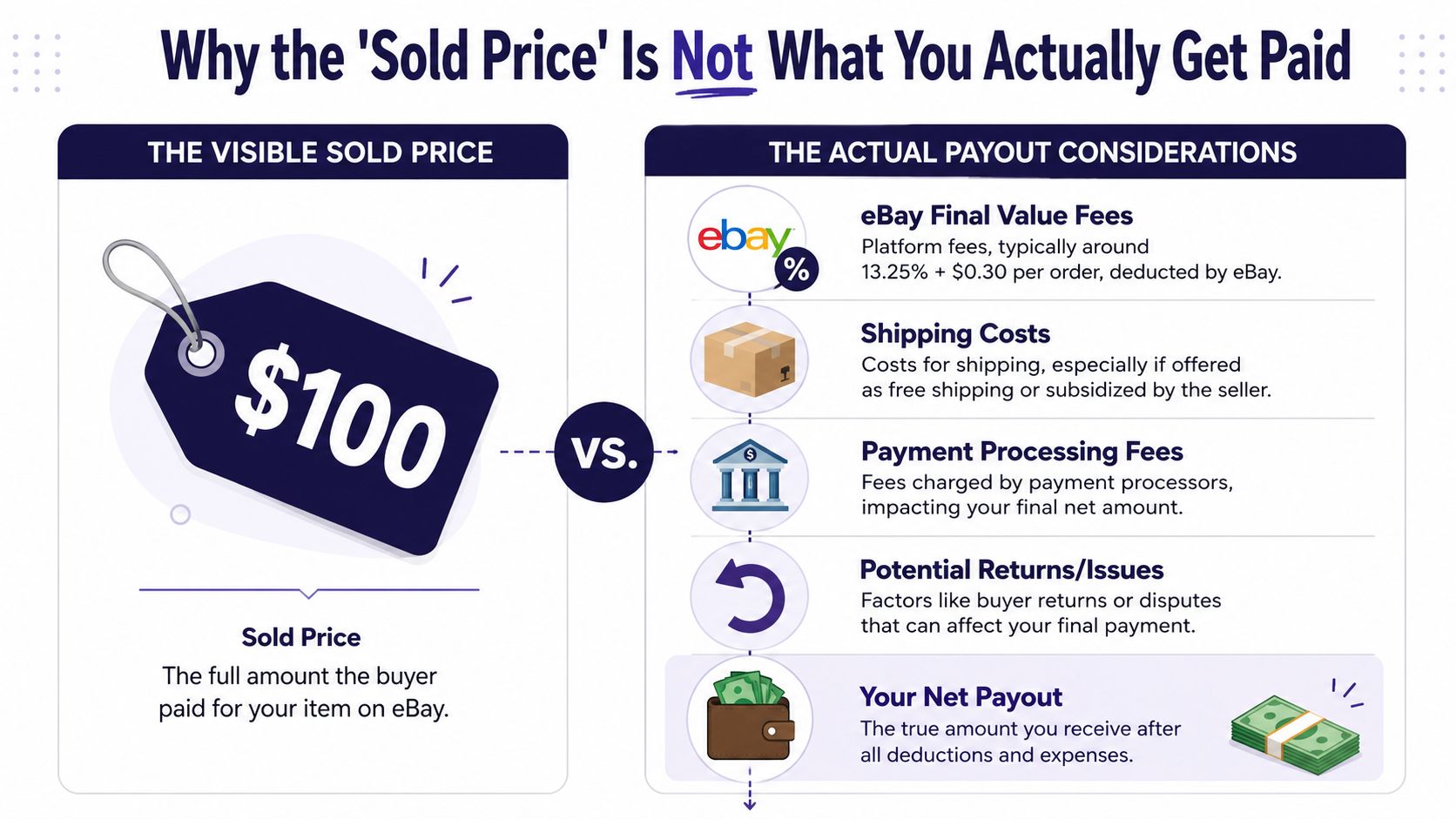
The biggest issue is Best Offer. According to this overview of checking eBay sold prices, 68% of eBay sales in categories like collectibles and electronics involve Best Offer negotiations, and the actual sale price is often 15-25% lower than the visible sold price.
So if you're looking at a sold listing and assuming that number is what the seller got, you may be comping too high before you even factor in costs.
Many thrift and estate sale buyers overpay. They see a strong sold price, ignore the possibility of an accepted offer, and convince themselves the spread is there. On paper, it looks profitable. In real life, the margin can disappear fast.
How to think in net profit instead of gross comp hype
A comp is only useful if it helps you estimate take-home, not just gross sale price.
Here's the mindset shift:
| Comp question | Better reseller question |
|---|---|
| What did it sell for? | What was the likely accepted amount? |
| Can I list near that number? | Can I still clear profit after fees, shipping, and time? |
| Is this a good gross sale? | Is this a good buy cost for my net target? |
That's why accurate pricing work matters so much. If you want a better framework for that side of the business, this guide on how to price items for resale is a useful next read.
When reading sold comps, keep these filters in your head:
- Visible sold isn't always real realized price: Best Offer can hide the actual number.
- Fees reduce the comp further: Gross sale price is not payout.
- Shipping changes the margin: Especially with bulky or awkward items.
- Returns and issues exist: Fragile, electronic, and fit-sensitive items carry more risk.
A comp should answer one thing: if you buy this item today, what are you likely to keep after the dust settles?
That's the difference between hobby sourcing and business sourcing. Good resellers don't chase the highest visible sold price. They buy against realistic net profit.
Common Mistakes When Researching Sold Prices
Comp mistakes usually aren't dramatic. They're small misses that stack up. Wrong condition. Wrong variation. Wrong shipping read. Too few comps. One bad assumption on each buy can wreck your monthly margin.
Mistake and fix list
Comparing different conditions: A used item with wear, missing parts, or testing issues shouldn't be comped against a clean complete example. Match the condition as closely as possible before assigning value.
Ignoring shipping in the comp: Some listings look weak until you notice the buyer also paid shipping. Others look strong until you realize the seller probably ate expensive shipping. Read the full listing, not just the bold number.
Missing item specifics: Size, color, release year, fabric blend, region code, and included accessories all matter. In many categories, the variation is the value.
Using only one or two comps: One outlier sale can trick you. Pull several relevant solds and look for the repeatable range.
Forcing a comp because you want the item to work: This is the silent killer. If the comps are messy, sparse, or contradictory, price conservatively or leave it.
A simple discipline helps. Before buying, ask: do these comps match my exact item closely enough that I'd feel comfortable listing it tonight at a realistic price? If the answer is no, keep researching or pass.
Beyond Manual Lookups Automating Your Comps
Manual eBay comp checks are essential. They're also slow.
If you only sell occasionally, that may be fine. If you source hard, work multiple categories, or sell across marketplaces, manual lookups become friction. You start bouncing between eBay, Poshmark, Mercari, Depop, and your calculator. That kills speed and makes net-profit decisions harder than they need to be.
Why manual eBay checks stop scaling
The problem isn't just time. It's fragmentation.
One app shows sold comps. Another shows a different buyer audience. Then you still have to estimate shipping, subtract fees, and decide if the item clears your target margin. In a busy aisle, that's a lot of taps for one maybe-buy.
What better sourcing workflow looks like
A stronger workflow does three things at once:
- Identifies the item fast: Especially when there's no barcode.
- Pulls comps from more than one marketplace: Because demand isn't isolated to eBay.
- Calculates expected net: So you're judging profit, not just sale price.
That's the practical case for reseller tools built around sourcing speed instead of manual research. If you want to tighten your decision process, using a dedicated margin calculator app for resellers makes the math much easier in the field.
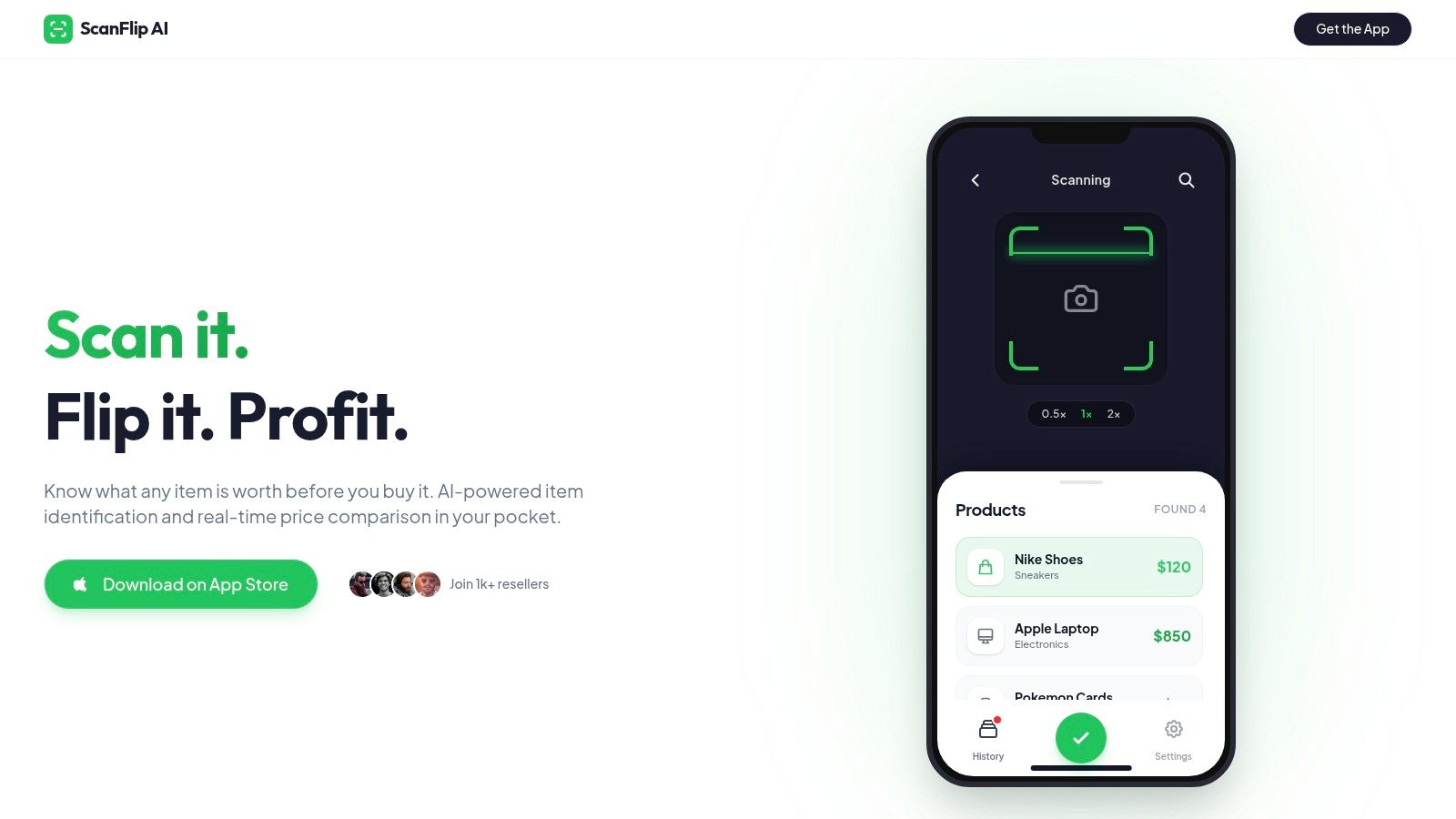
The goal isn't to replace comp knowledge. It's to remove repetitive work so you can make faster, cleaner buy decisions. That matters when sourcing windows are short and the best inventory doesn't wait.
If you want a faster way to research sold comps and estimate real take-home profit while sourcing, ScanFlip AI is built for that job. It identifies items from photos, aggregates sold prices across major marketplaces, and factors in fees and shipping so you can make a quicker buy-or-pass decision with less manual math.