


Mercari Fee Calculator: Find Your True 2026 Profit
Mercari seller fees are simple right now: sellers pay a flat 10% selling fee, and the old seller payment processing fee is gone on new or updated listings as of early 2025. If your calculator is still adding 2.9% plus $0.50, it's using outdated rules and it's understating your real profit.
That matters most when you're sourcing in real time. You're standing in a thrift aisle, holding something that looks like an easy flip, and the only question that matters is whether the margin is still there after fees and shipping. A bad Mercari fee calculator turns a good buy into a pass, or worse, turns a weak buy into a mistake.
I've seen this trip up resellers more than almost anything else on Mercari. The platform fee itself isn't hard. The problem is that a lot of websites, templates, and old blog posts still bake in charges that no longer apply to sellers. If you trust those numbers, your pricing gets sloppy fast.
This guide uses the current formula, shows how to calculate net profit without guessing, and points out the traps that still catch experienced sellers.
Table of Contents
- Stop Guessing Your Mercari Profits
- Breaking Down Mercari's 2026 Fee Structure
- The Simple Formula for Calculating Your Net Profit
- Factoring in Shipping Costs and Promotions
- Common Pitfalls and Outdated Calculator Traps
- The Best Mercari Fee Calculator Options for Resellers
Stop Guessing Your Mercari Profits
A common resale moment goes like this. You find a pair of decent boots, a small electronic, or a branded jacket. The sold comps look promising. Then the hesitation kicks in because you're trying to subtract fees, remember shipping, and estimate whether Mercari will leave enough room after everything comes out.
That hesitation is usually a math problem, not a sourcing problem.
Most sellers don't lose money on Mercari because the fee model is too complex. They lose money because they use bad assumptions. The biggest one is trusting an outdated Mercari fee calculator that still subtracts fees Mercari no longer charges sellers on current listings.
Practical rule: If a calculator still asks you to account for a separate seller processing fee, stop using it.
The fix is simple. Use a profit workflow that starts with the actual sale amount, subtracts the current platform fee, then backs out your shipping cost and your buy cost. That's it. Once you do that consistently, pricing gets cleaner and sourcing decisions get faster.
Why bad estimates hurt twice
The first problem is obvious. You may pass on an item that would have been profitable.
The second problem is quieter. You may price too high because you think Mercari is taking more than it is, which can leave your listing sitting longer than it should.
A good Mercari fee calculator should help you answer three questions fast:
- Can I buy this item profitably: before you check out at the thrift store or yard sale.
- What should I list it for: based on the net you want, not the gross number you hope for.
- How low can I accept: when offers come in and you need a fast yes or no.
The right calculator doesn't just estimate payout. It helps you decide buy, list, and accept.
Breaking Down Mercari's 2026 Fee Structure
You list an item, get an offer, open a calculator, and the numbers still look off. In my experience, that usually happens because the calculator is using Mercari's old fee setup, not the rules sellers are dealing with now.
What sellers actually pay
For current listings, seller math is simpler than many blog posts make it sound. The seller fee is a flat 10% selling fee. There is no listing fee, no monthly subscription, and no separate seller payment processing fee on new or updated listings.
The practical mistake is using a calculator that still subtracts a processing charge from the seller side. That was the old workflow. If the tool has not been updated for the current fee structure, your profit estimate is wrong before you even price the item.
That is why I treat any Mercari calculator as suspect until it shows the current logic clearly.
| Fee / Cost | Who Pays | Rate |
|---|---|---|
| Selling fee | Seller | 10% |
| Listing fee | Seller | None |
| Monthly subscription | Seller | None |
| Seller payment processing fee on new or updated listings | Seller | None |
| Buyer Protection fee on new or updated listings | Buyer | 3.6% |
One practical habit helps here. Before you rely on any calculator, compare its output against your own quick estimate. If the tool cannot match basic manual math, do not trust it for pricing decisions. A solid pricing process starts with the right fee assumptions, and that is the same discipline used in pricing items for resale at a target margin.
What buyers may see at checkout
Buyer charges are separate. According to Mercari's fees help article, buyers on new and updated listings may see a Buyer Protection fee of 3.6%, while the prior buyer-side payment processing fee was removed for those listings.
Sellers mix this up all the time because the checkout screen shows more than one fee label. But buyer checkout charges do not come out of your payout. They affect conversion and offer behavior, not the seller fee line on your transaction.
Keep buyer checkout costs out of your seller profit math.
That distinction matters more in 2026 because outdated calculators often blend old seller fees with newer buyer charges and produce a payout number that never matches reality. Clean Mercari profit math starts with the seller fee only, then you account for your own costs such as shipping, cost of goods, and any price cuts you choose to make.
The Simple Formula for Calculating Your Net Profit
You list an item at a price that looks fine, it sells fast, and the payout still feels off. That usually happens for one reason. The math was based on an old Mercari calculator or a seller fee formula that no longer matches the current setup.
Use a formula you can verify by hand first. Then use a calculator that updates with Mercari's current fee rules, not one that still reflects older assumptions.
The working formula
For a standard resale decision, the formula is:
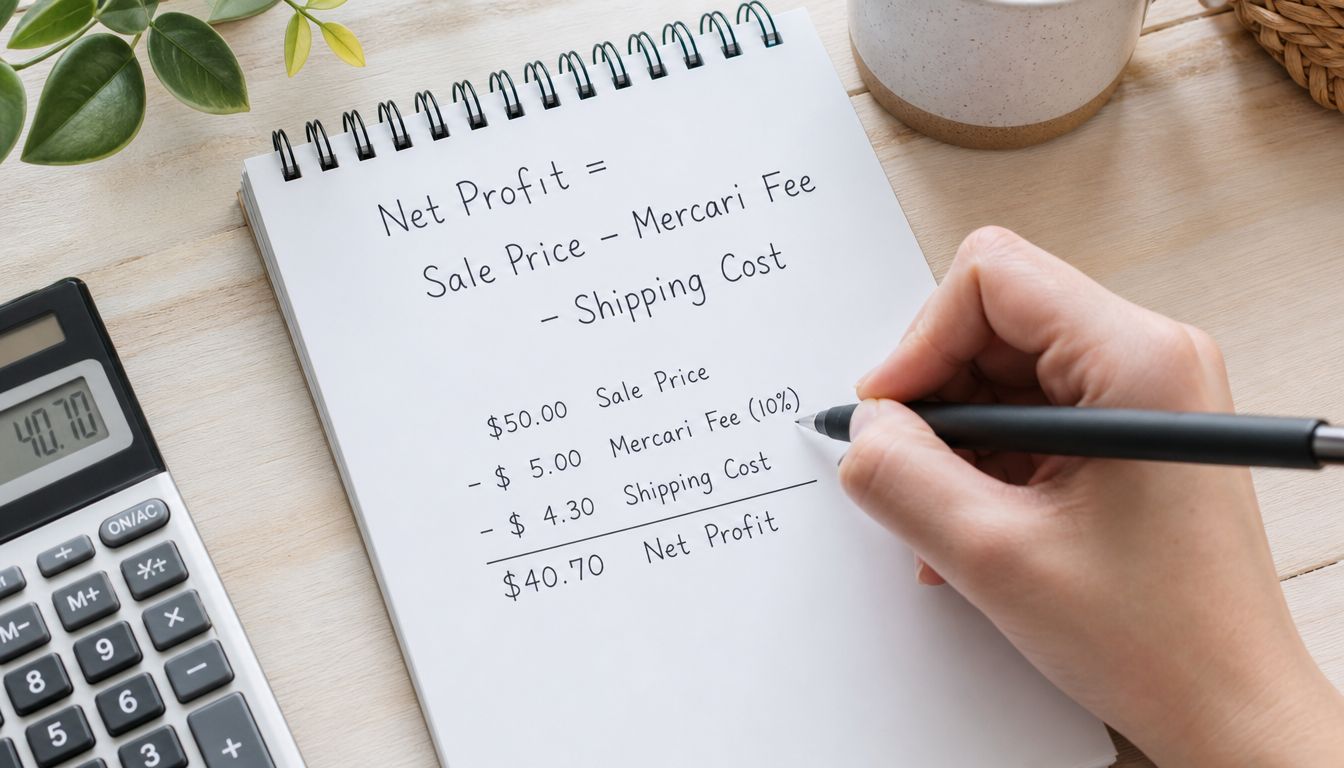
Net Profit = Final Sale Amount – Mercari Selling Fee – Shipping You Pay – Cost of Goods
With Mercari's current seller-side fee structure, that becomes:
Net Profit = Final Sale Amount – (Final Sale Amount × 0.10) – Shipping You Pay – Cost of Goods
That is the baseline. Your actual take-home only gets clearer when your inputs are honest.
If you use mailers, boxes, tape, or padding regularly, roll those into shipping. If you bought inventory in a bundle, assign a real per-item cost before you list. Resellers lose margin here all the time because they treat shared inventory cost like it disappears.
One habit improves pricing fast. Start with the profit you want, then back into the listing price. If you want a cleaner system for that, this guide on pricing items for resale at a target margin fits well with Mercari math.
Two practical examples
Example one: a lightweight shirt
Say the buyer pays $50 for the item and you are not absorbing extra shipping cost on your side. The seller fee is $5. If your cost of goods is $8, your net profit is:
$50 – $5 – $0 – $8 = $37
Simple item, simple math. Still, bad calculators trip sellers up. Some outdated tools pull in old fee logic or mix buyer checkout charges into the seller payout estimate. The result looks precise but does not match your actual sale.
Example two: a heavier item shipped on your own
Now use a bulkier item that sells for $50, costs $12 to source, and ends up costing $14 to pack and ship. The fee is still $5, but your net changes fast:
$50 – $5 – $14 – $12 = $19
That is the difference between a decent sale and a weak flip. Heavy items expose bad assumptions quickly because shipping mistakes wipe out margin faster than the platform fee does.
My rule is simple. Round shipping against yourself. If a package might cost more, use the higher number before you list.
A practical workflow helps:
- Check realistic sold prices first. Use completed comps, not your best-case number.
- Apply the current seller fee to the final sale price.
- Add the full shipping expense you will absorb. Include packing supplies.
- Subtract cost of goods.
- Decide whether the remaining profit is worth your time, risk, and storage space.
That last step matters. A calculator can tell you margin, but it cannot decide whether a slow, fragile, awkward item is worth handling. Experienced resellers make that judgment after the math, not before.
Factoring in Shipping Costs and Promotions
Once the fee formula is right, the next variable is your own execution. Shipping and promotions are where a lot of margin disappears.
Shipping choice changes your margin
Mercari sellers usually bounce between two approaches. One is convenience. Use a Mercari label, keep the workflow simple, and let the process stay standardized. The other is control. Ship on your own, compare rates, use your preferred carrier setup, and try to shave costs where you can.
Neither option is automatically better.
Prepaid labels work well when you want fewer moving parts. Shipping on your own works better when you know your package profile well and you've learned where Mercari's standard path isn't your cheapest path. The mistake is assuming one method is always more profitable.
A practical shipping checklist helps:
- Weigh after packing, not before. A raw item weight can fool you.
- Count supplies as part of shipping. Boxes, mailers, tape, and padding aren't free just because they're small.
- Choose predictability for fragile items. A slightly higher shipping cost can still be the better decision if it reduces packing risk and handling mistakes.
Promotions reduce profit if you don't plan for them
Promotions don't create a separate Mercari seller fee, but they still cut your take-home because they reduce the final sale price. If you send offers to likers or lower a listing through pricing tools, the accepted lower price becomes the number your profit should be based on.
That's where many sellers get sloppy. They calculate profit once at list price, then keep sending discounts without recalculating the floor.
Before you send an offer, know your absolute minimum acceptable number and stick to it.
The simplest habit is to decide your floor price when you create the listing. Not later. Not when an offer pops up and you're tired. If your margin only works at your ideal price, it doesn't really work.
Common Pitfalls and Outdated Calculator Traps
The most expensive Mercari calculator mistake isn't complicated. It's old data.
The biggest calculator mistake online
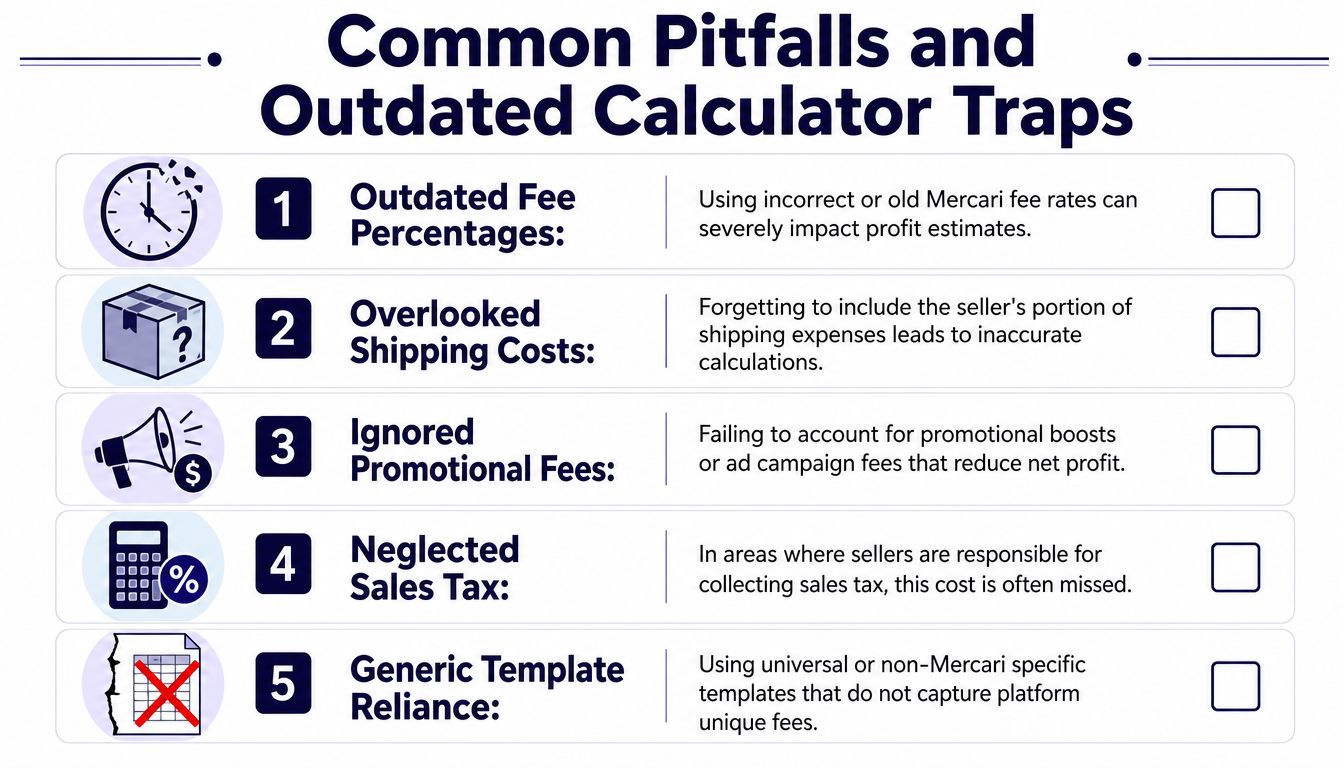
Many calculators and guides still include the old 2.9% plus $0.50 payment processing fee even though Mercari removed that fee for current seller-side calculations on new and updated listings. According to Underpriced's Mercari fee guide, that outdated math can cause sellers to overestimate their costs by up to $1.95 on a $50 item.
That may sound minor until you repeat it across dozens of decisions. It changes sourcing calls, offer thresholds, and pricing confidence. It also teaches sellers the wrong lesson. They think Mercari is less profitable than it is under the current rules.
If you cross-check comps on other marketplaces too, it helps to know how to verify actual sale history cleanly. This walkthrough on how to find sold prices on eBay is useful when you're comparing whether Mercari or another platform gives you the better path.
Other profit leaks resellers miss
Outdated fee logic is the headline problem, but it's not the only one. In practice, these mistakes show up just as often:
- Ignoring buy cost entirely. Sellers sometimes celebrate payout and forget they still have inventory cost sitting underneath it.
- Using guessed shipping weights. “It should be close” is how profitable items turn average.
- Skipping supply costs. A box, bubble wrap, and tape can matter on lower-margin sales.
- Confusing buyer fees with seller fees. If it doesn't come out of your payout, it doesn't belong in your seller net formula.
- Relying on generic spreadsheets. Templates built for eBay, Poshmark, and Mercari at once often blur platform-specific rules.
If your calculator makes Mercari look complicated, the calculator is probably the problem.
A good profit workflow should feel boring. You enter the sale amount, subtract the current platform fee, subtract what you pay to ship, subtract what you paid to buy the item, and make the call. Anything that adds old platform charges or fuzzy assumptions is noise.
The Best Mercari Fee Calculator Options for Resellers
There isn't one perfect method for every seller. The best choice depends on how often you source, where you do your research, and how quickly you need answers.
Manual math versus spreadsheet versus app
Manual calculation works well for occasional sales. If you only list a few items and know your costs clearly, a simple formula in your notes app is enough. It's slow in-store, but it forces you to understand the logic.
Spreadsheet tracking is better when you plan inventory at your desk. You can track buy cost, expected list price, shipping assumptions, and your minimum acceptable offer in one place. The downside is upkeep. If the platform changes a fee rule and you forget to update the sheet, your spreadsheet becomes its own outdated calculator.
App-based calculators are the best fit for active resellers who source in real time. The advantage isn't convenience alone; it's staying current when marketplace rules change. Mercari's own help documentation shows that starting January 6, 2025, buyers saw a 3.6% Buyer Protection fee on new listings while the buyer-side payment processing fee was eliminated, which is exactly the kind of platform shift that can break older tools if they aren't maintained through an automated margin calculator app workflow.

For most full-time or serious part-time resellers, that's the dividing line. If you're making buy-or-pass decisions on the fly, a calculator that updates with current fee logic is worth more than a prettier interface.
If you want a faster way to make sourcing decisions, ScanFlip AI combines item identification, sold comps across major marketplaces, and an auto-updated profit calculator so you can see expected take-home before you buy. It's built for resellers who need a buy-or-pass answer in the aisle, not after they get home.