

Whatnot Fee Calculator: How to Find Your Real Profit
The tag says $6. Sold comps say $42. You do the math on the drive home: 8% commission is a few bucks, processing adds a little more, and you figure you're clearing close to $30. Then the sale closes, the payout lands, and the number in your bank is smaller than the number in your head. Not by a lot. By enough that it changes which items you pick up next week.
That gap is what a Whatnot fee calculator exists to close. Not by handing you one blended percentage to memorize, but by modeling each order the way Whatnot charges it: commission on the item price, processing on the whole order total, and a flat per-order charge that punishes cheap items harder than anything else on the platform.
Table of Contents
- Whatnot Fees at Common Sale Prices
- How to Build Your Whatnot Profit Calculation
- Whatnot Fees by Category on a $100 Sale
- Why One Percentage Misstates Your Take-Home
- When Sold Money Reaches Your Bank
- Set Your Minimum Profit Before You Buy Stock
Whatnot Fees at Common Sale Prices
| Sale price | Commission (8%) | Processing (2.9% + $0.30) | Total fees |
|---|---|---|---|
| $10.00 | $0.80 | $0.59 | $1.39 |
| $25.00 | $2.00 | $1.03 | $3.03 |
| $50.00 | $4.00 | $1.75 | $5.75 |
| $100.00 | $8.00 | $3.20 | $11.20 |
Read this as four single-item orders in a standard category, no buyer-paid shipping, no tax, so the order total equals the sale price. Every row is a clean sale. Real orders break that assumption, which is the subject of the next two sections.
At $10, commission is $0.80 and processing is $0.59, so $1.39 leaves the sale and you keep $8.61. Look at the split: the flat $0.30 is nearly as large as the entire commission. At that price you're paying for the privilege of taking up an order slot.
At $25 the percentages start behaving. Commission climbs to $2.00, processing to $1.03, and $21.97 remains. At $50 it's $4.00 and $1.75, leaving $44.25. At $100, $8.00 and $3.20, leaving $88.80.
The pattern is the useful part. As the sale price rises, the fixed $0.30 shrinks as a share of the total and the effective take drifts toward 11%. On cheap items it climbs past 13%. A $6 flip and a $60 flip don't share a fee assumption, and treating them as if they do is how people talk themselves into lots that never make money.
Bottom line on the table: every figure in the Total fees column is a floor, not a ceiling. It assumes a clean sale, no refund, no buyer-paid shipping, and a category billed at 8%.
Find the row closest to the price you expect to get, then subtract what you paid for the item and what it costs to get it to the buyer. The next section runs that subtraction in the order Whatnot charges it.
How to Build Your Whatnot Profit Calculation
Work the steps in the order the fees hit, not the order that feels natural. The fee base changes from line to line, and that's where mental math goes wrong. The Whatnot seller fees and commission schedule separates commission from processing for exactly this reason: commission is charged on the item's final sale price, while processing applies to the total order value, including any shipping and tax.
1. Lock the final sale price. Not the price you hoped for, not the comp you screenshotted at Goodwill. On a live show the price is whatever the room gave you, and both fee lines start there.
2. Multiply the item price by the category rate. Standard categories run 8%. This is the only fee line that moves with category, so confirm it before you go live rather than after.
3. Run processing on the full order total. Processing is 2.9% plus $0.30 on the order total, buyer-paid shipping and tax included. The schedule's own illustration shows why the distinction matters: a $100 item with no extra buyer charges carries $8.00 commission and $3.20 processing, and if the order total reaches $120 through shipping and tax, processing rises to $3.78 while commission holds at $8.00.
4. Check the fee-tax line on your statement. If tax shows up on commission and processing for your account, add whatever you see there. Don't assume it's zero because it was zero for someone else.
5. Subtract the label and the supplies. A $4.50 label on a single shirt, less on a card in a bubble mailer, plus the mailer and tape. This line is where "free shipping" offers turn into losses.
6. Subtract your cost of goods and compare against your floor. Not against a feeling. Against a number you set before you left the house.
Here's the whole thing on one item. A $6 Goodwill find sells for $42 with no buyer shipping charge and a $4.50 label. Commission at 8% is $3.36. Processing is 2.9% of $42, or $1.22, plus $0.30, which is $1.52. Total fees $4.88, leaving $37.12. Take off the $4.50 label and you have $32.62. Take off the $6 buy and net profit is $26.62. That's the number that goes in the spreadsheet, not the $42.
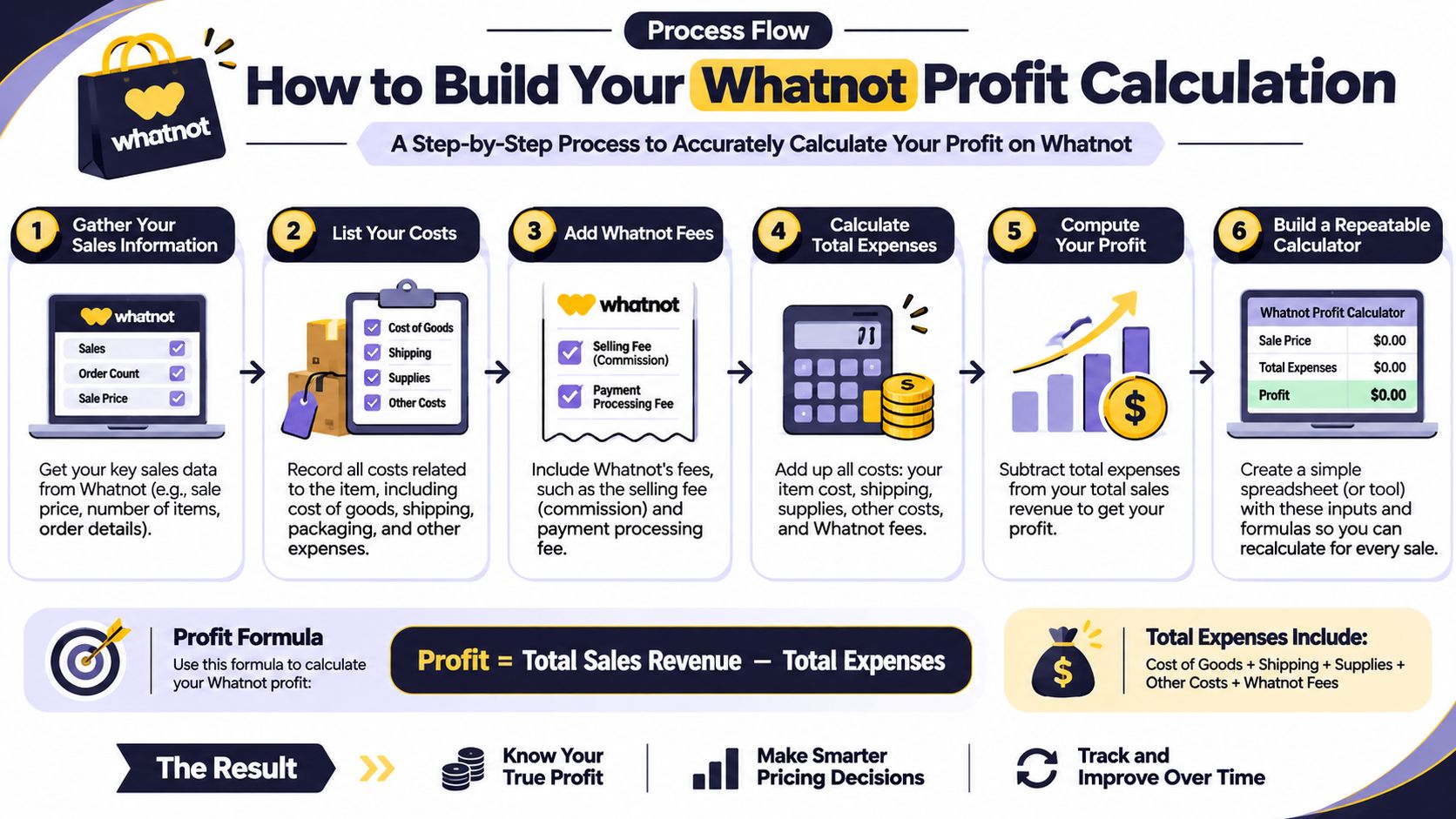
Refunds need their own handling. When an order comes back, the commission and processing lines reverse with it, but the label you already bought usually doesn't. Subtract the refund, back out the fee lines it affects, and treat postage as a cost you ate. One row per sale in a spreadsheet keeps this repeatable: sale price, category, buyer shipping, tax, commission, processing, seller shipping, supplies, cost, net. If you want the full version of that formula with every cost line named, how to calculate net profit lays it out step by step.
Whatnot Fees by Category on a $100 Sale
| Category | Commission rate | Commission on $100 | Processing on $100 | Total fees on $100 |
|---|---|---|---|---|
| Standard, most categories | 8% | $8.00 | $3.20 | $11.20 |
| Electronics | 5% | $5.00 | $3.20 | $8.20 |
| Coins & Money | 4% | $4.00 | $3.20 | $7.20 |
Only one column moves. Processing sits at $3.20 in every row because the order total didn't change. On the same $100 sale, the gap between standard and electronics is $3, and between standard and Coins & Money it's $4.
Those gaps look small until you scale the buy. On a $200 phone, standard commission is $16 and electronics commission is $10, a $6 swing that decides whether a bulk lot clears your minimum or sits in the death pile. On a single coin, $4 is the difference between a pass and a pick.
The trap is the category definition. Whatnot's schedule defines what falls where, and that definition controls the rate, not how you'd describe the item in a listing title. A vintage calculator isn't automatically electronics in the schedule's sense, and a silver round isn't automatically Coins & Money. Read the definition before you price at 5% or 4%.
When in doubt, price it at 8%. A pleasant surprise at payout beats a margin you invented in the aisle.
On cheap items, chasing the category rate is wasted effort. At a $10 sale, the difference between 8% and 4% is $0.40, while processing alone takes $0.59. The flat charge matters more than the rate down there, so spend your attention on order-level costs instead.
Why One Percentage Misstates Your Take-Home
Two sales off the same table, same account, same week. A $5 coin flip pays $0.40 commission and about $0.45 in processing. That's roughly $0.85 in fees, about 17% of the sale, and the $0.30 fixed piece is doing most of the work. A $100 piece pays $11.20, about 11.2%. Neither percentage is a rate you can plan a sourcing trip on.
Now add shipping to the picture, because that's where the blended number really breaks. Say two items total $40 and the buyer pays $15 shipping, so the order total is $55. Commission is $3.20, charged on the $40 of items because shipping never enters that base. Processing is 2.9% of $55, or $1.60, plus $0.30, so about $1.90. Total fees $5.10, roughly 12.75% of the item price. The shipping charge raised the processing base without raising commission by a cent.
That's the blind spot for bundles, low-priced lots, and anything heavy. Whatnot's seller fee page also notes the platform may charge tax on its own commission and processing depending on your location and tax-registration status, which adds a line the blended percentage never captured in the first place.
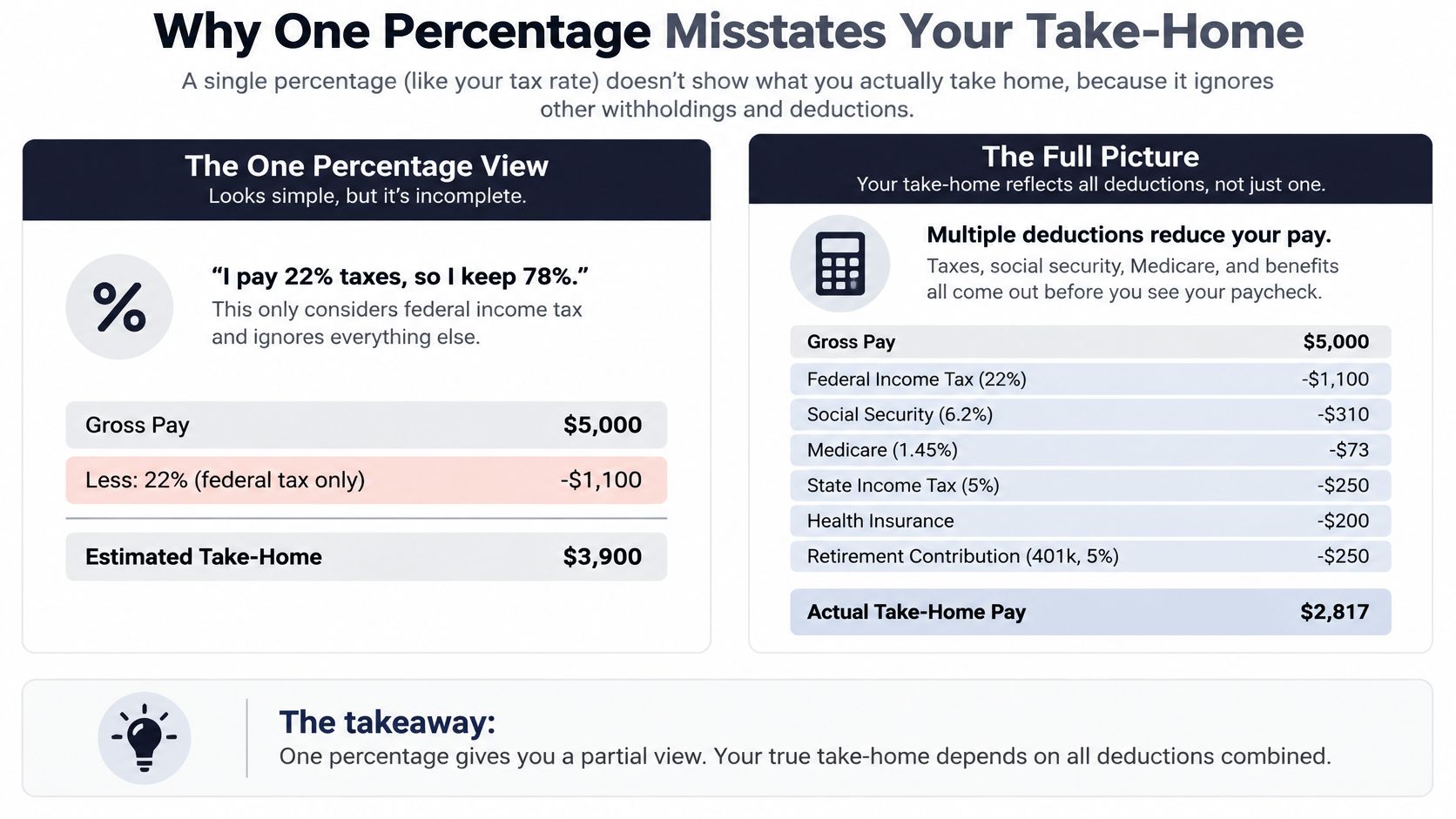
A calculator built for this shows separate lines instead of one rate:
- Sale price and buyer-paid shipping, kept apart because they feed different fee bases
- Commission by category, applied to the item price only
- Processing with the $0.30 fixed charge, applied to the whole order total
- Platform-fee tax, if your account gets charged it
- Your label, supplies, and cost of goods, which the platform knows nothing about
The number that actually guides buying decisions is contribution margin per order, not a marketplace percentage. What's left after every line above, divided by what you paid.
Run the calculation for each order type you sell: single cheap items, two-item bundles, and anything where the buyer pays real shipping. If you're still guessing at postage, how to estimate shipping costs will tighten that line too.
When Sold Money Reaches Your Bank
Profit and available cash are two different numbers, and mixing them up is how resellers end up with a sold-out show and no money for Saturday's estate sale. Whatnot doesn't release earnings the moment an item sells. For most orders, funds become available after the carrier confirms delivery, and in some cases at least 96 hours must pass after the sale, with timing varying by country, shipping method, and Early Payout eligibility. Then you request a bank payout, which the Whatnot payout help page lists at generally one to two business days for a US bank. Sellers are also generally expected to ship within two business days.

Put a date on it. You spend $100 at an estate sale on a Saturday, run the live show Tuesday, ship Wednesday, and the carrier confirms delivery later that week. The 96-hour clock and the payout request run after that, and the bank transfer lands the following week. The item sold in five days and the cash comes back in ten.
Two habits keep that from strangling your sourcing:
- Keep a separate restocking float. Cash you can spend on Monday regardless of what's pending.
- Track pending earnings apart from available funds, so a screen full of sold items never reads as buying power.
If volume grows to the point where pending and available blur together, monthly bookkeeping services from Book Tech LLC keep the two straight without you rebuilding a spreadsheet every Sunday night.
Set Your Minimum Profit Before You Buy Stock
At the rack, your buy decision comes down to one number: the most you can pay and still clear your minimum net. Work backward from the expected sale price. Subtract fees, subtract the shipping label, then subtract your floor. What remains is your buy ceiling.
Take the $42 sale with a $10 floor. Fees run $4.88 and the label is $4.50. So $42 minus $4.88 in fees, $4.50 for the label, and the $10 floor leaves $22.62 as your ceiling. Any find priced above $22.62 is a pass, however good it looks hanging there.
Run the same math at $75 on a standard category. Commission is $6.00, processing is $2.48, and fees total $8.48, leaving $66.52 before buy cost and label. Pay $20 for the item and $6 for the label, and you net $40.52, clearing a $40 floor by fifty cents. Pay $45 for that same item and you land at $15.52, which fails. Same item, same comps, different answer. The seller's price decides whether the deal exists.
Do the subtraction at the rack, not at the register. Once the item is in your cart you've already decided, and the math stops being honest.
A percentage target tells you what you want. A ceiling tells you what to pay. That's the difference between hoping a lot works and knowing which pieces in it are worth carrying to the counter. Sellers who use a floor also stop overpaying for the second-best item in a bundle just to fill a show.
The hard part is doing this repeatedly, with a cart in one hand and your attention split across racks. That's where the buy decision gets sloppy. ScanFlip AI handles the arithmetic: scan an item by AI photo with no barcode needed, by barcode, or by text search. It identifies the item, pulls sold comps from marketplaces including Whatnot, applies platform fee tracking across major marketplaces, and uses its automatic profit calculator to factor in fees and shipping. Then it gives you a red or green Flip or Pass Verdict against the minimum profit margin you set. New users get 10 free scans with no credit card required, enough to test the workflow across a full sourcing run.

Set your floor this week, then push three real sales through the calculator and compare what you predicted with what landed. Adjust the floor once you have actuals instead of assumptions. A ceiling you trust beats a percentage you hope is right. If you want to see where a floor turns into a break-even number for the whole order, break-even price calculation shows the reverse math.
ScanFlip AI is built for the aisle decision: does this item clear your floor after fees and shipping? A scan gives you AI-powered item identification, real-time price comparison, sold comps from Whatnot and other marketplaces, fee and shipping math, and a red or green verdict against your set minimum. Start with the 10 free scans, no credit card required, and take it on your next sourcing run at ScanFlip AI.