
Barcode Scanner App for Resellers: Source Smarter in 2026
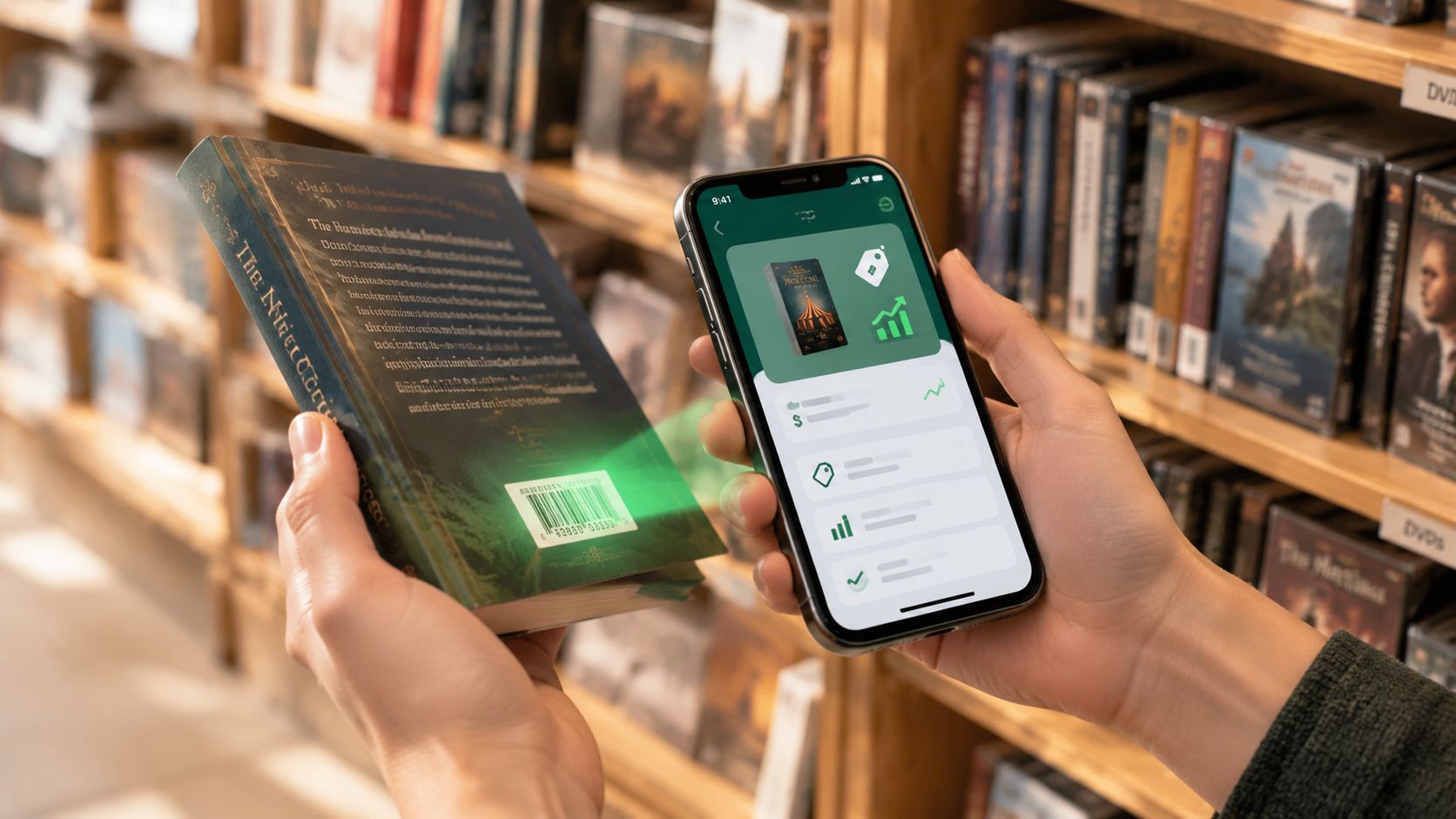
You're standing in a Goodwill book aisle with a rare-looking hardcover in one hand and a crowded cart in the other. The sticker says $3. You need to know whether it can clear your $15 minimum net profit after fees and shipping, or whether it belongs in the death pile before you even buy it.
That decision has to happen quickly. Manually checking sold comps across eBay, Poshmark, Mercari, Depop, Amazon, Whatnot, ThredUp, Facebook Marketplace, and TikTok Shop can take long enough for another picker to grab the next opportunity. A barcode scanner app helps only when it does more than read a code. It needs to identify the item, surface sold prices, account for fees and shipping, and tell you whether the buy makes sense.
Table of Contents
- Introduction to In Aisle Sourcing Challenges
- Understanding How Barcode Scanner Apps Work
- Strengths and Limits of Barcode Scanning for Resellers
- Beyond Barcodes AI Photo Scan and Text Search
- Interpreting Sold Comps and Calculating Net Profit
- Choosing the Right Scanning Method for Your Sourcing
- Conclusion and Next Steps
Introduction to In Aisle Sourcing Challenges
The hardest part of sourcing isn't finding an item that looks interesting. It's deciding whether the numbers survive contact with reality.
A boxed game might have a clean UPC and an obvious product match. A jacket might have a recognizable brand but no useful tag. A collectible may have packaging, a model number, and several variations that look nearly identical. In each case, gross sold prices can tempt you into a bad buy if you don't account for condition, shipping, platform fees, and your cost of goods.
Practical rule: A scan should shorten the buy decision, not replace judgment about condition and demand.
Barcode lookup is already built on mature retail infrastructure. The first barcode concept dates to 1949, when Norman Joseph Woodland sketched the idea on Miami Beach, and GS1 barcodes are now scanned more than 10 billion times per day worldwide, according to barcode industry statistics. That means a barcode scanner app isn't teaching buyers a new habit. It's putting a faster interface on a behavior retailers, book scanners, and arbitrage sellers already understand.
The catch is that no single scan method fits every sourcing table. Clear UPCs work well for books, media, games, and boxed retail. Untagged clothing, shoes, vintage décor, and many collectibles need a photo or text search instead. The useful question is not which app is the best. It's which method matches the item, the environment, and the margin you need.
Understanding How Barcode Scanner Apps Work
A practical sourcing app usually performs three jobs in sequence:
- Capture an identifier. The camera reads a UPC, EAN, ISBN, or another product code.
- Query sold comps. The app matches that identifier to product data and historical sales.
- Return a buy decision. It estimates what remains after fees, shipping, and your purchase cost.
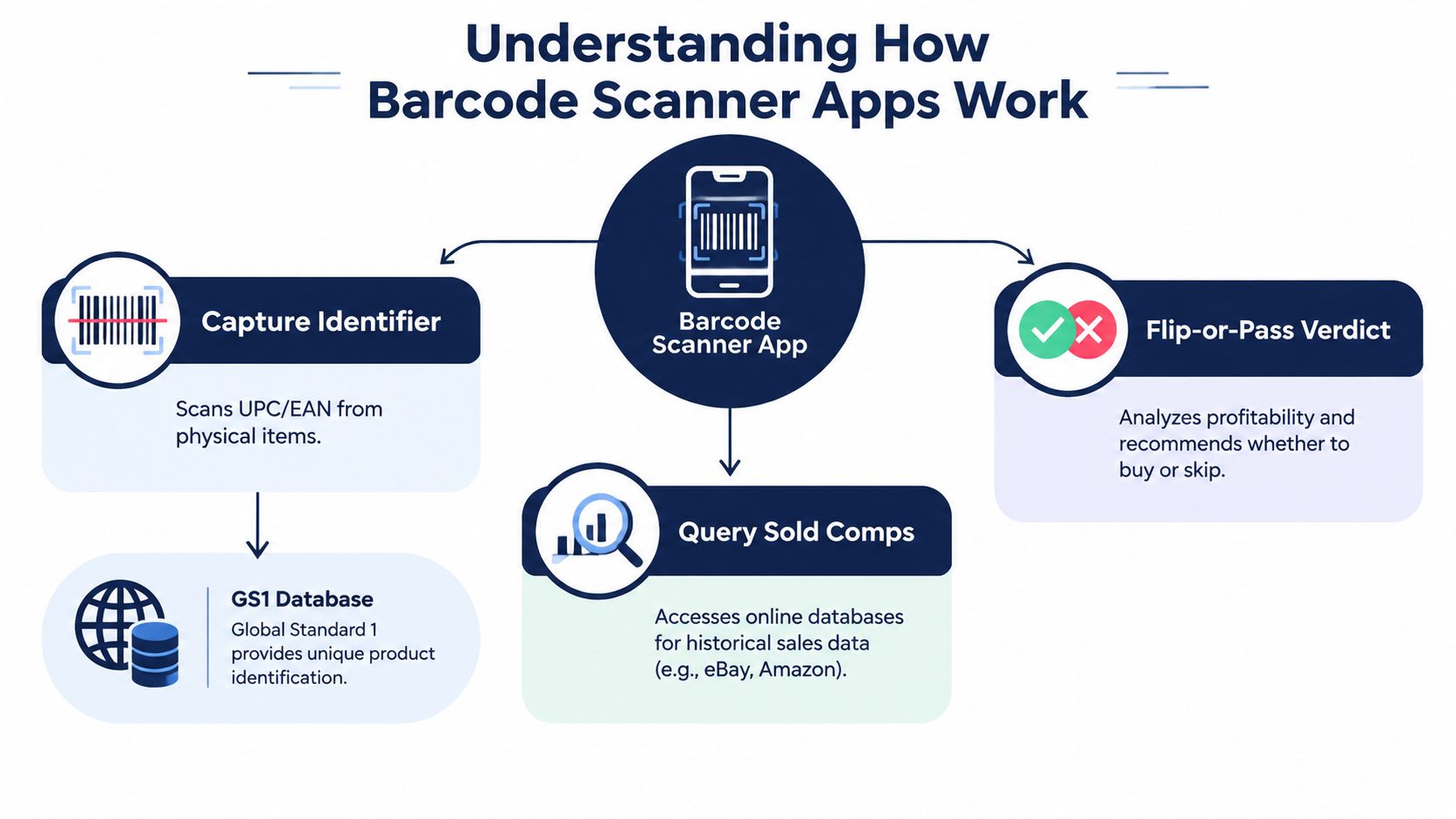
Capture first, then verify the match
A barcode is an identifier, not a condition report. The scan may correctly identify a book while missing a revised edition, a regional release, a bundle, or a different packaging version. Check the title, model, edition, color, size, and included parts before trusting the comp set.
Barcode scanning connects to the broader GS1 identification system, which is why standardized products can return a result so quickly. The system works best when the package is intact and the code belongs to one clearly defined product. It works less reliably when sellers have repackaged items or combined several products into one lot.
Query sold prices, not hopeful asking prices
The useful result is a group of sold comps, not the highest active listing you can find. A reseller-focused workflow should help compare actual sales across eBay, Poshmark, Mercari, Depop, Amazon, Whatnot, ThredUp, Facebook Marketplace, and TikTok Shop rather than forcing you to switch between apps.
The global barcode scanner app market was valued at about $935.9 million in 2024 and is projected to reach roughly $2.5 billion by 2035, according to this barcode scanner app market estimate. The projection points to continued demand for fast mobile lookup tools, but demand alone doesn't make every scan useful. The result still depends on product matching and realistic net calculations.
Finish with a flip-or-pass result
A useful interface puts the buy cost beside the expected sale outcome. It should show the likely net profit after platform fees and shipping, then compare that result with your minimum threshold.
This guide to the best scanning app for retail arbitrage covers the workflow in reseller terms. ScanFlip AI is one example of a sourcing tool that combines barcode scanning, AI photo scanning with no barcode required, and text search, then aggregates sold comps across the major marketplaces and returns a red or green flip-or-pass verdict based on fees, shipping, and purchase cost.
Strengths and Limits of Barcode Scanning for Resellers
Barcode scanning shines when the item has a standardized identifier and a clear product match. Books, DVDs, boxed games, sealed retail goods, and some collectibles can move through the process quickly because the code narrows the search before you inspect individual sold records.
That speed matters in a crowded Goodwill aisle. If a book has a readable ISBN and recent demand, a scan can tell you whether it deserves a place in the cart. The same applies to retail arbitrage, where several identical boxed products may need a quick buy-or-pass decision.
Why scans fail on the floor
Phone cameras don't operate in laboratory conditions. A code may be curved around a bottle, partially covered by a price sticker, wrinkled on a soft package, or coated with glare. Basement lighting and crowded bins create another problem. You may have only a few seconds to hold the item still while people reach around you.
Independent benchmark data reports 98.7% decode success in ideal lighting with a new code, falling to 61.3% in low light, on curved surfaces, or with partial occlusion, as documented in this mobile barcode scanning performance comparison. Smudged, wrinkled, or low-contrast UPC-A codes also fail 3 to 5 times more often than clean, high-resolution codes, according to the same source.
A failed scan isn't proof that the product has no value. It's proof that the code, camera, or lighting needs a different approach.
Try moving the item into open light, wiping the package, flattening a label, and changing the camera angle. If the code is still damaged, stop burning time on it. Switch to the product title, brand, model, or a photo.
Where barcode-only workflows break down
Many high-margin estate-sale finds have no UPC at all. Vintage clothing, shoes, older toys, handmade goods, untagged décor, and mixed collectible lots often can't be identified from a barcode because no barcode exists, as illustrated by reseller scanning use cases for photo and text identification.
A barcode-first workflow can create false confidence. It may identify a similar product while ignoring the meaningful difference between a complete collectible and an incomplete one, or between a current shoe model and an older version with weak demand. Use the code as an entry point, then verify the actual item in your hand.
Beyond Barcodes AI Photo Scan and Text Search
A garage sale table doesn't follow retail packaging rules. You may find an old action figure in a damaged blister pack, a pair of shoes with the size tag rubbed away, or a vintage T-shirt with no style code. The fastest path isn't always a barcode. Sometimes it's a clear photo, and sometimes it's a few precise words.
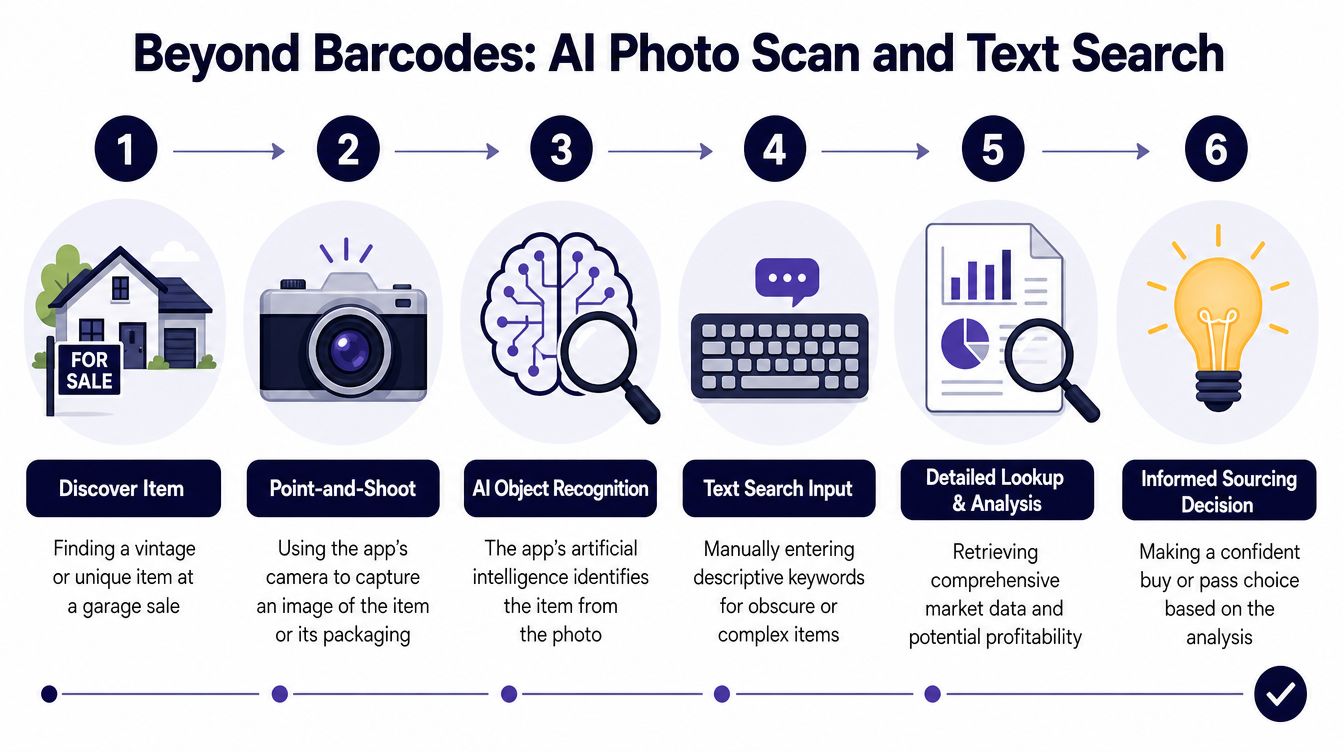
Use AI photo scan for visual inventory
Start with a clean image of the front, label, logo, outsole, maker mark, or packaging. Avoid photographing a pile where the app can't separate the target item from the background. For shoes, include the side profile and outsole when those details distinguish versions. For collectibles, capture the figure, box, markings, and accessories.
Photo recognition can help with goods that have no scannable code. It doesn't remove the need to inspect condition. A photo may identify a Nike shoe, but you still need to confirm size, wear, stains, missing insoles, and whether the exact colorway matches the sold comps.
Use text search when the item is complex
Text search works well when you know the brand and model but can't get a clean image. Enter the information printed on a label, tag, box, or maker mark. Add details such as size, color, edition, material, or character name, then compare the returned sold comps against the item in front of you.
For a mixed lot, search the most valuable identifiable component rather than assuming the entire bundle has the same demand. A garage-sale box of cards, accessories, or replacement parts may contain one worthwhile piece and several low-value additions.
This explanation of apps for identifying items by photo is useful when barcode-only scanning doesn't fit the inventory. A three-method workflow lets you start with a barcode, switch to a photo when the item is untagged, and fall back to text when the visual result is too broad.
Floor test: If you can't get a reliable product match after a couple of sensible attempts, price the item as uncertain inventory and raise your required margin.
Don't manufacture precision from a weak match. A photo result that names a broad category isn't the same as an exact model with comparable condition and demand.
Interpreting Sold Comps and Calculating Net Profit
A sold price is only the starting point. The number that matters is what remains after marketplace fees, shipping, and cost of goods.
Start with comparable sales that match the item you hold. Compare condition, size, edition, completeness, color, and included accessories. A high sale for a new, complete item shouldn't justify buying a worn or incomplete version.
A simple aisle calculation
Suppose your matched sold comps support a $45 sale. On eBay, the standard final value fee for most categories is 13.6% up to $7,500 of the sale amount, with $0.40 added for an order over $10, according to eBay's selling fee guidance. The fee calculation is based on the total sale amount, which includes the item price and buyer-paid shipping.
Using the item price alone for a simple illustration:
- Sale price: $45
- eBay percentage fee: $6.12
- Fixed order fee: $0.40
- Shipping: $7
- Purchase cost: $3
- Estimated net profit: $28.48
That estimate changes if the buyer-paid shipping amount is included in the total sale amount, if you offer free shipping, or if the item needs special packaging. For most categories, eBay's fee structure also changes above the stated $7,500 threshold, where the rate becomes 2.35% on the amount above it, as summarized by this eBay fee calculator reference.
The point isn't to memorize one result. It's to stop treating a $45 sold comp as $45 of usable money.
Compare platforms without mixing the math
Each marketplace has its own fee treatment, shipping expectations, audience, and category behavior. A sold comp on Poshmark may not produce the same net as the same gross sale on eBay. A Mercari result may have a different fee outcome again.
| Platform | Sold Price | Fees | Shipping | Net Profit |
|---|---|---|---|---|
| eBay | $45 | $6.12 plus $0.40 fixed fee | $7 | $28.48 after a $3 buy cost |
| Poshmark | $45 | Apply the current platform fee | Apply the actual shipping cost | Calculate after cost of goods |
| Mercari | $45 | Apply the current tiered rate | Apply the actual shipping cost | Calculate after cost of goods |
The table's eBay row uses the percentage and fixed fee structure described above. The Poshmark and Mercari rows are intentionally not assigned invented dollar amounts. Use the current fee treatment shown by your calculator and the shipping method you would use.
This net profit calculation guide for resellers gives the right mental model. Put in the buy cost before you get emotionally attached to the item, and set a minimum net profit that reflects your time, packing work, storage, and risk.
Choosing the Right Scanning Method for Your Sourcing
The right scanning method depends on four things: connectivity, item type, sourcing environment, and required margin. A book aisle with strong signal calls for a different workflow than a basement estate sale or a crowded pallet.
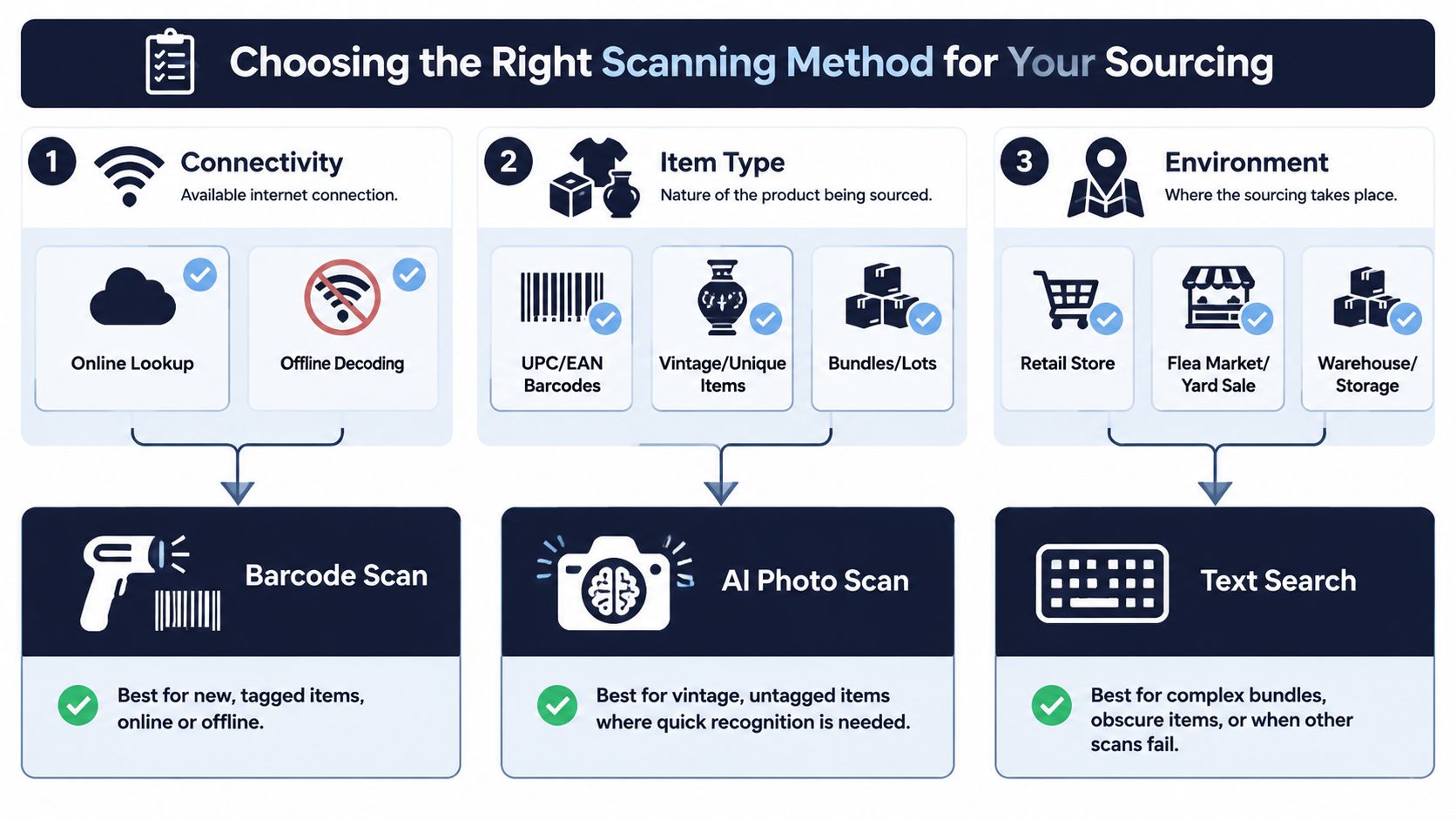
Match the method to the item
Use this quick decision guide while sourcing:
- Clear UPC or ISBN: Start with barcode scan for books, media, games, and boxed retail items.
- No barcode or an untagged item: Use AI photo scan for shoes, clothing, vintage pieces, and collectibles.
- Known brand or model text: Use text search when the label is readable but the camera can't produce a clean result.
- Mixed bundle or lot: Search the identifiable components separately before assigning value to the whole group.
- Damaged code: Try one lighting or angle adjustment, then move to photo or text rather than losing the buy window.
Connectivity changes the workflow
Live sold-comp lookups need a connection. Decode capability is a separate question. Offline and low-connectivity scanning is frequently overlooked, even though resellers work in basements, warehouses, backrooms, rural thrift stores, and crowded bins where live queries can fail, as noted in this offline barcode scanner app listing.
If you have no signal, an app that can decode the barcode on-device may still capture the identifier for later lookup. That can preserve the scan record, but it won't magically provide current sold comps without the required data connection. Test this before relying on it during a sourcing trip.
Build a fallback instead of forcing one mode
A practical sequence looks like this:
- Scan the barcode if the product is tagged and the code is readable.
- Switch to a photo when the code is absent, damaged, or the item is visually distinctive.
- Use text search for model names, maker marks, obscure bundles, or failed image matches.
- Check condition and completeness before accepting the verdict.
- Buy only when the estimated net clears your personal threshold.
Sourcing rule: Barcode for speed, photo for identity, text for control.
This approach also helps separate sourcing tools from later workflow tools. Crosslisting products such as Vendoo and List Perfectly may fit after you buy inventory, but they don't answer the immediate question of whether an item deserves your money. The scanning decision happens first.
Conclusion and Next Steps
The $3 hardcover in the Goodwill aisle doesn't need a generic price guess. It needs a fast product match, relevant sold comps, and net profit after fees, shipping, and cost of goods.
Barcode scanning remains useful for standardized items, but photo identification and text search cover the untagged inventory that barcode-only apps miss. Test a three-mode workflow on your next thrift run, compare how quickly you reach a decision, and track whether your expected net margin improves. Use the tool that fits the item and the signal, not the one with the shortest name.
ScanFlip AI combines AI photo scan with no barcode needed, barcode scanning, and text search, then compares sold comps across eBay, Poshmark, Mercari, Depop, Amazon, Whatnot, ThredUp, Facebook Marketplace, and TikTok Shop while estimating net profit after fees and shipping. Try it on your next sourcing trip by visiting ScanFlip AI before you buy.